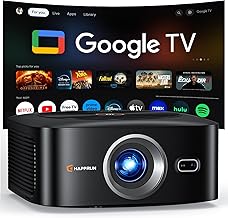
Comparison: Three Portable Projector Categories for Cabin Use
| Category | Weight | Battery | Brightness | Best For |
|---|---|---|---|---|
| Pocket / Pico | 0.5–1 lb | 1.5–2.5 hr | 100–300 ANSI lm | Inside cabins after dark, solo travelers |
| Compact Portable | 1–3 lb | 2–3 hr | 300–600 ANSI lm | Most balcony and cabin setups, couples |
| Full Portable | 3–6 lb | 2 hr or AC only | 700–1500 ANSI lm | Suite balconies, dusk viewing, families |
The best projector cruise ship cabin balcony setup is a portable, battery-capable mini projector under 3 pounds with a short throw ratio (under 1.2:1), fan noise below 30 dB, auto keystone and focus, built-in streaming, and an HDMI input. Cruise cabins are tight (often only 6–8 feet of usable projection distance), walls are thin (your neighbors will hear everything), and balconies have no power outlets. You want something you can pack in a carry-on, aim at a closet door or pulled curtain, run from internal battery on the balcony, and put away without disturbing your steward or the stateroom next door.
Why a Standard Home Projector Won't Work on a Cruise
Bringing your living-room projector on a cruise sounds clever until you measure your cabin. A typical inside or oceanview cabin runs 150–185 square feet. The wall you'd project onto sits 6 to 8 feet from where the projector lives, and a traditional 1.5:1 long-throw projector only fills a 50-inch image at that distance—if you can even position it that far back. Add 35–40 dB of fan noise echoing off hard cabin walls, a 6-pound brick of metal eating your luggage allowance, and the need to wire it to a wall outlet already occupied by a CPAP and phone charger, and the math falls apart.
When shopping for best projector cruise ship cabin balcony, it pays to compare specs, capacity, and real-world runtime before committing.
The best projector cruise ship cabin balcony rig solves all of these problems at once: a small chassis, ultra-quiet cooling, short-throw lens, internal battery, and an integrated streaming OS so you don't also have to pack a streaming stick and a separate power brick.
Five Specs That Actually Matter for Cabin Use
1. Throw Ratio Under 1.2:1
Throw ratio is the most important spec for cabin viewing. It's the projection distance divided by image width. In a cabin you typically have 6 feet (72 inches) of distance between the desk and the wall. With a 1.2:1 throw, that gets you a 60-inch image; with a 1.0:1 lens, you get 72 inches. A standard home projector at 1.5:1 delivers only 48 inches—too small for two people watching from across the room. Look for short-throw portable models, or any portable with a stated minimum distance under 4 feet for a 50-inch image.
2. Fan Noise Below 30 dB
Cruise cabin walls are notoriously thin—a noisy projector will absolutely carry into adjacent cabins, and you do not want a complaint slipped under your door on day two. Look for spec sheets that list noise output (most portables now publish this) and aim for under 30 dB in eco or quiet mode. LED and laser light engines run quieter than UHP-lamp projectors because they generate less heat and need less aggressive fan cooling.
3. Internal Battery (At Least 2 Hours of Video)
Balconies have no outlets, period. If you want to watch a sunset movie with the ocean as your backdrop, you need internal battery. Two hours covers most films; 2.5 hours gives you headroom for trailers and credits. Some portables advertise misleadingly long "music-only" battery life—always check the video runtime specifically, ideally at moderate brightness rather than eco mode.
4. Auto Keystone, Auto Focus, and Auto Obstacle Detection
You will project onto an off-center wall, a slightly angled closet door, or a sheet hung from the balcony divider. Manual keystone correction in a dim cabin while a partner waits is misery. Modern portables auto-correct in seconds and re-correct when bumped—which will happen, because the ship is constantly moving.
5. Built-In Streaming Plus HDMI Backup
Cruise Wi-Fi is workable for streaming if you buy the premium package, and most ships now have Starlink-backed connections that handle 1080p reliably. A built-in Google TV, Android TV, or licensed Netflix app saves you from packing an additional streaming stick. Still, keep HDMI as a backup for downloaded content from a tablet or laptop, since live streaming over ship Wi-Fi can be inconsistent at sea.
For a typical ocean-view balcony cabin, the compact portable category hits the sweet spot. Pocket models sacrifice too much brightness for anything but pitch-dark interiors, and full portables eat luggage allowance and rarely have meaningful battery life.
Balcony Setup: The Forgotten Half of the Problem
The balcony is where the magic happens, and it's also where most people get it wrong. Three challenges to plan around:
What do you project onto? The balcony divider wall is the obvious answer, but it's often textured fiberglass that scatters light unevenly. Bring a 40×60 inch travel screen (folds into a soft case the size of a yoga mat) or a clean white pillowcase pulled taut with binder clips on the divider. A white bedsheet hung from the balcony overhead with painter's tape also works and packs flat.
Ambient light at sea. Even on a moonless night, your neighbors' balcony lights and your own cabin spill pollute the image. Close the curtains behind you, kill the cabin overhead, and angle the projector so it isn't aimed at a neighbor's open sliding door.
Wind and sound. A small Bluetooth speaker is essential—projector built-in speakers get washed out by ocean and engine noise. Keep volume reasonable; sound carries on the wind, and you don't want to wake the cabin below at 11 PM.
Cabin Setup: Working With What You Have
Inside the cabin, the easiest projection surface is the wall above the bed (if you sleep with feet toward the wall, flip 180° for movie time), the closet door (usually flat and matte), or the back of the bathroom door if it's solid. Avoid the cabin TV wall—it's usually busy with framed art, a mirror, or the TV itself.
The desk is your projector platform. It's usually 30–32 inches off the floor, which gives a comfortable image height. A small tripod (8–10 inches tall) gives you another foot of elevation and lets you tilt without using keystone, which softens the image and reduces effective resolution.
Cruise Line Etiquette and the Rules
Projectors are not on most cruise lines' explicitly banned items list, but a few practical rules apply. Carnival, Royal Caribbean, NCL, Princess, and MSC all prohibit anything that draws excessive power or generates significant heat as a fire hazard—a 30W LED or laser portable falls comfortably under any of these thresholds. Disney's policy on "lighting equipment" is aimed at full studio lights, not a one-pound battery projector; pack discreetly.
The real etiquette rules:
- Don't project anything visible from other balconies. Aim inward toward your divider, not outward toward the ocean side where neighbors can see your screen.
- Keep audio below normal conversation level after 10 PM.
- Don't tape, pin, or otherwise damage cabin walls or balcony dividers—use painter's tape only, or clamp screens to the divider rail.
- Pack the projector away during room service and steward visits to avoid questions.
What to Pack With the Projector
The projector itself is only half the kit. Round it out with:
- A 6-foot HDMI cable for tablet or phone backup
- A small Bluetooth speaker (JBL Clip, Sonos Roam, or similar)
- A 10,000–20,000 mAh USB-C power bank that can recharge the projector between sessions
- A 40×60 inch travel projector screen or a clean white pillowcase
- Binder clips and a roll of painter's tape
- A small tabletop tripod with a 1/4-20 mount
- Pre-downloaded content on a tablet, phone, or USB stick (cabin Wi-Fi is rarely good enough for live 4K streaming)
The whole kit fits in a packing cube about the size of a paperback book stack and adds maybe 4 pounds to your luggage—a worthwhile tradeoff compared to dragging a full home theater projector that won't even work in the cabin.
Brightness Reality Check
You will see portable projectors advertised at 400, 600, even 1000 "lumens." Those numbers often refer to LED lumens or peak lumens, not ANSI lumens (the meaningful measurement). A 200-ANSI-lumen portable in a fully dark cabin looks excellent at 80 inches; the same projector on a moonlit balcony with ambient light fights for visibility at 50 inches. For balcony use after full dark, 300+ ANSI lumens is the practical floor. If you want more guidance on translating brightness claims, our projector lumens guide breaks down the differences between LED lumens, ANSI lumens, and ISO 21118 ratings in plain English.
Why Laser Beats LED for Cruise Use in 2026
Laser portables run cooler, last longer (20,000+ hours), and maintain brightness more consistently than LED—useful when you're trying to project on a partially lit balcony. They're also typically quieter because they need less active cooling. The tradeoff is price; expect to pay $400–$700 for a quality laser portable versus $200–$400 for LED. For occasional cruisers, LED is fine. For frequent cruisers or anyone who also wants a backyard movie setup back home, laser is the better long-term buy. See our roundup of the best portable mini projectors for home theater for current laser models that travel well.
Throw Distance in a Cabin: Do the Math Before You Buy
Before you buy, measure your booked cabin. Cruise line floor plans usually list exact dimensions. Subtract 2 feet from each end for furniture and you have your usable throw distance. Multiply that by 1/throw-ratio to get image width. A 7-foot cabin with a 1.2:1 throw projector gets you a 70-inch image, but a 1.5:1 gets only 56 inches. Calculating throw distance is the single most important step when picking the best projector cruise ship cabin balcony setup, because cabin geometry varies wildly between lines and ship classes. Our projector throw distance guide includes calculator examples that map cleanly onto cruise cabin geometry.
Frequently Asked Questions
Are projectors allowed in cruise ship cabins?
Yes. Major cruise lines including Royal Caribbean, Carnival, NCL, Princess, MSC, and Celebrity allow personal consumer electronics including portable projectors in 2026. Disney's restriction on "lighting equipment" is aimed at professional studio lighting, not a 1-pound battery projector. The general rule across lines is no items that generate excessive heat or draw heavy power; a modern LED or laser portable falls well under any cruise line's threshold.
Will cruise ship Wi-Fi handle streaming a movie to a projector?
On ships with Starlink internet (now most major fleets including Royal Caribbean, Carnival, NCL, MSC, and Princess), the premium package handles 1080p streaming reliably. Older satellite-based Wi-Fi struggles with anything above 720p and frequently buffers. Either way, downloading content to your phone or tablet before sailing and casting via HDMI or a built-in app is more reliable than live streaming at sea.
How quiet does a projector need to be for a cruise cabin?
Aim for under 30 dB in eco mode. Cabin walls transmit sound easily, and a 35 dB fan—about the level of a quiet refrigerator—will be audible to neighbors at night. LED and laser portables typically run 25–28 dB; older lamp-based projectors run 32–38 dB and are not appropriate for cabin use no matter how good the picture.
Can I project onto the cabin balcony divider wall?
Yes, but the surface matters. Smooth fiberglass dividers work; textured or perforated dividers scatter light and look poor. Bring a portable 40×60 inch screen or a clean white pillowcase clipped over the divider for a much better image. Never tape directly to the divider—use clips or weighted edges, and remove everything before disembarkation day.
What size image is realistic in an inside cruise cabin?
With a short-throw portable (1.0:1 to 1.2:1) and 6–7 feet of distance, expect a 60–84 inch image. That's roughly the size of a large TV at home and big enough for two people watching from a cabin bed. Pocket projectors with longer throws will only manage 40–50 inches at the same distance, which is barely larger than the cabin's built-in TV.
Should I bring a screen or just use a wall?
For inside cabins, a flat painted wall or smooth closet door works fine. For balcony viewing, bring a portable screen or pillowcase—balcony surfaces are usually textured and reflect light unevenly. A foldable 40×60 inch travel screen weighs under a pound, packs flat, and dramatically improves picture quality compared to an unprepped divider wall.
How do I power the projector on the balcony?
Internal battery is the only practical option—balconies do not have outlets on any major cruise line. Choose a projector with at least 2 hours of video runtime (not the inflated "music-only" runtime, which is meaningless for movies). A 10,000–20,000 mAh USB-C power bank can extend or recharge most modern portables between sessions, and doubles as a phone charger during shore days.
Is a portable projector worth packing for a single cruise?
For a 7-day Caribbean or Mediterranean cruise with a balcony cabin, yes—watching a movie at sea with the ocean as your backdrop is a memorable experience the in-cabin TV cannot replicate. For a 3-day cruise or interior cabin, the value drops. If you already own a portable for home use, packing it is an easy yes; buying one specifically for a single one-off cruise is a tougher call unless you'll keep using it for backyard nights afterward.
Key Takeaways
- Choosing the right best projector cruise ship cabin balcony means matching the key features to your specific needs and budget
- Read real customer reviews and check the return policy before you commit
- Also covers: cruise ship cabin projector portable
- Also covers: quiet projector cruise stateroom
- Also covers: cruise balcony projector setup
- Compare value across models — the priciest option is not always the best fit