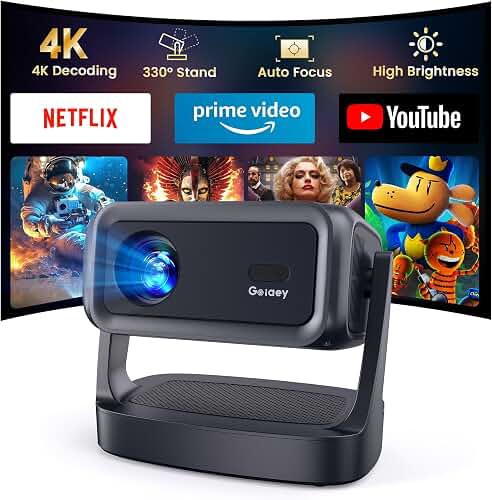
If you are hunting for the best 4k projector for ps5 gaming with vrr, the short answer is this: in 2026 you want a projector that pairs a true 4K image with a full HDMI 2.1 port (48 Gbps), native Variable Refresh Rate support across the 48–120 Hz range, Auto Low Latency Mode, and a measured input lag under 20 ms at 1080p/120 or under 30 ms at 4K/60. Anything missing one of those four pillars will either drop frames, stutter during VRR swings, or feel sluggish next to your TV. The rest of this guide explains exactly how to read a spec sheet, how to test a projector once it is hung, and which compromises are safe to make if your budget is tight.
Why the PS5 is harder on projectors than any other source
The PlayStation 5 can output 4K at 120 Hz, 1440p at 120 Hz, 1080p at 120 Hz, HDR10, and Variable Refresh Rate from 48 to 120 Hz. Each of those signals demands something most home theater projectors were never designed to do. A standard HDMI 2.0b port maxes out at 18 Gbps, which is enough for 4K/60 with HDR but not enough headroom for 4K/120 with HDR and VRR simultaneously. That is why HDMI 2.1 with at least 40 Gbps of bandwidth is now the floor for serious console gaming.
The best best 4k projector for ps5 gaming with vrr for your situation depends on how you plan to use it and where.
The second wrinkle is processing time. Cinema-focused projectors run heavy frame interpolation, dynamic iris adjustments, motionflow smoothing, and HDR tone mapping. Each stage adds latency. A great movie projector can post 80–120 ms of input lag in default mode, which feels rubbery in Call of Duty or Elden Ring. You need a Game Mode that strips most of those stages out.
The four specs that actually decide whether a projector is PS5-ready
1. A real HDMI 2.1 port (not HDMI 2.0 with 2.1 features)
This is the trap of 2025 and 2026. Several manufacturers ship projectors with an HDMI port labeled "2.1" because it accepts eARC or ALLM, but the underlying chipset is still 18 Gbps. That means it cannot pass 4K/120 with 10-bit HDR and VRR at the same time. Look for the literal bandwidth number in the spec sheet: 40 Gbps or 48 Gbps. If the manufacturer hides the number, assume it is 18 Gbps.
2. Native VRR, not just G-Sync Compatible marketing
The PS5 uses HDMI Forum VRR, which is the open standard built into HDMI 2.1. A projector must explicitly state HDMI VRR support in its manual or marketing. AMD FreeSync support over HDMI is a strong second indicator because the protocols share most of their underlying signaling. Beware of projectors that only list G-Sync Compatible, which is a DisplayPort-era badge that does not always translate to a PS5 handshake. The other thing to check is the VRR range. The PS5 swings between 48 and 120 frames per second in most games, so a projector with a narrow 60–120 Hz VRR window will fall out of sync during heavy combat or loading transitions.
3. Verified input lag, not vendor claims
Manufacturers love to quote a single best-case number, usually at 1080p/240. What matters for PS5 is the lag at the resolution and refresh rate you will actually play at. The thresholds gamers care about in 2026 are:
- Under 16 ms at 1080p/120: competitive territory, indistinguishable from a gaming monitor.
- 17–30 ms at 1080p/120 or 4K/60: excellent for the vast majority of single-player and online play.
- 30–50 ms at 4K/60: noticeable in fighting games and twitch shooters, fine for adventure and racing.
- Over 50 ms: only acceptable for slow strategy or turn-based titles.
Independent review databases publish measured lag using an HDMI tester. Trust those numbers over the box.
4. True 4K display (or a high-quality pixel-shift implementation)
Two technologies dominate sub-$5,000 4K projectors: native 4K LCoS or SXRD panels found in higher-end Sony and JVC units, and 0.47-inch DLP chips with four-phase XPR pixel shifting found in nearly everything else. Both produce a sharp image with the PS5, but the DLP-XPR designs respond faster, which usually translates to lower input lag and cleaner motion at 120 Hz. If you are buying for gaming first and movies second, a 0.47-inch DLP-XPR projector with HDMI 2.1 and VRR is the safer bet. If you are buying for movies first, expect to make small compromises on lag.
Brightness, contrast, and HDR considerations for PS5 gaming
Gaming sessions rarely happen in a fully blacked-out room. You want enough light output to keep HDR highlights from looking dim once the lights are on. For a 100-inch screen in a partially controlled room, target at least 2,500 ANSI lumens (or roughly 2,800 ISO lumens). For a fully dark dedicated theater, 1,800 ANSI lumens is plenty and will preserve deeper black levels. Our projector lumens guide walks through how ambient light, screen gain, and seating distance change that math.
HDR is the other half of the picture. The PS5 outputs HDR10, and projector HDR is fundamentally a tone mapping problem because no projector can hit the 1,000-nit peak the format was designed for. The best HDR projectors in 2026 use dynamic tone mapping that analyzes each frame, which is excellent for movies but adds processing latency. Most gaming-optimized Game Modes bypass dynamic tone mapping and apply a static HDR curve instead. The result is slightly less punchy highlights, but consistent timing.
Throw distance, screen size, and why it matters for VRR stability
A larger image at the same brightness means lower light per square foot, which forces the projector to push its lamp or laser harder. That heat affects long-term color accuracy and, in some models, triggers thermal throttling that can disrupt the VRR handshake. Match your throw distance to a screen size your projector can comfortably drive. Our projector throw distance guide shows the math, and our home theater projector setup walkthrough covers the alignment steps that prevent geometry-related re-syncs.
Cable choice will quietly ruin your VRR experience
This is the most overlooked failure point. A 4K/120 HDR VRR signal at 48 Gbps requires an Ultra High Speed HDMI cable certified by the HDMI Forum. Cheap cables longer than 10 feet routinely fail at this bandwidth, dropping back to 4K/60 or causing intermittent black frames mid-game. For ceiling-mounted projectors, use a certified active optical HDMI cable rated for 48 Gbps over the full length. Do not trust the cable that came in the projector box.
Audio routing changes when you add VRR to the mix
Most gamers route audio from the PS5 to a soundbar or AVR, then send video to the projector via eARC. That works for movies, but for VRR gaming the lowest-latency path is PS5 directly into the projector, with audio split out via the projector's optical or eARC port. Some projectors do not support eARC on the same HDMI port as 4K/120/VRR, which forces a choice. Plan the chain before you mount anything. Our guides on connecting a soundbar to a projector and running a full surround system through a projector cover both routing patterns.
What to look for if you are budget-constrained
You can build a respectable PS5 gaming setup for well under $2,000 if you are willing to accept 4K/60 with VRR instead of full 4K/120 with VRR. The number of projectors with the full HDMI 2.1 bandwidth needed for 4K/120 is still small, and they cluster above $2,500. Dropping to 4K/60 with HDMI 2.0 plus VRR opens up the market significantly, and the visual difference between 60 fps and 120 fps is far less dramatic on a 120-inch projected image than it is on a 27-inch monitor because per-pixel motion crispness is the limiting factor at that size, not refresh rate. If $1,000–$1,500 is your ceiling, the sub-$1,000 home theater projector roundup and the broader best 4K home theater projector list are the right places to start narrowing your shortlist for the best 4k projector for ps5 gaming with vrr in your price band.
How to verify your projector is actually doing VRR
Once everything is hooked up, do not assume. On the PS5, go to Settings, then Screen and Video, then Video Output. You should see VRR listed as Supported. Inside a VRR-enabled game (Resident Evil 4 Remake, Gran Turismo 7, Call of Duty), the same menu will show VRR Active. If it shows Supported but never Active, your cable, HDMI port, or projector firmware is the bottleneck. Most projector manufacturers ship VRR support via firmware updates after launch, so check for an update before assuming the hardware is the problem.
Common mistakes that kill PS5 picture quality on a projector
Even the right projector can look mediocre if it is configured for cinema and never reconfigured for gaming. The frequent traps:
- Leaving frame interpolation (MotionFlow, TrueMotion, MEMC) on. It adds 30–60 ms of lag and creates the soap-opera effect.
- Forgetting to enable Game Mode or HDR Game Mode in the projector menu.
- Using the eco lamp setting in HDR. The projector cannot tone-map HDR highlights without enough light output.
- Mounting the projector at a height that requires heavy keystone correction. Digital keystone scales the image and adds lag.
- Running HDMI through a cheap AVR that downgrades the signal to 4K/60 4:2:0 before passing it to the projector.
Frequently Asked Questions
Does the PS5 require HDMI 2.1 for VRR?
Yes. VRR on the PS5 is sent over the HDMI Forum VRR protocol, which is part of the HDMI 2.1 specification. A projector with an HDMI 2.0 port cannot negotiate VRR with the PS5, even if it advertises support for FreeSync or G-Sync Compatible. The handshake fails at the protocol layer, not the cable layer.
What is the lowest input lag projector for PS5 gaming in 2026?
As of 2026, the lowest verified input lag figures on consumer 4K projectors sit between 4 and 8 ms at 1080p/240 in Game Mode, and 16–26 ms at 4K/60 with HDR. Those numbers come from independent lab testing rather than vendor claims. Any projector quoting a single "4 ms" headline without specifying resolution and refresh is using the best-case number and will not deliver that lag at PS5 settings.
Can a 1080p projector do VRR with the PS5?
Some 1080p gaming projectors do support VRR at 1080p/120 over HDMI 2.1, and they can be a smart buy if you want maximum frame rate and minimum lag for competitive games. The PS5 will downscale 4K titles cleanly. The trade-off is reduced detail in HDR content and movies, so a 1080p VRR projector is a gaming-first device rather than a true home theater unit.
Will VRR work if my PS5 is connected through an AVR?
Only if the AVR fully supports HDMI 2.1 passthrough including VRR, ALLM, and 4K/120 at 40 Gbps or higher. Many early HDMI 2.1 AVRs shipped with bandwidth or firmware bugs that strip VRR before passing the signal to the display. The safest layout for gaming is PS5 to projector directly, with audio extracted from the projector's eARC port and sent to the AVR. If you must route through an AVR, verify with the manufacturer that the specific HDMI input you are using supports the full chain.
Do I need a special screen for PS5 gaming on a projector?
Not really. Standard 1.0 to 1.3 gain matte white screens work well for gaming because they preserve color accuracy and have no hot-spotting issues at off-axis seating positions. Ambient light rejecting screens can help if you game with lights on, but they tend to reduce color saturation in HDR. Stick with a quality matte white screen sized to your projector's lumen output.
How much input lag is too much for online multiplayer?
For ranked competitive shooters, target under 25 ms total display lag. For casual multiplayer, 30–40 ms is fine. Above 50 ms you will start to feel a delay between input and on-screen action, particularly in twitch-aimed scenarios. Note that this is display lag only; controller latency, network latency, and engine processing add to the total chain, so leaving headroom on the display side matters.
Is a laser projector or lamp projector better for PS5 gaming?
Laser projectors are the stronger choice in 2026. They reach full brightness in under 30 seconds, hold consistent color over thousands of hours, run cooler under sustained load, and avoid the dimming curve that lamp projectors show after 1,500 hours. The thermal stability also makes VRR more reliable during long sessions. Lamp projectors remain competitive on price, but a mid-range laser projector with HDMI 2.1 will outlast and out-perform a similarly priced lamp model for gaming.
Key Takeaways
- Choosing the right best 4k projector for ps5 gaming with vrr means matching the key features to your specific needs and budget
- Read real customer reviews and check the return policy before you commit
- Also covers: ps5 projector low input lag
- Also covers: 4k 120hz projector ps5
- Also covers: vrr projector for console gaming
- Compare value across models — the priciest option is not always the best fit