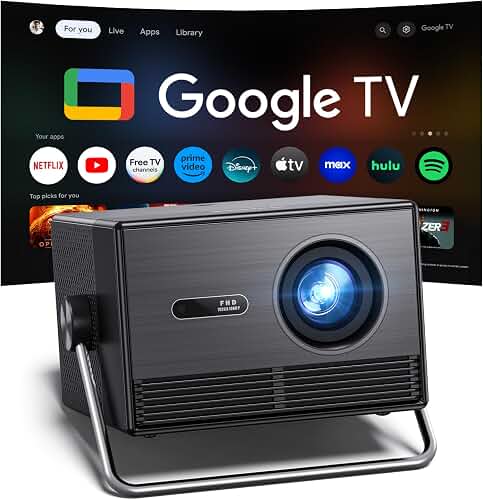
The best projector mount for vaulted ceilings 12 feet high is an extending drop-pole mount with a 24-to-48-inch adjustable column, a tilt-and-swivel head rated for at least 22 pounds, and a sloped-ceiling adapter that accommodates pitches between 15 and 45 degrees. For ceilings taller than 12 feet, you also need a cathedral-ceiling joist plate, structural lag bolts into a rafter (never just drywall), and a low-voltage power drop so HDMI and AC cables run cleanly down the pole. This guide walks through exactly how to size, anchor, and wire that setup in 2026 so your projector ends up level, silent, and within its rated throw distance.
Why vaulted ceilings demand a different mount
A flat 8-foot ceiling lets you bolt a low-profile mount directly to a joist and call it done. A 12-foot vault changes three variables at once: the height puts the projector above its optimal throw window, the slope rotates the chassis off-axis, and the open rafter framing rarely sits where you want the lens. The result is that a standard universal mount, even one rated for the projector's weight, will leave the image keystoned, oversized, and pointed at the wrong wall.
You solve this with three components stacked together: an extension pole (also called a drop pole or extension column) that brings the projector down to the correct height, a sloped-ceiling adapter that pivots the pole back to plumb, and a tilt-and-swivel head that lets you make fine aim adjustments after the bracket is locked to the chassis. Buying these as a coordinated kit from a single brand is almost always cheaper and structurally stiffer than mixing parts from three vendors.
The best best projector mount for vaulted ceilings 12 feet for your situation depends on how you plan to use it and where.
Calculating drop length for a 12-foot vault
Most 1080p and 4K home theater projectors are designed to sit between 7.5 and 9 feet off the floor when paired with a 100-to-120-inch screen. From a 12-foot peak that means you need a drop of roughly 3 to 4.5 feet, or 36 to 54 inches. If your vault peaks higher than 12 feet at the center and slopes down toward the walls, measure at the exact point the mount will anchor, not at the highest point of the room.
Pole mounts are typically sold in fixed lengths of 18, 24, 36, and 48 inches, with telescoping versions that cover a range such as 26-to-47 inches or 35-to-63 inches. For a true 12-foot ceiling, a 36-to-48-inch telescoping pole gives you the most flexibility. Avoid stacking two short poles with a coupler unless the manufacturer explicitly rates the joint; the seam is the failure point in almost every drop incident.
Sloped-ceiling adapters: the part most buyers forget
A sloped or cathedral adapter is a hinged plate that mounts flush to the angled ceiling on one side and presents a level surface for the pole on the other. Cheap adapters cover 0°-30°; better ones cover 0°-45° or even 0°-60°. Measure your roof pitch first — a 6/12 pitch is 26.6°, a 9/12 pitch is 36.9°, a 12/12 pitch is 45° — and buy an adapter rated at least 10° beyond your actual slope so the geometry never bottoms out.
If you skip the adapter and just lag the pole straight into the slope, the projector ends up tilted, the lens shift runs out of range, and you spend the rest of the install fighting digital keystone correction (which softens every pixel). The adapter is the single cheapest part of the build and the one that most determines whether the picture looks sharp.
Weight capacity and lens-shift clearance
Modern 4K home theater projectors weigh between 7 and 25 pounds. The mount should be rated for at least 1.5x the projector's loaded weight (chassis plus any vibration dampers or fans you add). A 22-pound rating covers virtually every consumer projector on the market in 2026, and most metal pole mounts on Amazon list 30-to-44-pound capacities.
Equally important is the cradle pattern. The bracket arms must reach the projector's factory M4 or M6 mounting holes, and they cannot block the air intake, the lens-shift dials, or the front IR sensor on the chassis. Before you order, download the projector's service manual, locate the four mounting holes on the bottom, and confirm the mount's arms are listed as compatible. Universal arms in the 8-to-16-inch span fit nearly every 4K projector built in the last five years.
Anchoring into framing, not drywall
This is the section that gets shortcut and ends in a $3,000 projector on the floor. A 12-foot vaulted ceiling is almost always built with 2x10 or 2x12 rafters running perpendicular to the ridge, with 1/2-inch drywall on the underside. Drywall anchors — even toggle bolts — are not rated to suspend a projector overhead. You must locate a rafter with a stud finder rated for deep scanning (most consumer finders only read 1.5 inches; you want a 3-inch or whole-stud sensor), confirm with a small pilot hole, and lag-bolt the mount's ceiling plate directly into the framing with two 5/16-inch × 3-inch lag screws.
If the rafter doesn't fall where you need the projector, install a 2x6 cross-blocking piece between two rafters from the attic side, then mount to the blocking. Never mount to a single layer of drywall, never mount to a furring strip, and never use plastic wall anchors above your head. Our companion guide on how to mount a projector to the ceiling covers the joist-finding and blocking process in step-by-step detail.
Cable management at height
A 12-foot drop introduces a problem most low-ceiling installs never face: cable sag. HDMI cables longer than 25 feet need to be active (powered) or fiber-optic to maintain 4K HDR signal integrity, and they need to be supported every 24 inches along the pole so they don't pull on the projector's ports. The cleanest solution is an in-wall-rated HDMI fiber cable run from the AV rack to a low-voltage box at the ceiling, with a short flexible jumper from the box down the pole to the projector.
Power is the other half. Code in most U.S. jurisdictions requires a dedicated 15-amp outlet at the ceiling box rather than an extension cord running down the pole. If you can't add a circuit, a flat-profile in-wall power kit (often sold for TVs) routes existing wall power up through the drywall to a recessed receptacle behind the mount plate.
Vibration, fan noise, and ceiling resonance
Long extension poles can amplify projector fan noise into the ceiling cavity, especially on lightweight rafter framing. Two cheap fixes: add a 1/8-inch neoprene gasket between the mount's ceiling plate and the drywall, and use the rubber isolators that ship with most premium mounts between the cradle and the projector chassis. These two steps typically drop perceived fan noise by 3-to-5 decibels and stop the “hum” that vaulted ceilings sometimes pick up.
What to look for when shopping in 2026
When evaluating the best projector mount for vaulted ceilings 12 feet tall on Amazon, filter for these specifications in order: extension range that covers 36-to-54 inches; sloped adapter rated to at least your roof pitch plus 10°; weight capacity of 22 pounds or more; universal arms with 8-to-16-inch reach; all-steel construction (avoid aluminum couplers on long drops); and a manufacturer warranty of at least two years. Brands like Peerless, Chief, VIVO, and Mount-It! all make qualifying kits in the $40-to-$180 range; the more you spend, the stiffer the pole and the smoother the tilt mechanism, but a $60 steel kit will hold a 4K projector safely for a decade if it is anchored correctly.
Before you commit to a specific projector-and-mount combination, double-check the throw math against our projector throw distance guide so the lens actually fills your screen from the drop point you've chosen. A perfectly anchored mount in the wrong spot still gives you a bad picture.
Installation order that saves headaches
The sequence matters. Locate and mark the rafter first. Dry-fit the sloped adapter against the ceiling and confirm the pole hangs plumb. Pre-route HDMI and power through the pole before bolting anything overhead — you cannot thread cables through a 48-inch pole that's already attached to the ceiling without dropping the whole assembly. Attach the cradle to the projector on the ground, then lift the projector-plus-cradle onto the pre-installed pole as a single unit. A second person and a stable ladder are non-negotiable at this height; one person trying to do it alone is how projectors end up on the floor.
After everything is locked, power on, run the projector's built-in geometry test pattern, and use the tilt-and-swivel head's fine adjustments to square the image before you touch any digital keystone or lens-shift controls. The goal is to get optical alignment as close to perfect as possible so the digital corrections (which always cost resolution) are doing the smallest possible work. Our full home theater projector setup walkthrough covers the calibration steps from there.
Frequently Asked Questions
How long an extension pole do I need for a 12-foot vaulted ceiling?
For a 12-foot peak with the projector targeting a 100-to-120-inch screen, plan on a 36-to-48-inch telescoping pole. That puts the lens at roughly 7.5-to-9 feet above the floor, which is the sweet spot for most 4K home theater projectors' throw windows and lens-shift ranges.
Can I mount a projector to a sloped ceiling without a sloped-ceiling adapter?
Technically yes, but the projector will hang at the same angle as the ceiling, the lens-shift range will run out fast, and you'll be forced to use digital keystone correction that softens the image. A sloped-ceiling adapter is a $20-to-$40 part that pays for itself the first night you watch a movie.
What weight capacity do I need for a 4K home theater projector mount?
Almost every consumer 4K projector weighs between 7 and 25 pounds. Buy a mount rated for at least 30 pounds to give yourself a 1.5x safety margin, and verify the cradle arms reach your projector's factory mounting holes before ordering.
Is it safe to mount a projector to drywall on a vaulted ceiling?
No. Drywall anchors, even heavy-duty toggles, are not rated for overhead suspension of electronics at any height, and the risk multiplies on a 12-foot drop. Always lag-bolt into a rafter or into 2x6 cross-blocking installed between rafters from the attic side.
How do I run HDMI 25 feet down a pole mount without losing 4K signal?
Use an active HDMI cable or a fiber-optic HDMI cable rated for in-wall installation. Passive HDMI cables past about 25 feet start dropping HDR metadata and can fail to negotiate 4K60. Support the cable every 24 inches along the pole so its weight isn't hanging from the projector's HDMI port.
Do I need an electrician to add a ceiling outlet for a vaulted-ceiling projector?
In most U.S. jurisdictions, yes — a dedicated 15-amp ceiling circuit is the code-compliant solution and typically runs $150-to-$400 installed. If that's not possible, a UL-listed in-wall power relocation kit (the kind sold for wall-mounted TVs) routes existing wall power up to a recessed ceiling receptacle without running new circuits.
What roof pitch can a sloped-ceiling adapter handle?
Entry-level adapters cover 0°-to-30°, which fits roof pitches up to about 7/12. Mid-tier adapters cover 0°-to-45° (12/12 pitch), and premium adapters reach 0°-to-60° for cathedral and A-frame ceilings. Measure your actual pitch and add 10° of headroom when you shop.
Key Takeaways
- Choosing the right best projector mount for vaulted ceilings 12 feet means matching the key features to your specific needs and budget
- Read real customer reviews and check the return policy before you commit
- Also covers: vaulted ceiling projector extension mount
- Also covers: long drop projector mount cathedral ceiling
- Also covers: projector ceiling mount angle adjustment vaulted
- Compare value across models — the priciest option is not always the best fit