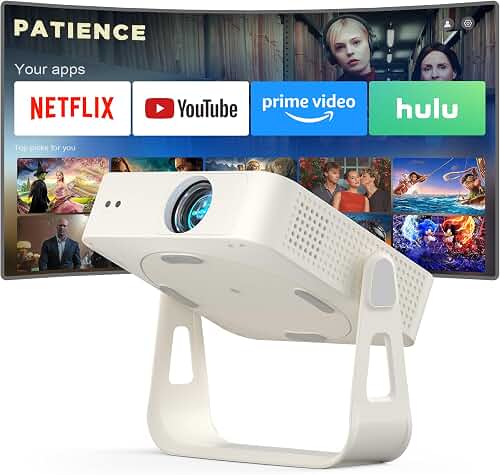
The best projector for restaurant lobby signage running 12 hours a day is a laser-phosphor model rated for 20,000+ hours of continuous duty, delivering 3,500-5,000 ANSI lumens with sealed optics, a fanless or low-dB cooling design, and 24/7 commercial firmware that auto-recovers from power events. Lamp-based home theater projectors are the wrong tool here: their bulbs are spec'd for roughly 2,000-4,000 hours in eco mode, which a single restaurant burns through in 6-12 months of opening-to-close use. Laser light engines, by contrast, are typically rated for 20,000-30,000 hours, meaning a lobby running 12 hours daily can expect 4-6 years of service before brightness drops below the half-life threshold. That single specification difference is the most important factor in choosing the right unit, and it dictates everything downstream — total cost of ownership, fan noise, color stability, and how often a manager has to climb a ladder during dinner service.
This guide walks through what actually matters when you're picking the best projector for restaurant lobby signage: light source longevity, ambient-light brightness math, throw geometry for tight lobby walls, signage CMS connectivity, mounting and ventilation, and the maintenance schedule that keeps the picture looking sharp through year three.
When shopping for best projector for restaurant lobby signage, it pays to compare specs, capacity, and real-world runtime before committing.
Why 12-Hour Daily Operation Changes Everything
A home theater projector running two movies a week sees maybe 400 hours per year. A restaurant lobby projector running 11 a.m. to 11 p.m. sees 4,380 hours per year. That 10x duty cycle exposes weaknesses that consumer-focused specs gloss over:
- Light source decay: UHP lamps lose roughly half their brightness by their rated hour count. A 3,000-lumen lamp projector at 2,500 hours is putting out closer to 2,000 lumens, and your menu board looks washed out under the lobby chandeliers.
- Thermal cycling: Consumer projectors expect cool-down cycles between sessions. Continuous operation stresses capacitors, color wheels, and DLP/LCD panels.
- Dust ingress: Restaurant lobbies have grease aerosols, foot traffic dust, and HVAC turbulence. Non-sealed optical engines accumulate film on the lens and DMD chip, degrading contrast in weeks rather than years.
- Fan noise: What sounds like a gentle whoosh in a quiet living room becomes obvious when the lobby has a lull between seatings.
- Auto-recovery: When the power blips at 6 a.m. during a thunderstorm, you need the projector to come back on without a human pressing buttons.
Laser vs. LED vs. Lamp: Pick Laser
For 12-hour daily signage, laser-phosphor is the only sensible choice. Here is the practical breakdown:
- Laser phosphor (20,000-30,000 hr): Instant on/off, no warm-up, color-stable through life, and the cost per hour over a 5-year deployment is dramatically lower than lamp replacements. Look for models marketed as "digital signage" or "professional installation" projectors from Epson, Optoma, BenQ, ViewSonic, NEC/Sharp, or Panasonic.
- LED (20,000+ hr): Long-lived but typically caps out around 2,000-3,000 ANSI lumens, which is too dim for a daylit lobby unless you can fully control ambient light. Fine for back-of-house or windowless vestibules.
- UHP/UHE lamp (2,000-4,000 hr): Avoid for this use case. You will be replacing the bulb every 4-9 months and your brightness will sag continuously in between.
If you want to understand the underlying technology trade-offs in more depth, our laser projector overview walks through phosphor wheels, RGB triple-laser, and hybrid LED-laser engines and where each makes sense.
How Many Lumens Do You Actually Need?
This is where most signage installs go wrong. Restaurant lobbies are not dark home theaters. They have recessed downlights, accent lighting on the host stand, daylight bleeding through the front door, and often a wall of glass facing the street. The image has to read clearly under all of those conditions.
Rough working numbers for a 100-inch diagonal signage image:
- Dim vestibule, no windows: 2,000-2,500 ANSI lumens is acceptable.
- Typical interior lobby with downlights: 3,500-4,500 ANSI lumens.
- Bright lobby with daylight or south-facing glass: 5,000-6,500 ANSI lumens, plus an ambient-light-rejecting (ALR) screen or projection onto a dark, matte wall.
Manufacturers quote lumens optimistically. Look specifically for ANSI lumens or ISO 21118 lumens — not "LED lumens" or unspecified "light output" numbers, which can be 2-3x inflated. Our lumens guide explains the difference between these measurement standards and how to translate marketing spec sheets into realistic brightness expectations.
Throw Distance and Lobby Geometry
Restaurant lobbies are rarely shaped like media rooms. You are typically dealing with a 9-12 foot ceiling, an awkward bulkhead over the host stand, and a wall that's either much closer or much farther from the projector mount point than ideal. Three throw-ratio categories to consider:
- Standard throw (1.4-2.0:1): Mount 12-18 feet back for a 100-inch image. Cheapest per lumen, but the beam is in the line of customers' eyes if they walk under it.
- Short throw (0.5-1.0:1): Mount 4-7 feet from the screen. Far less shadow risk from passing customers, and the unit can hide above the host stand. Slightly more expensive.
- Ultra short throw (UST, <0.4:1): Sits on a credenza directly below the screen wall, 12-18 inches out. Almost no walk-through interference, and the install looks finished. Best choice for tight lobbies, but you need a perfectly flat wall or a UST-specific ALR screen.
Before committing to a model, run the math with the manufacturer's throw calculator. Our throw distance guide covers how to measure your space, account for lens shift, and avoid the common mistake of buying a unit whose minimum image size is bigger than your available wall.
Resolution: 1080p Is Usually Enough
Static signage — menus, hours, branding, promotional video loops — does not need 4K. At normal lobby viewing distances of 6-15 feet, a 1080p image at 100 inches is plenty sharp for type and graphics. 4K models cost roughly double, run hotter, and demand more from the CMS player. Save the money unless your content team is producing native 4K motion graphics that justify it.
One caveat: if your content includes small type (think wine lists or full prix-fixe menus), step up to WUXGA (1920x1200) or 4K so the descender on a 24-point serif font doesn't turn into mush.
Connectivity and CMS Integration
The projector is the display, but the brains live in a digital signage player or media box. Look for these inputs and control features:
- HDMI 2.0 with HDCP 2.2 for the primary signage feed from a player like a BrightSign, ScreenCloud, or Yodeck box.
- RS-232 or LAN control so your CMS or a simple time clock can power the unit on at 10:45 a.m. and off at 11:15 p.m. without an employee touching it.
- PJLink or Crestron/AMX compatibility if you have multiple locations and want centralized monitoring of lamp/laser hours, temperature, and faults.
- Auto-power-on after AC restore — a non-negotiable for unattended operation.
- Schedule/timer built into firmware as a backup if the CMS player ever fails.
Fan Noise, Heat, and Mounting
Commercial laser projectors run cooler than lamp models, but they still need airflow. Two failure modes to avoid:
- Mounting inside a soffit or millwork enclosure without ventilation. The projector pulls warm air from its own exhaust back into its intake, overheats, and either throttles brightness or shuts down. If you must enclose it, the cabinet needs intake and exhaust vents totaling at least 4x the projector's vent area, and ideally a small muffin fan.
- Ceiling mounting too close to an HVAC supply diffuser. Cold supply air condenses on the lens during humid mornings.
Look for spec-sheet noise figures under 30 dB in normal mode. Anything above 35 dB will be audible in a quiet lobby and customers will notice. Our ceiling mounting guide covers stud finding, threaded rod sizing, vibration isolation, and cable management for a clean install that passes a health inspector's glance.
Screen, Wall, or ALR Surface?
You have three options for the projection surface:
- Paint a wall with projection-screen paint. Cheapest, looks built-in, but gain is typically 1.0 or less and ambient light kills contrast.
- Fixed-frame matte white screen. Standard home-theater approach. Best in dim lobbies.
- ALR (ambient-light-rejecting) screen. Essential for bright lobbies. ALR screens reject 80-90% of overhead light while reflecting the projector's beam back toward viewers. UST-specific ALR screens have a sawtooth structure tuned for projectors mounted directly below.
Maintenance Schedule for 12-Hour Operation
Even with a laser projector, you should plan on:
- Monthly: Inspect the front lens for grease film. Clean with a microfiber cloth and lens-safe cleaner if needed.
- Quarterly: Vacuum the intake filters with a soft brush attachment. Clogged filters cause thermal throttling and shorten laser life.
- Annually: Pull the unit, blow out the chassis with compressed air, verify mounting bracket torque, and check that the auto-on/off schedule still aligns with operating hours (especially after time changes).
- Every 2-3 years: Run a brightness check against the original delivery measurement. Laser engines decay slowly but predictably; if you're below 70% of original brightness, plan for a replacement during the off-season.
Budget Expectations for 2026
Realistic prices for a commercial-grade laser projector suitable for 12-hour signage duty in 2026:
- $1,500-$2,500: Entry-level 3,500-4,000 ANSI lumen 1080p laser, basic LAN control, suitable for moderately lit lobbies.
- $2,500-$5,000: 4,500-5,500 ANSI lumen WUXGA or 4K laser, full Crestron/PJLink control, lens shift, sealed optics.
- $5,000-$10,000: 6,000-7,500 ANSI lumen installation-grade laser with interchangeable lenses, dust-sealed engine, 24/7 warranty options.
Add $300-$1,500 for an ALR screen, $200-$500 for the ceiling mount and rigging, and $300-$800 for the signage CMS player. A solid full installation lands in the $3,500-$8,000 range for a single lobby.
Frequently Asked Questions
What is the best projector for restaurant lobby signage running 12 hours daily?
A commercial laser-phosphor projector with at least 4,000 ANSI lumens, 20,000+ hours of light-source life, sealed optics, and RS-232 or LAN control for scheduled on/off. Brands with proven 24/7 signage lines include Epson Pro L-series, Optoma ZH-series, BenQ LH-series, ViewSonic LS-series, and Panasonic PT-series. Avoid lamp-based home theater models entirely — the lamp replacement cost and brightness decay over a single year will exceed the price difference up front.
Can I use a home theater projector for digital signage if I only need it on during business hours?
Technically yes, but the math rarely works. A home theater lamp rated 2,500 hours in eco mode lasts roughly 7 months at 12 hours per day. Replacement lamps run $150-$400, plus labor. Over five years you would buy 8-9 lamps. A laser projector that costs $1,000-$1,500 more up front has zero lamp cost and consistent brightness. Lamp models also lack auto-power-on-after-AC-restore and remote management features that commercial signage installs depend on.
How many lumens do I need for a restaurant lobby with large windows?
For a sunlit lobby with significant glass, plan on 5,000-6,500 ANSI lumens combined with an ambient-light-rejecting screen. Without an ALR surface, you may need 7,500+ lumens to maintain a watchable image during peak daylight. Smaller image sizes (60-80 inches diagonal) can get away with less brightness because lumens per square foot increase as image size shrinks.
Should I use a short throw or ultra short throw projector for a lobby installation?
Ultra short throw is almost always the better answer for lobbies. UST units sit on a credenza or wall-mount shelf 12-18 inches from the screen, eliminating shadow interference from customers walking through the beam path and hiding the projector itself from sightlines. The trade-off is a slightly higher unit cost and the need for a perfectly flat projection surface or UST-specific ALR screen, which is more expensive than a standard screen.
What happens if the power goes out — will the projector come back on automatically?
Only if the model supports "Direct Power On" or "Auto Power On" after AC restore, which most commercial laser projectors do but most home theater models do not. Verify this in the spec sheet before purchasing. Pair it with a small UPS to ride through short brownouts without a full restart cycle, which extends laser life and prevents the awkward 30-second black screen during a customer-facing moment.
How often will I need to clean or service a projector running 12 hours a day?
Monthly lens wipe-downs and quarterly filter cleaning are the minimum for a restaurant environment with airborne grease and dust. Annual deep cleans by an AV tech or a thorough in-house cleaning will keep brightness and contrast within spec. Laser engines themselves are sealed and require no internal service; filter maintenance and lens cleaning are the only routine tasks.
Can I run signage content directly from the projector or do I need a separate media player?
A handful of commercial projectors include built-in signage players or USB media playback, but the experience is limited — usually a folder of images and short video loops with no remote scheduling. For real signage management (menu updates, dayparting, multi-location content sync, analytics) use a dedicated player like BrightSign, ScreenCloud, Yodeck, or a small Windows/Linux box paired with a CMS. The projector's only job is to be a bright, reliable display.
Key Takeaways
- Choosing the right best projector for restaurant lobby signage means matching the key features to your specific needs and budget
- Read real customer reviews and check the return policy before you commit
- Also covers: 24/7 commercial projector digital signage
- Also covers: 12 hour daily projector continuous use
- Also covers: long life laser projector retail
- Compare value across models — the priciest option is not always the best fit