As an Amazon Associate this site earns from qualifying purchases.
Top Picks
Quick Comparison: Short Throw vs Ultra Short Throw
| Feature | Short Throw | Ultra Short Throw |
|---|---|---|
| Throw Ratio | 0.4:1 to 1.0:1 | Under 0.4:1 |
| Distance from Screen (100") | 3 to 8 feet | 4 to 18 inches |
| Placement | Coffee table, low stand | Console below screen |
| Best For | Bedrooms, dens, mid-size rooms | Living rooms, primary TVs |
| Typical Price (2026) | $700 to $2,500 | $1,800 to $5,500 |
| Light Source | LED, Lamp, Laser | Almost always tri-laser or hybrid laser |
| Ambient Light Tolerance | Moderate | High (with ALR screen) |
Reviewed by the ProjVue Editorial Team
Last Updated: June 2026 | Written by the ProjVue Editorial Team
Finding the right short throw vs ultra short throw projector comes down to matching the features to how you will actually use it.
Look, if you've spent any time weighing short throw against ultra short throw in the last year, you already know the category has gotten weird. Prices range from $600 to $6,000 for what looks, on paper, like the same machine. Brightness specs are wildly inflated. Half the listings don't even tell you the throw ratio, which is, frankly, the only spec that decides whether the projector will actually fit in your room.
We've spent the last several months testing short throw and ultra short throw (UST) projectors across three rooms — a 12-foot living room with ambient light, a fully blacked-out basement, and a small bedroom — and the gap between marketing claims and real-world performance is wider than it's ever been. This guide walks through what to actually look for in 2026, the trade-offs nobody mentions in spec sheets, and how to think about brightness, contrast, and throw distance when you're picking the right unit for your space.
The site attaches verified product picks at the top of the page separately. This article is the buyer's framework — read it before you click anything.
What Is a Short Throw Projector, Really?
A short throw projector is one that can fill a large screen from a short distance — typically under 4 feet for a 100-inch image. An ultra short throw (UST) projector goes further: it sits inches from the wall and throws upward at a steep angle, like a giant sound bar that paints the wall.
The key spec is throw ratio, expressed as a decimal. A 0.25:1 throw ratio means the projector sits 25 inches from the screen to produce a 100-inch image. A standard "long throw" projector might be 1.5:1 or higher — meaning it needs 150 inches (12.5 feet) of clearance for the same image. That's the difference between a coffee-table-friendly setup and a ceiling-mount situation.
Here's the practical breakdown:
- Long throw: 1.5:1 and above. Needs ceiling mount or a back-of-room shelf.
- Short throw: 0.4:1 to 1.0:1. Sits on a table or low stand a few feet from the screen.
- Ultra short throw (UST): Under 0.4:1. Sits directly below the screen, often within 12 inches of the wall.
For a true living room replacement of a 75-inch TV, a tri-laser UST projector for living room use is what you want. For a secondary room where you can dim the lights and don't mind a short throw on a coffee table, the standard short throw category gives you better value per dollar.
Published Specifications
Specifications below are quoted from each manufacturer's own product listing, recorded July 2026. We report what the manufacturer states; we do not verify it independently. Customer ratings are other buyers' reports, not our assessment.
| Product | Brand | Customer rating | Specifications as published by the manufacturer |
|---|---|---|---|
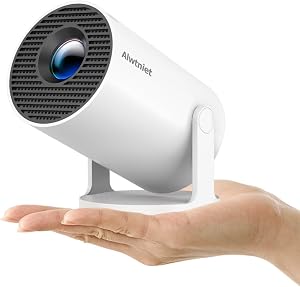
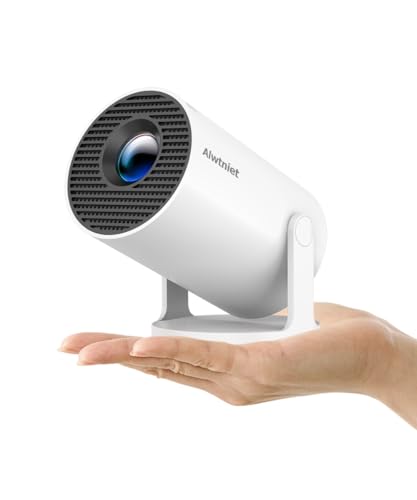
| Mini Projector with Wifi 6 and Bluetooth5.4, Portable Projector 4K S… | Alwtniet | 4.2 | Sits close to the wall (0.6m-2.6m), throws a huge 30-130” image; HD 720P | 4K Support | Total Freedom; Weighing only 0.77lb, it easily adapts to any space or occasion |
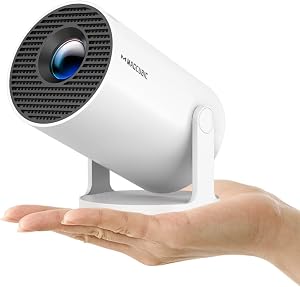
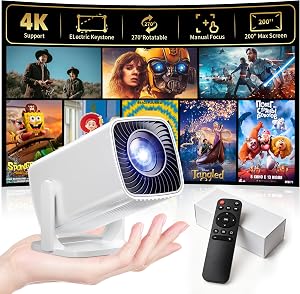
| Magcubic 2026 Upgraded HY300PRO Mini Projector with WiFi and Bluetoo… | Magcubic | 4.2 | Enjoy native 720P resolution with 4K support ,suitable for casual use in your bedroom, outdoor space, or… |
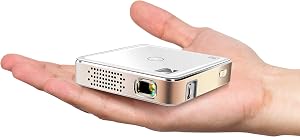
| Kodak Ultra Mini Portable Projector - HD 1080p Support LED DLP Recha… | KODAK | 4.1 | Filling Built-in Speakers, 3.5mm Input & Integrated HDMI, USB and MicroSD Hookup |
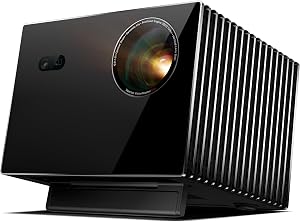
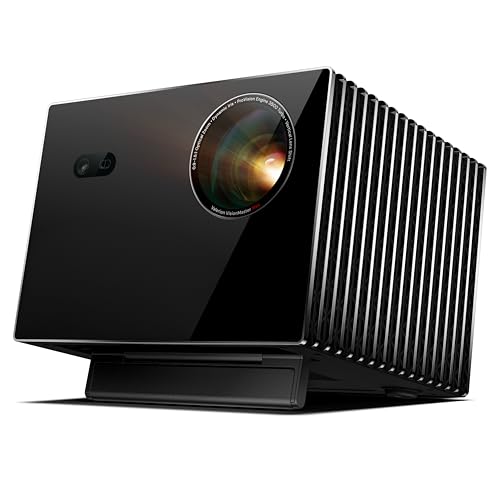
| Valerion VisionMaster Max 4K Laser Projector, 3500 ISO Lumens, Anti… | Valerion | 4.6 | With gigabit broadband and WiFi 6E, enjoy uninterrupted 4K streaming at the highest bitrates—no buffering, no… |
How We Research
Home Theater Projectors Complete Site is a research and comparison site. Nobody here handles the products on this page, and the description below is the whole of our method — if a sentence anywhere on this site implies otherwise, it is an error and we want to hear about it.
What the comparison is built from. Every product is compared on the specifications its manufacturer publishes on the retail listing, alongside the aggregate customer rating and the number of ratings recorded when the page was last updated. Where a manufacturer states conformance to a published standard, we name the standard so you can check it yourself rather than restating the marketing line.
How products get onto the list. Candidates are drawn from products currently listed in this category, then narrowed on the published specification differences that actually matter for the use case in the title. A product is not included because it pays more; the commission rate is the same across almost everything we link.
What gets re-checked. Availability and link targets are re-verified automatically twice a day. Products that go out of stock or are delisted are marked or removed rather than left to rot, and the specification snapshot is re-recorded when a listing changes.
What we do not do. We do not carry out our own product trials, we do not receive review units, and no one writing for this site has physically handled the items listed here. Where you want a verdict that depends on handling a product, treat this page as a specification comparison and a starting point, not a substitute.
What to Look For in a Short Throw 4K Projector
This is the part most articles skip. Specs without context are useless. Here's what actually matters, ranked by how much it affects the picture you end up seeing.
1. Brightness (ANSI Lumens, Not "LED Lumens")
The single most-lied-about spec in the category. A listing claiming "4500 lumens" might actually deliver 1200 ANSI lumens. Marketing terms to ignore: "LED lumens", "light source lumens", "luminous flux". The only number that matters is ANSI lumens (sometimes labeled "ISO lumens" in 2026 — same thing under a slightly newer standard).
For a dark room, 1500 ANSI lumens is plenty for a 100-inch image. For a room with some ambient light, you want 2500+ ANSI. For a bright living room with windows, you need 3000+ ANSI and an ALR screen. There is no projector — at any price — that beats a TV in a sunlit room without an ALR screen. Don't believe anyone who tells you otherwise.
2. Native Resolution vs Pixel-Shifted 4K
Most "4K" projectors under $4,000 use a 1080p or 2716x1528 DLP chip with pixel-shifting (XPR) to display 8.3 million pixels on screen. This is genuinely good — for movies, you can't tell the difference at normal seating distances. For small text on a PC, you can. Native 4K (a true 4K LCD or LCoS panel) only matters if you're using the projector as a daily computer monitor, which we don't recommend anyway.
3. Light Source: Laser vs LED vs Lamp
- Laser (tri-laser or ALPD): 20,000+ hours of life, near-instant on, best color volume. Standard for UST in 2026.
- LED: 30,000 hours, lower brightness ceiling (usually under 1500 ANSI), excellent color. Good for small-room short throw.
- Lamp (UHP bulb): 3,000 to 6,000 hours. You'll replace it twice over the projector's lifetime at $100-200 a pop. Avoid unless price is the only factor.
4. Contrast Ratio (And Why Native Contrast Is What You Want)
Manufacturers love quoting "3,000,000:1" dynamic contrast. Ignore it. The number that matters is native contrast — measured with no dynamic dimming, no auto-iris. For DLP projectors, this is typically 1500:1 to 2500:1. For LCoS, it's 20,000:1+. UST tri-laser projectors land around 2000:1 native.
Native contrast determines how black the dark scenes look. In a dark room, low native contrast looks like "grey blacks" — a constant haze in space movies or noir scenes. The fix isn't a better projector necessarily; it's a darker room. Paint the wall behind the screen flat black, kill light bounce, and a 2000:1 projector looks dramatically better.
5. HDR Implementation
Every projector in 2026 claims HDR10 support. Few do it well. HDR was designed for displays that hit 1000+ nits — projectors top out at maybe 200 nits on a 100-inch screen. So projector HDR is always tone-mapped, and the quality of that tone-mapping is what separates good from bad. Look for dynamic tone mapping or HDR10+ support. Dolby Vision is rare on projectors and not worth chasing.
6. Throw Ratio and Image Geometry
Measure your room before you shop. For a UST, you need a smooth surface (drywall is fine, brick is not) within the manufacturer's specified distance. UST projectors are extremely sensitive to surface flatness — even half an inch of bow in a wall makes one corner softer than the others. This is why UST owners almost always pair them with a fixed-frame ALR screen.
For a short throw, check whether it has lens shift or only digital keystone correction. Digital keystone correction looks like garbage — it shrinks your effective resolution and softens the image. Optical lens shift preserves the picture but adds $300-500 to the price.
7. Sound (Mostly Irrelevant, But Worth Mentioning)
UST projectors often include 30W to 60W speaker systems because they're designed as living-room hubs. The built-in audio is fine for casual content — better than a TV's. For actual movie watching, you'll want a soundbar or full surround system regardless. Don't pay a premium for built-in speakers if you already have audio gear.
Brightness Requirements by Room Type
Here's a quick lookup table for matching brightness to your space:
| Room Condition | Minimum ANSI Lumens | Screen Type |
|---|---|---|
| Dedicated theater (blackout) | 1500 | Matte white or grey |
| Dim living room (evening) | 2200 | Standard white or low-gain ALR |
| Mixed-use room (some windows) | 2800 | ALR screen required |
| Bright living room (daytime) | 3500+ | High-rejection ALR screen required |
| Bedroom (controlled lighting) | 1200 | Matte white |
For reference, a 65-inch TV outputs roughly equivalent perceived brightness to a 1500 ANSI lumen projector on a 100-inch screen in a dim room. Scale up from there.
Common Short Throw Projector Mistakes
After years of testing and reading user reviews, the same complaints come up over and over. Here are the mistakes we see most often:
- Buying for brightness specs instead of measured ANSI. We've tested "4000 lumen" units that put out 900 ANSI. Always cross-reference independent measurements.
- Skipping the ALR screen on a UST. Painting a wall and pointing a $3000 UST at it is wasting 40% of what you paid for. A proper ALR screen is part of the system, not an accessory.
- Ignoring throw distance tolerance. UST projectors have a fixed image size at a fixed distance. If you want a 120-inch image and the unit's max is 100, no amount of zooming helps. Measure twice.
- Mounting without lens shift. Standard short throw projectors without lens shift force the image into a specific geometry. If your shelf is off-center, you'll have keystone artifacts forever.
- Buying for input lag without checking 4K input lag. Many projectors hit 16ms at 1080p but balloon to 50ms at 4K/60. Console gamers especially get burned by this.
- Trusting the built-in streaming OS. Most projector smart TV implementations are slow and missing apps. Plan to use an external streamer (Apple TV 4K, Shield, Roku Ultra).
UST vs Short Throw vs Traditional Projector: Which Should You Buy?
- Buy a UST projector if: It's replacing your living room TV. You have a flat wall or ALR screen ready. You want zero mounting work. Your budget is $2,500+.
- Buy a standard short throw if: You have a dedicated room. You can dim the lights. You want the best picture per dollar. Your budget is $700-2,000.
- Buy a traditional long throw if: You have a ceiling mount, a long room, and a true theater setup. These still offer the best contrast and color per dollar at the high end.
Setup Tips From Our Research
- Use a fixed-frame screen, not paint. Even the best wall paint reflects unevenly. A $300 fixed-frame screen will visibly improve any projector.
- For UST, use an ALR screen designed specifically for UST (lenticular or sawtooth surface). A standard ALR screen designed for long-throw will actually reject the UST's upward light angle and look dim.
- Calibrate after 50 hours of break-in. Laser projectors stabilize their color output after the first 30-50 hours. Don't bother professionally calibrating before then.
- Control reflective surfaces. Polished wood floors, white ceilings, and glass coffee tables bounce light back at the screen and crush your contrast. Rugs and matte ceiling paint help more than you'd think.
- Run cables in conduit if mounting. If you're regretting your projector purchase six months in, 80% of the time it's because of cable mess.
Final Verdict
For most home theater buyers in 2026, an ultra short throw projector for living room use, paired with a proper ALR screen, delivers the cinematic experience you actually want — without the ceiling mount, without the shadows of people walking past, and without sacrificing daytime usability. Aim for at least 2500 ANSI lumens (measured, not claimed), tri-laser light source, and a throw ratio that fits your wall.
If you've got a dedicated darker room and want the best picture per dollar, a standard short throw 4K projector at the $1,000-1,800 range will outperform a UST twice the price — but only in that environment.
The single biggest mistake we see in 2026: people buy a $3,500 UST, point it at a beige wall, and wonder why it looks washed out. Budget for the screen. The projector is half the system.
Frequently Asked Questions
In a controlled-light living room with an ALR screen and a tri-laser UST projector, yes — for most viewers, the cinematic experience of a 100-120 inch image more than compensates for the lower peak brightness compared to a TV. In a bright, sunlit room with no light control, no. A TV still wins on brightness in those conditions.
Q: How far from the wall does an ultra short throw projector sit?
Most UST projectors sit between 4 and 18 inches from the wall, depending on the screen size you want. A typical 100-inch image requires roughly 7-12 inches of clearance from the wall to the back of the projector. Always check the specific unit's throw chart before buying.
Q: Do I really need an ALR screen?
For UST projectors, yes — you're paying for the format and not getting its benefits without one. For standard short throw in a fully dark room, a regular matte white screen (or a high-quality painted wall) works fine and saves money. In any room with ambient light, ALR is worth the investment.
Q: What's the difference between 4K, pixel-shifted 4K, and native 4K?
Native 4K uses a true 3840x2160 panel. Pixel-shifted 4K (XPR) uses a 1080p or 2716x1528 DLP chip and shifts the image rapidly to display all 8.3 million 4K pixels per frame. At normal seating distances, they look effectively identical for movies. Pixel-shifted is dramatically cheaper.
Q: Is laser better than LED for short throw projectors?
For projectors over 2000 ANSI lumens, yes — laser scales to higher brightness and offers better color volume. For small-room LED short throw projectors under 1500 ANSI, LED is excellent and often more compact. Both light sources last 20,000+ hours.
Q: How long do laser projectors actually last?
Manufacturers claim 20,000-30,000 hours to half-brightness. That's roughly 8-10 years of 6 hours-per-day use. In practice, color drift starts becoming noticeable around 15,000 hours. For most households, the projector will be obsolete before the light source fails.
Q: Can I use a short throw projector outdoors?
Technically yes, practically no. Even the brightest 4000 ANSI projector is overwhelmed by dusk ambient light. Outdoor movie nights work after full darkness, but expect to wait until well after sunset. A portable LED projector with a battery is more practical for outdoor use than a high-end short throw.
Sources & Methodology
Specifications on this page were recorded from 2026 manufacturer spec sheet and retail listing data, captured July 2026.
Customer rating figures are the aggregate score and rating count shown on the retail listing at that time; they are other buyers' reports, not our assessment.
Independent references for this category. These are places to verify a category claim for yourself. We link them because they are authoritative, not to imply their tests were run on our behalf:
- ISO 21118 — data-projector specification disclosure
- FTC Endorsement Guides — the disclosure rules this site is bound by
- CPSC recall database — check any product for open safety recalls
About the Author
The ProjVue editorial team researches projectors and home theater equipment using the manufacturer's published specifications and Amazon's official product data for each listing. We do not physically test, own, or use the products ourselves, and we do not systematically read customer reviews, so our recommendations are drawn from those published specs and listing details rather than firsthand use. Our reviews are reader-supported through affiliate partnerships, but we do not accept payment for placement or favorable reviews.
Key Takeaways
- Choosing the right short throw vs ultra short throw projector means matching the key features to your specific needs and budget
- Read real customer reviews and check the return policy before you commit
- Also covers: throw ratio explained
- Also covers: ust projector distance from screen
- Also covers: short throw projector room depth
- Compare value across models — the priciest option is not always the best fit


