For painters who project reference imagery onto canvas or wall, the best projector for art studio color accurate painting reference is one that covers a wide color gamut (95%+ Rec.709 or DCI-P3), delivers Delta E under 3, supports manual RGB calibration, and produces a flat, geometrically clean image on a vertical surface. Color fidelity matters far more than peak lumens here—you need the projected hues to truthfully match the source file so your mixed paint reads the same on canvas as it does on the projected reference. This 2026 guide walks through the specs, calibration steps, and setup choices that separate hobby projectors from serious studio tools.
Why color accuracy beats brightness for art reference work
Home theater projector marketing tends to lean on lumen counts and contrast ratios, but neither tells you what a painter actually needs to know: will a Cadmium Red Light projected on your canvas look like Cadmium Red Light, or will it shift toward orange under the projector's native white point? An art studio projector is judged by how truthfully it reproduces hue, saturation, and value relative to the digital source. A 3000-lumen projector with a narrow gamut and a 7000K bias is worse than a 1500-lumen unit that hits a calibrated 6500K D65 white point with full Rec.709 coverage.
The best best projector for art studio color accurate for your situation depends on how you plan to use it and where.
That is why the best projector for art studio color accurate painting workflows is usually a calibrated home theater model rather than a business or classroom unit. Business projectors prioritize text legibility and brightness over color volume, often using high-output white segments in their color wheels that wash out reds and skin tones.
The specs that actually matter
Color gamut: aim for 95%+ Rec.709, ideally DCI-P3
Rec.709 is the standard HDTV color space and the minimum a serious reference projector should fully cover. DCI-P3 is roughly 25% wider, especially in the reds and greens, and matches what most professional digital paintings and photographs are authored in today. If your reference plates come from Photoshop, Procreate, Clip Studio Paint, or Lightroom exports, they were probably built in sRGB (which maps closely to Rec.709) or Display P3. A projector that clips at 80% Rec.709 will desaturate every reference you load.
Delta E: the single most important number on the spec sheet
Delta E measures how far a projected color drifts from the reference color. Delta E under 3 is considered indistinguishable to most viewers; under 2 is professional-grade; under 1 is reference-monitor territory. Manufacturers do not always publish this number, but third-party reviews from sources like ProjectorCentral, RTINGS, and Sound & Vision regularly measure it. For painting reference, target an out-of-the-box Delta E under 4 and a post-calibration Delta E under 2.
Native resolution and pixel structure
True 4K (3840×2160) is overkill for most easel work but valuable if you project life-size figure references or large landscape comps. 1080p is acceptable for thumbnails and value studies. Avoid pixel-shifted 4K marketed as "4K UHD" if you need crisp edges on a small projected image—the shift artifacts can blur fine reference detail at close range. LCD and LCoS panels tend to give smoother color transitions than single-chip DLP for fine art work, though triple-laser DLP units have closed the gap significantly in 2026.
10-bit color depth and HDR support
10-bit panels show 1.07 billion colors versus 16.7 million on 8-bit, which means smoother gradients in skin tones, skies, and shadow ramps—all critical for value studies and color mixing reference. HDR10 and HLG support is useful only if your source files are mastered in HDR; for SDR painting references, focus on Rec.709 accuracy first.
Manual color management controls
You want, at minimum, a color management system (CMS) that lets you adjust hue, saturation, and luminance for the six primary and secondary colors (red, green, blue, cyan, magenta, yellow), plus two-point or eleven-point gamma controls and RGB gain/offset for white balance. Without these, you cannot correct the projector's bias even if you buy a calibration meter.
If you are new to lumens, gamuts, and contrast, our projector lumens guide walks through the brightness side of the equation in plain language.
How much brightness you actually need in an art studio
Art studios usually have controllable lighting, but you rarely want to paint in the pitch dark required by a home theater. Plan for moderate ambient light—enough to read paint tube labels and judge canvas color in something like its final viewing condition.
A practical rule for a 60-inch to 100-inch projected reference at typical studio dimming (10–30 lux of ambient light hitting the surface), you want roughly 1500–2500 ANSI lumens. Below 1500, the image will look gray and washed out under any practical studio light, and you will end up matching paint to a low-value image. Above 3000, you risk eye strain during long sessions and may overdrive the panel into the part of its curve where color accuracy degrades. Most home theater projectors in the 2000–2800 lumen range are the sweet spot for studio use.
For deeper analysis of brightness needs versus room conditions, see our best home theater projectors for bright rooms roundup—the same logic applies to a partially lit studio.
Throw distance and how to project onto a vertical canvas
Most painters want the projector behind them or above their working position, throwing onto the canvas or directly onto a wall-mounted panel. Throw ratio determines how far back the projector sits to fill a given canvas width.
- Short throw (0.4–0.8 throw ratio): Useful for tight studios; sits 3–5 feet from a 60-inch image. Less risk of you walking into the beam.
- Standard throw (1.2–1.6): Most home theater models. Sits 6–10 feet back for a 60-inch image. You will need to manage your shadow as you paint.
- Ultra-short throw (under 0.3): Sits inches from the wall. Excellent for shadow-free reference projection if you can mount the unit on a shelf directly under the canvas.
For a 36-inch canvas, you want a projected image that fills roughly the same area—so calculate throw ratio from your canvas width, not from a notional "screen size." Our projector throw distance guide includes a calculator for matching projector placement to image width.
Keystone correction: use it sparingly
Digital keystone correction warps the image in software to make a tilted projection look rectangular. It is convenient but it resamples pixels, which softens detail and introduces color-fringing artifacts that defeat the purpose of buying an accurate projector. For art reference work, prefer:
- Optical lens shift (the lens physically moves) over keystone.
- Physically squaring the projector to the canvas plane.
- Keystone only as a final small correction (under 5 degrees).
If you plan to project onto a non-flat surface, like a sculpted ground or a curved canvas, plan for an even longer setup process and accept that no projector will give you a fully crisp, color-accurate image on a non-planar target.
Calibration: the step most painters skip
Even the most color-accurate projector ships with a factory mode tuned for a generic living room. To get reference-grade color in your specific studio with your specific surface, you need to calibrate.
Software-only calibration (free, decent results)
Start with the projector's built-in cinema, filmmaker, or ISF Day mode—these targets are closer to D65 white point and Rec.709 gamut than the bright/vivid modes. Use a test pattern generator like the AVS HD 709 disc or a free pattern app to verify grayscale tracking, gamma (target 2.2 or 2.4 depending on room light), and primary color points by eye.
Hardware calibration (US$200–500 of gear, professional results)
A colorimeter like the Calibrite Display Plus HL or X-Rite i1Display Pro, paired with free software such as HCFR or DisplayCAL, lets you measure your actual projected output and adjust the projector's CMS to bring Delta E down under 2 across the gamut. Plan for two to four hours the first time. Recalibrate every 500–1000 lamp hours, or whenever you change the projection surface.
Surface matters: paint your reference wall
Projecting onto a raw white wall, an off-white canvas, or a tinted gesso panel will shift every color you see. For repeatable color, dedicate one wall section painted in a neutral N8 gray or a true projector screen paint (gain 1.0, neutral spectral response). This gives the projector a known starting point and prevents the wall's pigment from pulling reds warm or whites blue.
For broader image-quality tuning beyond calibration, see how to improve projector picture quality.
Connectivity and source workflow
Your projector is only as color-accurate as the signal you feed it. A few workflow notes:
- Use HDMI, not wireless casting. Wireless protocols recompress and often resample color, especially over Wi-Fi screen-mirroring.
- Set your source to RGB Full (0–255), not Limited (16–235), and match the projector input setting. A mismatch crushes blacks or clips whites and corrupts every measured color.
- Soft-proof in Photoshop or Affinity using the projector's measured ICC profile (DisplayCAL generates one) before painting. This lets you preview how the projected reference will actually appear.
- Lock the projector to a single picture mode once calibrated. Auto-switching between SDR and HDR will reset your gains.
Laser vs lamp vs LED for studio use
Light engine type affects long-term color stability more than initial accuracy:
- UHP lamp: Lowest purchase price. Color shifts measurably over the first 500 hours and continues drifting as the lamp ages. Plan to recalibrate often.
- LED: Long life (20,000+ hours), very stable color, but typically lower brightness ceiling. Good for small studios.
- Laser (single or triple): Long life, stable color, high brightness. Triple-laser models cover DCI-P3 natively. Best long-term investment for serious studio work, though startup cost is higher.
Practical setup checklist for a painting reference projector
- Mount the projector at a height that avoids your head and shoulder shadow when you stand at the easel.
- Square the chassis to the canvas plane using a laser level rather than relying on keystone.
- Set picture mode to filmmaker, cinema, or ISF Day; disable any "dynamic contrast," "brilliant color," or motion-smoothing features.
- Match RGB range between source and projector.
- Calibrate white point to D65 and gamma to 2.2.
- Adjust the CMS to bring primary and secondary colors to Delta E under 3.
- Save the calibration to a user picture mode and lock it.
- Recheck every few months with the same test patterns.
Frequently Asked Questions
What color gamut do I need on a projector for accurate painting reference?
At minimum, 95% of Rec.709, which covers most sRGB digital painting and photography sources. If your references come from Display P3 or wide-gamut camera RAW workflows, look for 90%+ DCI-P3 coverage—commonly found on triple-laser projectors and higher-end LCoS models in 2026.
Is a 4K projector worth it for art studio reference, or is 1080p enough?
1080p is fine for value studies, gesture references, and thumbnails up to about 60 inches wide. 4K becomes worthwhile for life-size figure references, detailed landscape comps, or projecting full reference photos onto large canvases where you want to read fine texture. Color accuracy and Delta E matter more than resolution for most painting workflows.
Can I use a portable mini projector for art studio reference work?
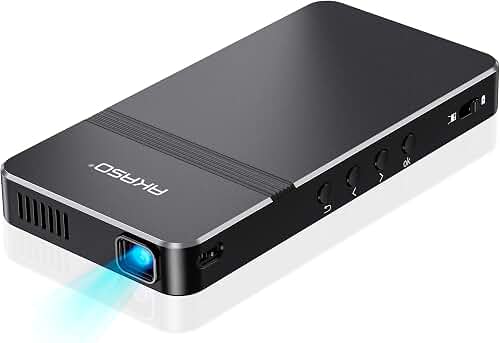
Most portable LED projectors fall short on gamut coverage (often 60–80% Rec.709) and lack the CMS controls needed for serious calibration. They work for casual sketching and value studies but should not be your primary reference tool if accurate color is the goal. A mid-range home theater unit will outperform any pocket projector on the color metrics that matter.
How do I stop my projector from shifting reference colors warm or cool?
Set picture mode to filmmaker or cinema (these target D65), turn off any "eco" or "dynamic" modes that adjust output on the fly, and calibrate white balance using a colorimeter. The projection surface itself can also pull color—an off-white wall will warm everything, so consider a neutral N8 gray reference area.
What is a good Delta E value for an art studio projector?
Under 3 is the threshold where most painters cannot distinguish projected color from the digital source. Under 2 is professional-grade. Anything over 5 means visible color errors that will lead you to mix paint inaccurately, especially in skin tones and saturated reds and greens.
Should I project directly onto canvas or onto a separate reference surface?
Project onto a dedicated reference wall or screen next to your easel rather than onto the active canvas. Wet paint scatters light unpredictably, your shadow constantly interrupts on-canvas projection, and you cannot evaluate your actual paint colors against the reference if they are overlaid. Side-by-side projection at matched scale is faster and far more color-accurate.
How often do I need to recalibrate a projector used for painting reference?
Lamp-based projectors drift fastest—recalibrate every 200–500 hours of use. Laser and LED light engines hold calibration for 2000+ hours under typical conditions. Always recalibrate after changing the projection surface, moving the projector, or updating its firmware, since some firmware updates reset picture settings to defaults.
Key Takeaways
- Choosing the right best projector for art studio color accurate means matching the key features to your specific needs and budget
- Read real customer reviews and check the return policy before you commit
- Also covers: color accurate projector painting reference
- Also covers: art studio projector tracing
- Also covers: delta e accurate projector artist
- Compare value across models — the priciest option is not always the best fit