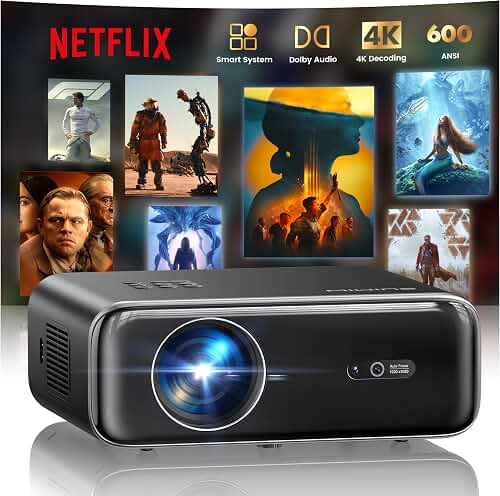
The best projector for golf simulator garage setups with an impact screen is one that delivers at least 3,500 ANSI lumens, a true short-throw lens (0.5–0.8:1), 1080p or 4K resolution, and low input lag so the ball flight on your launch monitor matches the projected image without distracting delay. Because impact screens absorb a significant amount of light energy when a ball strikes them, and because most garages have white walls, fluorescent fixtures, or daylight bleed from side doors, brightness and contrast control matter far more than they would in a dedicated home theater room. You also need a throw ratio short enough to mount the projector overhead—typically ceiling-mounted in front of the hitting position—so the golfer doesn’t cast a shadow on the screen at address.
Why golf simulator projectors are different from home theater projectors
A home theater projector is optimized for dim, controlled rooms with neutral gain screens around 100–120 inches diagonal. A garage golf simulator flips almost every variable. The screen is usually a tensioned impact fabric stretched across a frame, often 9 to 12 feet wide, mounted only a few feet from the hitting mat. The room itself has reflective concrete floors, exposed studs, and almost never a true blackout. And the projector has to live above or behind the golfer’s swing path, which means it must throw a huge image from a very short distance.
The best best projector for golf simulator garage for your situation depends on how you plan to use it and where.
That combination is why the best projector for golf simulator garage use is rarely the same model you’d pick for a basement movie room. You need a short-throw or ultra-short-throw lens, much higher brightness than a darkened theater needs, a robust cooling system that tolerates dusty garage air, and an image processor that handles fast on-screen motion from the simulator software without smearing or judder. Resolution matters—you’ll see the green from inches away when you putt—but raw lumens and throw geometry come first.
Brightness: how many lumens you actually need
Impact screens are designed to stop a golf ball moving 180+ mph. To do that they’re woven from heavy, dense materials that absorb light rather than reflect it efficiently. Most impact fabrics measure 0.7–1.0 gain at best, with diffuse reflectance well below a standard matte white screen. Combine that with garage ambient light and you need real, measured brightness—not the inflated “LED lumens” figures budget projectors print on the box.
- 2,500 ANSI lumens or less: only usable if you fully black out the garage, paint the side walls dark, and accept a dim, washed-out image. Not recommended.
- 3,000–3,500 ANSI lumens: workable for evening sessions with the garage door closed and overhead lights off. Color saturation will be acceptable on a 10-foot impact screen.
- 3,500–5,000 ANSI lumens: the sweet spot for most garage simulators. You can leave a side task light on, the image stays vibrant on a 12-foot screen, and software overlays from GSPro, TGC 2019, or E6 Connect remain readable.
- 5,000+ ANSI lumens: needed only if you plan daytime sessions with the garage door open, or if you’re projecting onto a 14–16 foot wide screen.
If you want to understand the lumen ratings manufacturers print versus what you actually get on screen, our projector lumens guide walks through ANSI, ISO, and “LED lumens” so you don’t overpay for marketing math.
Throw distance and lens choice for a garage
Throw ratio is the distance from lens to screen divided by image width. Most garages have ceilings between 8 and 10 feet, with the hitting mat positioned 8 to 12 feet from the screen. To fill a 10-foot-wide screen from a ceiling mount roughly 8 feet in front of the golfer (so the lens sits behind their swing arc), you need a throw ratio around 0.5:1 to 0.8:1.
Three lens categories matter here:
- Standard throw (1.2:1 and longer): avoid. To get a 10-foot image you’d need the projector 12+ feet behind the golfer, which most garages don’t allow without mounting it through the back wall or into a closet.
- Short throw (0.5:1–0.8:1): ideal. Lets you ceiling-mount the projector about 5–8 feet in front of the screen, safely above the swing plane.
- Ultra-short throw / UST (0.25:1 and shorter): usually mounted at the base of the screen pointing up, but in a golf sim that puts it directly in the line of fire from a shanked drive. Not recommended for impact-screen builds unless you have a protected enclosure.
If you’re still working out where the projector will physically live, our projector throw distance guide and ceiling mounting tutorial walk through the geometry and hardware. Measure twice—moving a mount 12 inches in a finished garage is much harder than getting it right the first time.
Resolution: is 4K worth it for a sim?
Modern launch monitors and simulator software render in 4K, and on a 10-foot screen viewed from 8 feet away, the resolution difference is real. That said, 1080p still looks excellent on impact fabric because the screen’s weave itself imposes a soft limit on perceivable sharpness. The realistic priority order is:
- Brightness on impact fabric
- Short-throw lens that fits your room
- Low input lag (under 50 ms preferred)
- 4K resolution
- HDR support
If your budget forces a trade-off, take a brighter 1080p projector over a dimmer 4K one. You can always upgrade resolution later; you can’t fix a washed-out image with software.
Input lag and refresh rate
Golf simulator software receives data from your launch monitor (Mevo+, Bushnell, Uneekor, SkyTrak, Foresight, etc.) and renders ball flight in real time. If your projector adds 80–120 ms of processing lag, the on-screen ball will visibly trail what your eyes expect, which is jarring. Aim for projectors with a documented gaming or low-latency mode under 50 ms at 1080p/60Hz. Many DLP units list this in the spec sheet; LCD models often do not, which usually means the lag is higher.
HDMI inputs, ports, and cabling
Your simulator PC will live somewhere along the garage wall or in a media cabinet. From there, you’re running HDMI to a ceiling-mounted projector that could be 25–40 feet away once you account for routing through joists. Standard passive HDMI cables struggle past 25 feet at 4K/60Hz. Plan on either:
- An active optical HDMI (AOC) cable rated for 4K/60Hz at the full run length
- An HDMI-over-Cat6 extender pair (cheap, reliable, easy to re-terminate if you snag it)
Also confirm the projector has at least two HDMI 2.0 inputs so you can keep a streaming stick or game console plugged in for off-season movie nights.
Impact screen compatibility and gain
Impact screens come in several materials—polyester knit, polyester woven, PVC-coated, and multi-layer composites. Knit fabrics tend to be brighter and look better on camera but show more weave texture. PVC-coated screens are darker but extremely durable. None of them behave like a proper projection screen, which is why our how to choose a projector screen guide is worth reading before you spend on the projector—your screen choice changes the brightness budget by 30–50%.
If your screen vendor publishes a gain figure, use it. If they don’t, assume 0.7 gain and size your projector accordingly. A 4,000-lumen projector on a 0.7-gain screen behaves roughly like a 2,800-lumen projector on a 1.0-gain matte white.
Heat, dust, and garage environment
Garages are dusty. Lawn equipment, sawdust from weekend projects, and even car exhaust create particulate that gets pulled into projector intake fans. Three habits extend lamp and DLP life:
- Prefer laser light sources over UHP lamps—no bulb replacement, sealed optical paths, and 20,000+ hour lifespans.
- Mount the projector at least 18 inches below the ceiling to allow airflow, and avoid mounting directly above a garage door track where vibration is highest.
- Vacuum the intake filter every few months. A dirty filter raises internal temps and shortens DMD chip life dramatically.
Budget tiers for 2026 garage builds
Without naming specific models (lineups shift quarterly), here’s how to think about price bands when shopping in 2026:
Under $1,000
You’ll find 1080p short-throw DLP units in the 3,000–3,800 ANSI lumen range. Adequate for a small (8–9 foot) impact screen in a blacked-out garage. Don’t expect 4K, HDR, or low input-lag modes worth bragging about.
$1,000–$2,000
The sweet spot. 4K pixel-shifting DLPs with 3,500–4,500 ANSI lumens, dedicated gaming modes under 30 ms, and laser light sources at the upper end. This is where most serious garage builders land.
$2,000–$4,000
Native 4K laser projectors with 5,000+ ANSI lumens, motorized lens shift, and longer warranties. Worth it if your garage has daylight infiltration or you’re building a 12-foot+ screen.
$4,000+
Commercial or installation-grade units. Overkill for most home setups but appropriate if the simulator is shared (clubhouse, fitting bay, instructor studio).
If you’re still narrowing budget, our home theater projector budget guide breaks down where each dollar actually shows up on screen.
Mounting and physical setup tips
A few practical lessons from people who’ve built dozens of garage sims:
- Mount the projector slightly behind the golfer, not directly overhead. This eliminates shadow on the takeaway and protects the lens from any backspin debris off the mat.
- Use a ceiling mount with fine-tuning knobs for roll, pitch, and yaw. You’ll need every degree of adjustment to square the image on the impact screen.
- If your launch monitor sits on the ceiling (Uneekor EYE XO, for example), plan the projector mount so its housing doesn’t obstruct the monitor’s view of the ball.
- Leave at least 3 feet of vertical clearance above the highest point of any club’s backswing. Tall players with long drivers occasionally reach 9 feet.
Bright-room considerations
If your garage gets sunlight through windows or you keep overhead LEDs on for safety, you’re effectively building a bright-room projector setup, not a theater. The same principles that drive our bright-room projector recommendations apply here: prioritize lumens, choose a higher-contrast DLP chip, and consider a screen with light-rejecting properties if your impact fabric is available in a darker shade.
Frequently Asked Questions
How many lumens do I need for a golf simulator in a garage?
Plan for at least 3,500 ANSI lumens for a 10-foot impact screen in a typical garage with the door closed and overhead lights off. If you keep task lighting on or the screen is larger than 12 feet wide, target 4,500–5,000 ANSI lumens. “LED lumen” numbers on budget projectors are not equivalent—divide by roughly three to compare to ANSI.
What throw ratio do I need for a golf simulator projector?
A throw ratio between 0.5:1 and 0.8:1 fits almost every two-car garage layout. That lets you ceiling-mount the projector 5–8 feet in front of a 10-foot impact screen, keeping the lens behind the golfer’s swing path. Avoid ultra-short-throw (under 0.3:1) because the floor-mount position puts the unit in the line of mishit balls.
Will a 1080p projector look bad on a golf sim impact screen?
No. Impact fabric weave imposes its own softness, so 1080p still looks sharp at normal viewing distances of 7–10 feet. A bright 1080p projector almost always outperforms a dim 4K unit in a garage. Upgrade to 4K only after you’ve solved brightness, throw, and lag.
Can I use a regular movie projector for golf simulation?
Sometimes. A standard-throw home theater projector technically works, but its longer throw ratio usually forces an awkward back-of-room mount and its lower brightness washes out on impact fabric. Short-throw or sim-specific models are nearly always the better choice.
How do I prevent input lag in my golf simulator projector?
Use a projector with a documented gaming or low-latency mode under 50 ms at 1080p/60Hz, run a direct HDMI connection (avoid wireless casting), disable image-smoothing or motion-interpolation features in the projector menu, and set your simulator PC to output the projector’s native resolution to skip scaling.
Should I get a laser projector for my garage golf simulator?
If your budget allows it, yes. Laser light sources tolerate dust better, last 20,000+ hours without bulb changes, and reach full brightness in seconds—useful when you’re only hitting balls for 30 minutes after work. They also typically hold color accuracy longer than UHP lamps, which dim noticeably after 1,500 hours.
How far should the projector be from an impact screen?
For a short-throw projector with a 0.6:1 ratio aimed at a 10-foot-wide screen, the lens should sit roughly 6 feet from the screen. Always check the manufacturer’s throw chart for your specific model and image size, and add a few inches of buffer for the mount’s drop and tilt.
Do I need a special screen for a golf simulator, or can I use a regular projector screen?
You need a purpose-built impact screen. A standard projection screen will tear on the first solid strike. Impact screens are woven from heavy polyester or coated PVC designed to absorb golf ball energy, and they’re tensioned in a frame with shock-absorbing bungees. Plan the screen choice and projector together—screen gain directly affects how many lumens you need.
Key Takeaways
- Choosing the right best projector for golf simulator garage means matching the key features to your specific needs and budget
- Read real customer reviews and check the return policy before you commit
- Also covers: golf simulator projector short throw garage
- Also covers: projector for skytrak golf simulator
- Also covers: bright projector golf simulator daylight
- Compare value across models — the priciest option is not always the best fit