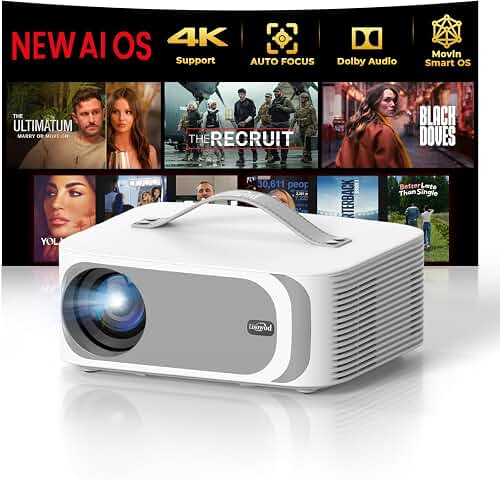
Picking the right projector for home bar multiple sports zones in 2026 comes down to four numbers: ANSI lumens (3,000+), throw ratio, input lag, and how many HDMI inputs the chassis exposes. Bars need bright laser engines that punch through ambient lighting from neon signs and pendant lamps, short or ultra-short throw geometry so beams don't get blocked by standing patrons, and enough live inputs to switch between Sunday NFL, college football, and PPV fights without anyone crouching behind a cabinet to swap cables. This guide walks through the specs that matter, ceiling versus shelf mounting, multi-screen layouts, audio routing for noisy rooms, and the 2026 product categories worth shortlisting.
Why a Home Bar Is Not a Home Theater
A finished basement bar, garage sports lounge, or backyard pub-style room places very different demands on a projector than a dedicated cinema room. Cinemas are dark, quiet, and have a single seating position aimed at a single screen. Bars are bright, loud, multi-zoned, and viewers are constantly walking through the light path. That changes the math on every spec sheet number you read.
The best projector for home bar multiple sports zones for your situation depends on how you plan to use it and where.
Consider the typical Sunday: you might have the early NFL game on the main wall, the late game queued up, a college replay channel running over the bar, and someone wanting to flip to a UFC stream after dinner. A single projector with one HDMI input and a 2,500 lumen lamp will not survive that workload. You need a system designed for switching, brightness, and uptime — closer to a sports-bar AV install than a movie-night setup.
Brightness: The Single Most Important Spec
Lumens drive everything in a bar environment. Beer signs glow, under-cabinet LEDs spill onto the screen, windows leak afternoon light during a 1 PM kickoff, and people want to actually see their drinks. Aim for at least 3,000 ANSI lumens; 3,500 to 4,000 is better if you have any uncontrolled windows. The marketing-friendly "LED lumens" or "light source lumens" numbers are usually 2 to 3 times higher than ANSI, so always look for the ANSI specification on the data sheet. For a deeper dive into how brightness translates to perceived image quality across different ambient lighting levels, see our guide to projector lumens.
If you cannot fully control ambient light — and almost no bar can — you should also pair the projector with an ambient-light-rejecting (ALR) screen. ALR material rejects off-angle light from ceiling fixtures while preserving the projector's on-axis brightness, which is the single biggest "is this watchable?" lever you can pull in a bar setting. Browse our bright-room projector picks for models that have been validated against the kind of mixed lighting bars actually deal with.
Throw Ratio and Patron Traffic
Throw ratio determines how far the projector sits from the screen for a given image width. In a bar, you have a problem most home theaters don't: people walking through the beam. Tall guests will block long-throw projectors mounted at the back of the room, casting silhouettes onto the screen at the worst possible moments.
- Ultra-short throw (UST, ratio under 0.4): sits inches from the wall on a console, beams up at a steep angle, no patron interference. Ideal for the main "hero" zone behind or above the bar itself.
- Short throw (0.4 to 1.0): ceiling mount 4 to 7 feet from the screen. Good compromise for a secondary viewing zone over booths or pool tables.
- Standard throw (above 1.5): ceiling mount toward the back of the room. Cheapest models live here, but expect occasional shadow drama.
Multiple HDMI Inputs and Switching
This is where most consumer projectors fall short for bar duty. Many flagship 2026 models still ship with only two HDMI 2.1 ports. If you want one feed from a cable box, one from a streaming stick, one from a console, and one from a laptop for screen-sharing fantasy football stats, two ports won't cut it.
You have two clean solutions. The first is an HDMI matrix switcher — a $200 to $600 box that takes four to eight HDMI inputs and routes any of them to one or more outputs with a remote. The second is using an AV receiver as the switching hub, sending its single HDMI out to the projector. The matrix approach is usually cleaner for multi-zone bars because you can split the same input to two displays — the projector for the main screen and a flat-panel TV at the end of the bar showing the same game.
Laser Versus Lamp Engines in 2026
Lamp-based projectors are mostly extinct in the bright-room category for good reasons. A bar projector running 8 hours every Sunday will burn through a $250 lamp every 18 months. Laser light sources last 20,000 to 30,000 hours, hold their brightness far better over time, and turn on instantly — important when you're flipping between channels during commercial breaks. Spend the extra money for a laser engine; the math works out within two years. Our roundup of the best laser projectors covers the leading triple-laser and single-laser options worth comparing.
Designing Multiple Viewing Zones
The phrase projector for home bar multiple sports zones implies more than one screen. There are three common patterns:
Pattern A: One Projector, One Big Screen, Multiple TVs
A 120-inch projected image behind the bar runs the marquee game. Three or four 43-inch flat panels distributed around the room (over the dart board, behind the pool table, in the booth corner) run secondary games via an HDMI matrix. This is the cheapest and most reliable layout because you only have one projector to maintain.
Pattern B: Two Projectors, Two Big Screens
A UST projector on the bar wall handles the main game; a second short-throw projector ceiling-mounted on the opposite wall handles a secondary game. Patrons rotate based on which game they care about. Looks impressive but doubles your maintenance, alignment, and calibration work, and the two projectors will likely have slightly different color and brightness profiles unless you buy identical units.
Pattern C: One Wide Projector, Split Screen
A single 4K projector running a wide image split horizontally into two 1080p "halves" via a multi-viewer box. Each half shows a separate input. This sounds clever and occasionally is, but the image-per-game is smaller than you'd expect, and few multi-viewer boxes handle HDCP-protected sports feeds gracefully. Pattern A is usually the better answer.
Input Lag for Game Days That Become Game Nights
If your bar doubles as a console gaming setup — racing games on the big screen, fighting games on the side — look for projectors that quote sub-30 ms input lag at 1080p/60 and ideally sub-20 ms at 1080p/120. Most 2026 laser projectors with dedicated "gaming modes" hit these targets, but the spec sheet will tell you. Sports content itself does not need low lag; only live gameplay does.
Mounting Strategy for Bars
Bars typically have one of three ceiling situations: a flat finished basement ceiling, exposed joists in a garage or shed conversion, or a drop tile ceiling. Each needs a different mounting approach. Drop tiles especially need a structural support kit that bridges to the joists above — never hang a 15-pound projector from a ceiling tile grid alone. Our ceiling mounting walkthrough covers the bracket types, wiring runs, and torque specs you'll need.
For UST projectors, mounting is moot — they sit on the bar top or a console — but you'll want to think about cable management so HDMI runs don't dangle behind the unit and get knocked loose during cleaning.
Audio Routing for a Loud Room
Bars are loud. The projector's built-in 10W speaker is a joke in this environment. You have two reasonable audio paths:
- Distributed ceiling speakers driven by a multi-zone amplifier, with audio extracted from the HDMI matrix via an HDMI-to-optical or HDMI-to-analog de-embedder. Best for ambient game audio that spreads across the whole room.
- Soundbar plus subwoofer at the main viewing zone for crowd-favorite games where the broadcast commentary matters. Easier to set up; less flexible for multi-zone listening.
If you're routing through an AV receiver instead of a matrix, you get more flexible per-zone audio control at the cost of needing a bigger equipment rack and more configuration.
What to Budget in 2026
Bar-grade projectors in 2026 land roughly here:
- $800 to $1,400: entry-level 1080p or pseudo-4K laser projectors with 3,000+ ANSI lumens and two HDMI inputs. Workable for a single-zone bar with controlled lighting.
- $1,500 to $2,800: true 4K UHD laser projectors with 3,500+ ANSI lumens, sharper optics, better color volume, and gaming-friendly low lag. The sweet spot for serious bars.
- $3,000 to $5,500: premium triple-laser UST and high-brightness short-throw units. Buy here only if you're building the bar around the projector or running a semi-commercial space.
- Above $5,500: commercial installation projectors. Often the right call if the bar is in a business setting; usually overkill for a home setup.
What to Avoid
Steer clear of: portable projectors with built-in batteries (they cap out around 500 lumens), "LED lumens" marketing without an ANSI number, projectors without lens shift if you have any flexibility constraints on mounting position, and any unit whose published lamp/laser life is under 15,000 hours. Also avoid Wi-Fi-only models for a bar — wired Ethernet is far more reliable when 20 phones are flooding the network during halftime.
Frequently Asked Questions
How many lumens do I need for a sports bar projector?
At least 3,000 ANSI lumens for a basement bar with controllable lighting, and 3,500 to 4,000+ ANSI lumens if you have any windows, neon signage, or under-cabinet LEDs that you can't dim during games. Ignore "LED lumens" or "light source lumens" — only the ANSI rating reflects real-world brightness on a screen.
Can I run two games at once on a single projector?
Technically yes, through a multi-viewer or picture-in-picture box that splits a 4K canvas into two 1080p halves. In practice it's clunky: HDCP issues are common with live sports streams, the per-game image gets small, and patrons usually prefer one big screen plus a few side TVs. A single projector plus an HDMI matrix feeding both the projector and several 43-inch TVs is the more reliable layout.
Is a 4K projector worth it for live sports?
For bar viewing distances of 10 to 15 feet on a 120-inch screen, yes — 4K source material from streaming services and many cable broadcasts shows visibly cleaner motion, finer player numbers, and better field detail than 1080p upscaling. If your sources are mostly 1080i cable feeds, the upgrade is more modest and you can stay at 1080p without regret.
Should I get an ultra-short-throw projector for my bar?
UST projectors are excellent for bars because nobody walks through the light path, the unit hides on a console behind or near the bar, and modern triple-laser USTs hit 3,500+ ANSI lumens. The catch is they need a flat, vertical wall or a tensioned ALR UST screen, and they're sensitive to placement — even a half-inch shift in console position can throw off geometry.
How do I switch between multiple cable boxes and consoles cleanly?
Use an HDMI matrix switcher with at least four inputs and two outputs. The matrix sits in your equipment rack, takes feeds from cable, streaming sticks, gaming consoles, and a laptop, and routes any feed to the projector and any flat-panel TVs around the room. Most matrices come with an IR remote and many support smartphone app control, which is what you actually want when you're behind the bar.
What screen size works for a home bar?
A 100 to 120-inch diagonal screen is the sweet spot for most home bars. Smaller than 100 inches and the projector advantage over a flat-panel TV evaporates; larger than 130 inches and you lose brightness per square foot, which matters in a lit room. ALR (ambient light rejecting) screen material is almost mandatory for bar use.
Will a projector survive 8-hour Sunday football sessions every week?
A laser-based projector with a 20,000+ hour rated light source will easily handle 8 hours a day, 52 weeks a year, for over a decade before brightness degrades meaningfully. Lamp-based projectors will not — expect to replace a $200 to $300 lamp every 12 to 18 months at that duty cycle. This is the strongest argument for paying the laser premium in a bar context.
Key Takeaways
- Choosing the right projector for home bar multiple sports zones means matching the key features to your specific needs and budget
- Read real customer reviews and check the return policy before you commit
- Also covers: best projector basement sports bar
- Also covers: home bar projector multi game day
- Also covers: sports bar style projector setup home
- Compare value across models — the priciest option is not always the best fit