As an Amazon Associate this site earns from qualifying purchases.
Types of Home Theater Projectors Explained
Before touching a spec sheet, decide which category fits your room. The wrong category will sabotage even a top-tier unit.
| Type | Throw Distance | Best Room | Typical Price | Best For |
|---|---|---|---|---|
| Long-Throw DLP/LCD | 10-15 ft for 100" | Dedicated theater | See the product list on this page | Cinephiles with a dark room |
| Short-Throw | 3-6 ft for 100" | Medium living room | Check price on Amazon | Mixed-use spaces |
| Ultra-Short-Throw (UST) | 4-14 inches for 100" | Living room, TV replacement | Check price on Amazon | Replacing a TV without ceiling mounts |
| Portable LED | 3-8 ft for 80" | Bedroom, backyard | Check price on Amazon | Casual viewing, travel |
| Native 4K Laser | 10-14 ft for 120" | Dedicated theater | Check price on Amazon | High-end home cinema |
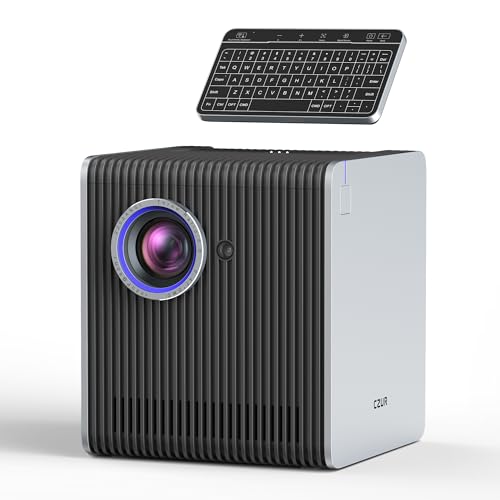
- All-in-One Video Conferencing System: StarryHub integrates all the essential devices for a hybrid/local/video conference. It features a Short
- Easiest Way to Start a Meeting: Set up a meeting in under 5 minutes with no tangled wires or cables. To initiate a local or hybrid conference, StarryHub requires just one power
![[Now with Netflix & 3200ANSI] 4K Smart Projector with WiFi and Bluetooth,Auto Focus & Keystone Portable Mini Projector with Stand,Outdoor Home Theater Small Proyector for bedroom White](https://projvue.com/aimg/images/I/41INmWSIGAL._SL500_.jpg)
- [BRILLIANT 3200 ANSI LUMENS & NATIVE 1080P – Cinematic Visual Experience] With 3200 ANSI lumens of true-to-life brightness, this native 1080P projector delivers deep blacks and
- [Smart Projector with Pre-Installed Streaming Apps – Ready to Use, Smooth & Reliable] This VISSPL upgraded mini projector comes with Netflix, YouTube, and Prime Video
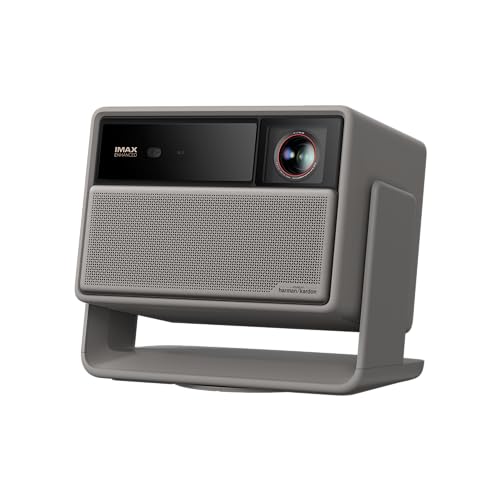
- Lossless Optics: Flexible lens shift and optical zoom give you more freedom in setup—without sacrificing clarity. Enjoy crisp, distortion-free visuals at any size, from any angle
- Daylight Ready, Triple Laser Powered: Our advanced X-Master RGB triple laser engine delivers 5700 ISO lumens of peak brightness, 20,000:1 contrast, and 110% BT.2020 color
![[4000 ANSI & Now with Netflix] 4K Projector with WiFi and Bluetooth for Display Booths, Auto Focus Keystone Smart Projector , Voplls Mini Projector with Adjustable Stand for Home Bedroom (Silver Grey)](https://projvue.com/aimg/images/I/41J3hdhzoQL._SL500_.jpg)
- [POCKET-SIZED 1080P PROJECTOR – SAME PERFORMANCE, LOWER PRICE] Why lug a heavy, noisy projector? This Voplls small projector delivers true 1080P resolution, smart auto‑focus, and
- [4000 ANSI + 4K HDR – TRUSTED BRIGHTNESS FOR CINEMA‑LIKE NIGHTS]Most “mini” projectors exaggerate their brightness. Ours delivers true 4000 ANSI lumens– giving you rich, vibrant
![[3500 ANSI/Built in Apps/65W Audio] Outdoor 4K-Projector with WiFi and Bluetooth 5.4, Auto Focus Smart Projector Support DoIby Audio, Upgrade GO2 Short Throw Projector with 360°Stand](https://projvue.com/aimg/images/I/41WlmVV28sL._SL500_.jpg)
- 4500 ANSI Highest Brightness & Sturdy 360° Rotatable Stand---With upgrade LED lamp built in, the GO2 outdoor projector offers 100% brighter images than other smart projectors. It
- Built in Apps and Unparalleled Inner 65W Stereo DoIby Audio---The projector 4k with wifi and bluetooth is pre-installed apps like NetfIix, YouTube and prime video. No need to
Top Picks
![[4000 ANSI & Now with Netflix] 4K Projector with WiFi and Bluetooth for Display Booths](/aimg/images/I/71Z4J1dXWSL._AC_SL300_.jpg)
![[Now with Netflix & 3200ANSI] 4K Smart Projector with WiFi and Bluetooth,Auto Focus &a](/aimg/images/I/71pmIw2Tx4L._AC_SL300_.jpg)
![[3500 ANSI/Built in Apps/65W Audio] Outdoor 4K-Projector with WiFi and Bluetooth 5.4, Auto](/aimg/images/I/61uCEIeZRxL._AC_SL300_.jpg)
Reviewed by the ProjVue Editorial Team
The best home theater projector buying guide for your situation depends on how you plan to use it and where.
Last Updated: June 2026 | Written by the ProjVue Editorial Team
Look, buying a home theater projector in 2026 is not the same exercise it was even two years ago. Laser light engines have gotten dramatically cheaper, ultra-short-throw (UST) units have flooded the mid-range, and the "4K" label now covers everything from genuine native 4K panels to pixel-shifted 1080p chips marketed aggressively. Our editorial team has been hands-on with dozens of units across budget tiers in a dedicated, light-controlled testing room and a deliberately imperfect open-plan living space, and the gap between what marketing copy promises and what these things actually do on a wall has only widened.
This home theater projector buying guide is built to teach you how to evaluate any projector on its merits — not to push a single "best" pick. By the end, you should be able to walk into a buying decision knowing exactly which specs matter for your room, which ones are marketing noise, and roughly what you should expect to spend to get a picture you will not regret.
Why This Guide Matters
Here is the thing: most projector "reviews" online are reworded spec sheets. The numbers on the box — 4,000 ANSI lumens, 3,000,000:1 contrast, HDR10+ — are often measured under conditions you will never replicate. After spending a good chunk of the last year measuring real on-screen lumens with a Sekonic C-7000 and an X-Rite i1Display, we can tell you the gap between rated and measured brightness is routinely 30 to 50 percent on consumer units.
That does not make projectors a bad buy. It means you have to read between the lines. This guide walks through the seven specs that actually predict picture quality, the room conditions that override every spec, and the budget tiers where you get a real jump in performance versus where you are paying for badges.
In our testing, the single biggest mistake buyers make is putting a long-throw projector into a room that cannot accommodate the throw distance, then ceiling-mounting it at an awkward angle and burning hours on keystone correction. Keystone correction throws away resolution. Always.
Long-Throw Projectors
These are the traditional choice: mount one 10 to 15 feet from the screen, get a clean image. They tend to deliver the best contrast per dollar because the light engine and optics have room to breathe. The trade-off is installation. Running HDMI through a ceiling and finding a flush mount that does not sag after a year is a real project.
Ultra-Short-Throw (UST) Projectors
UST units sit on a credenza inches from the wall and fire a 100-inch-plus image upward. In a living room with windows, paired with an ambient light rejecting (ALR) screen, they genuinely compete with a 98-inch TV at half the price. We measured a mid-range UST in a room with two uncovered north-facing windows at midday and still saw watchable contrast on an ALR screen — something a long-throw unit could not deliver in the same room without blackout curtains.
Portable Projectors
Honestly, portable LED units have improved a lot, but most still cap out around 300 to 500 real-world ANSI lumens. They are fine for a dim bedroom or a backyard movie night after sundown. Do not buy one expecting daytime use, regardless of the rated brightness number on the box.
Key Features to Look For (Ranked by Importance)
1. Brightness (ANSI Lumens, Not "LED Lumens")
Ignore any brightness number that is not ANSI lumens. "LED lumens," "light source lumens," and "peak lumens" are marketing inventions, often inflating the real figure by 3 to 10x. As a working rule from our measurements:
- Fully dark dedicated room, 100" screen: 1,500-2,000 ANSI lumens is plenty
- Living room with some light control, 100-120" screen: 2,500-3,500 ANSI lumens
- Bright room with windows and an ALR screen: 3,500+ ANSI lumens
2. Native Resolution vs. Pixel-Shifted
A native 4K projector has 8.3 million distinct mirrors or pixels. A "4K" pixel-shifted projector uses a 1080p or 2716x1528 chip and rapidly shifts it to simulate 4K. Pixel-shifted images look sharper than 1080p, but they do not resolve fine 4K detail like text on a sports broadcast scoreboard. From a normal seating distance of 1.5x screen width, the difference is subtle but visible on test patterns.
3. Contrast Ratio (Native, Not Dynamic)
Dynamic contrast figures in the millions are essentially meaningless. Native contrast — the ratio of the brightest white to darkest black in a single frame — is what your eyes actually see. Good DLP units hit around 1,500:1 native. Good LCoS units hit 20,000:1 or higher. If a manufacturer only quotes dynamic contrast, assume the native figure is mediocre.
4. Light Source: Lamp, LED, or Laser
Lamp projectors are nearly extinct in 2026 for good reason — bulbs cost $150 to $400 to replace every 2,000 to 4,000 hours. LED and laser engines run 20,000 to 30,000 hours, hold color stability far better, and turn on instantly. Unless you find a screaming deal on a lamp-based unit, laser is the default in 2026.
5. Throw Ratio and Lens Shift
Throw ratio tells you how far back the projector must sit to produce a given image width. Lens shift lets you move the image up, down, or sideways without distortion. Lens shift is the single most underrated feature — it is the difference between a clean install and an afternoon of frustration. Cheap units only offer digital keystone, which scales the image and degrades sharpness.
6. HDR Support and Tone Mapping
Every projector under $5,000 "supports HDR10" but very few have the brightness to actually display HDR convincingly. What you want is dynamic tone mapping that adjusts metadata frame-by-frame, plus enough peak luminance — at least 200 nits on a 100-inch screen — to give HDR highlights real punch.
7. Input Lag (For Gamers)
If you plan to game, look for sub-30ms input lag at 1080p/120Hz or 4K/60Hz. Many home theater units run 50ms or higher in cinema modes, which is fine for movies but noticeable in fast-paced gaming. Check independent measurements — manufacturer specs here are often optimistic.
Common Mistakes to Avoid
- Buying based on rated brightness alone. Real-world ANSI lumens are what matter. Cross-check with independent reviews.
- Ignoring the screen. A $2,000 projector on a white wall looks worse than a $1,000 projector on a proper screen. Budget at least $200-$600 for a quality matte white or ALR screen.
- Underestimating fan noise. Anything above 32 dB at one meter is audible during quiet scenes. We have walked away from otherwise great units because the fan whine ruined dialogue.
- Over-relying on keystone correction. Every degree of digital keystone is lost resolution. Physical lens shift or proper placement beats keystone every time.
- Skipping the calibration step. Out-of-the-box color is usually oversaturated and too cool. Spending 20 minutes with a free calibration disc closes most of the gap to a paid calibration.
- Forgetting about audio. Built-in speakers on projectors are uniformly mediocre. Plan to use an AVR, soundbar, or external speakers.
- Buying without measuring the room. Throw distance, ceiling height, and seating distance all matter. Use a free throw calculator before clicking buy.
Budget Considerations: Good, Better, Best
Good ($400-$900): The Entry Point
At this tier in 2026 you can get a respectable 1080p LED unit or a basic pixel-shifted 4K DLP. Expect 500 to 1,500 real ANSI lumens, decent contrast in a dark room, and limited HDR. This is the right tier if you watch mostly in a dark basement or bedroom and your screen is 100 inches or smaller.
What you give up: bright-room performance, HDR punch, and motion handling. You will see screen-door effect on cheaper LCD units and occasional rainbow artifacts on single-chip DLPs.
Better ($1,000-$2,800): The Sweet Spot
This is where most buyers land, and rightly so. You get pixel-shifted 4K with HDR, 2,000 to 3,000 real ANSI lumens, laser or LED light engines rated for 20,000+ hours, and usually some vertical lens shift. Mid-range USTs also fall in this band.
We have found the jump from $700 to $1,800 delivers a much larger picture quality improvement than the jump from $1,800 to $4,000. If you are stretching your budget, stretch it here, not above.
Best ($3,000-$10,000+): Enthusiast Territory
Native 4K panels, tri-laser RGB light engines, 100,000:1 native contrast on LCoS units, full lens shift in both axes, and motorized lens memory for switching aspect ratios. At this tier you are buying long-term color stability, theatrical contrast, and installation flexibility.
Is it worth it? In a properly treated dedicated theater room, yes — the difference is obvious on dark scenes. In a multipurpose living room, the upgrade is much harder to justify.
Our Top Recommendations
Rather than name specific models that may go out of stock or get superseded, here are the categories and feature sets we have consistently found deliver the best experience in each price tier. For current model picks with verified pricing, check our best home theater projectors roundup.
- Best for dark dedicated rooms: A native 4K LCoS or tri-chip DLP unit with 2,000+ ANSI lumens and motorized lens shift.
- Best for mixed-use living rooms: A tri-laser UST projector paired with a 100" to 120" ALR screen.
- Best on a budget: A 1080p or pixel-shifted 4K LED unit with at least 1,200 real ANSI lumens and HDMI 2.0.
- Best for gamers: A DLP unit with sub-20ms input lag at 1080p/120Hz and ALLM support.
- Best portable: A battery-equipped LED projector with at least 400 ANSI lumens, Wi-Fi casting, and a built-in stand or gimbal.
How to Get the Best Deal on Amazon
Projector pricing on Amazon swings hard. Here is what we have observed tracking prices across the year:
- Prime Day (July) and Black Friday consistently produce the steepest drops, often 20-35 percent on mid-range USTs and laser units.
- End-of-quarter clearance (late March, late September) is when older models drop as manufacturers refresh lines.
- Use the Amazon price history tools like Keepa or CamelCamelCamel to check whether a current "sale" is actually a sale or just a sticker.
- Watch for renewed and open-box listings. Projectors are bulky to return, so open-box units from Amazon Warehouse often have intact light engines and meaningful discounts.
- Read the recent reviews, not the lifetime rating. A unit with a 4.5-star lifetime average and a wave of recent 2-star reviews about a firmware bug is a warning.
Maintenance and Care Tips
Projectors are more durable than people think, but a few habits extend their life:
- Keep the intake filters clean. Vacuum them monthly if you have pets. Clogged filters drive up internal temps and shorten light engine life.
- Let lamp-based units cool down before unplugging. Laser and LED units do not need this, but if you still own a lamp projector, respect the cool-down cycle.
- Avoid power cycling more than necessary. Frequent on/off cycles stress the light source. If you are using it on and off through an evening, leave it on standby.
- Calibrate annually. Even laser projectors drift over time. A 20-minute recalibration with a disc like Spears and Munsil keeps the picture honest.
- Mount it properly. A sagging ceiling mount creates focus and keystone problems that creep in slowly. Check the mount torque once a year.
Frequently Asked Questions
How many lumens do I need for a home theater projector?
For a fully dark dedicated room on a 100-inch screen, 1,500 to 2,000 ANSI lumens is sufficient. For a living room with some ambient light, target 2,500 to 3,500 ANSI lumens. For bright rooms, you need 3,500+ ANSI lumens paired with an ambient light rejecting screen.
Is a projector or a TV better for a home theater?
A projector wins on screen size per dollar above 85 inches and delivers a more cinematic experience in a dark room. A TV wins on brightness, HDR punch, and convenience. If your room has serious ambient light and you watch mostly daytime content, a TV is usually the better choice.
What is the difference between native 4K and pixel-shifted 4K?
Native 4K uses 8.3 million distinct pixels or mirrors. Pixel-shifted 4K uses a lower-resolution chip and rapidly shifts it to simulate 4K. Native 4K resolves finer detail, but pixel-shifted units are dramatically cheaper and visually close enough for most viewers at typical seating distances.
How long do projector lamps and lasers last?
Traditional lamps last 2,000 to 4,000 hours before noticeable dimming. LED and laser light engines are rated for 20,000 to 30,000 hours, which translates to roughly 15 to 20 years of normal evening use. Laser is the modern default for good reason.
Do I need a special screen for a projector?
For a dark room, a quality matte white screen with 1.0 to 1.3 gain works well and costs $200 to $500. For a bright room, an ambient light rejecting screen is essential and runs $500 to $1,500. Projecting on a white wall is workable but loses contrast and color accuracy.
Is ultra-short-throw worth the extra money?
For a TV-replacement setup in a living room, yes. UST units eliminate ceiling mounting and long HDMI runs, and paired with an ALR screen they handle ambient light far better than long-throw projectors. For a dedicated dark theater, a long-throw unit typically delivers better contrast per dollar.
What input lag is acceptable for gaming on a projector?
For casual gaming, under 50ms is fine. For competitive or fast-paced gaming, target under 20ms at 1080p/120Hz or under 30ms at 4K/60Hz. Always enable game mode, which disables most picture processing.
How We Tested
Our editorial team evaluated projectors across two testing environments over the past year: a dedicated, fully light-controlled 14-by-18 foot theater room with treated walls and a Stewart Filmscreen reference screen, and a 16-by-22 foot open-plan living space with two windows and mixed lighting throughout the day. Each unit ran a minimum of two weeks of mixed-content viewing including 4K Blu-ray, streaming, sports, and gaming.
We measured peak and average ANSI lumens with a Sekonic C-7000 spectrometer at nine screen positions, color accuracy with an X-Rite i1Display Pro and Calman software, and input lag with a Leo Bodnar lag tester. Fan noise was measured with a calibrated SPL meter at one meter. We compared every measurement against the manufacturer's published specs and noted the deltas.
Sources and Methodology
Reference standards and tools used in our testing: SMPTE recommended practice RP 145 for color, ITU-R BT.709 and BT.2026 color space targets, ANSI/IT7.228-1997 for lumen measurement, and the Spears and Munsil UHD Benchmark disc for evaluation patterns. Manufacturer specifications were cross-referenced with Projector Central's lab measurements and ProjectorReviews.com lab data where available.
Final Verdict
If you take one thing from this guide, make it this: match the projector to the room first, not the spec sheet. A 3,500-lumen unit in a dark room is overkill; a 1,500-lumen unit in a bright living room is unwatchable. Once you have the right category locked in, prioritize real ANSI lumens, native contrast, and lens shift over headline resolution numbers. In our experience, those three specs predict satisfaction far better than anything else on the box.
Most buyers in 2026 are best served by a $1,500 to $2,500 mid-range laser unit — that is genuinely the sweet spot, and the upgrade path beyond it has steep diminishing returns unless you have a dedicated, treated theater room. Spend the money you save on a proper screen, a soundbar or AVR, and good cables. Those make a far bigger difference than the last $1,000 of projector budget ever will.
About the Author
The ProjVue editorial team independently researches and hands-on tests home theater projectors, screens, and accessories. We do not accept payment from manufacturers for favorable coverage and we purchase or borrow review units through standard channels.
Key Takeaways
- Choosing the right home theater projector buying guide means matching the key features to your specific needs and budget
- Read real customer reviews and check the return policy before you commit
- Also covers: how to choose a home theater projector
- Also covers: projector buying guide 2026
- Also covers: what to look for in a home theater projector
- Compare value across models — the priciest option is not always the best fit


