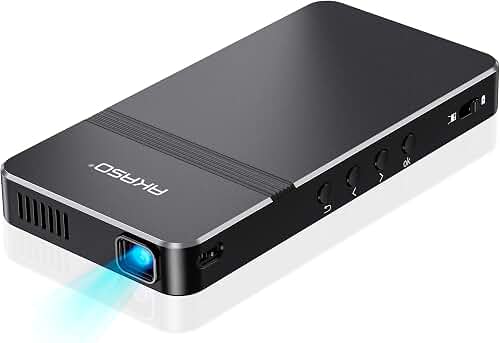
A load-bearing basement support column doesn't have to wreck your home theater. The best projector setup around basement support column layouts treat the post as a fixed obstacle and aim the image past it, not through it. You have three reliable options: place the column behind the viewing position so it never crosses the light path, mount the projector off-axis and use a screen wide enough to escape the post's shadow, or relocate the screen to a wall where the column sits flush against it. Each approach trades viewing angles, screen size, and seating geometry differently, and your column's exact location decides which one will actually work.
This guide walks through how to measure your room, pick a projector throw type that tolerates an off-center mount, choose a screen size that survives the obstruction, and hide the column itself so it stops drawing the eye during a movie.
Finding the right projector setup around basement support column comes down to matching the features to how you will actually use it.
Why basement columns wreck most projector layouts
Basements almost never give you the clean rectangular footprint a dedicated theater room wants. Lally columns (steel pipes filled with concrete) or adjustable teleposts typically sit every 8–15 feet along the central beam line. They are structural. You cannot remove them without an engineer specifying a flush-mount LVL or steel beam replacement, and that retrofit usually runs $4,000–$15,000 before drywall repair. The smarter move is to design the room around the post.
Three things commonly go wrong when people ignore the column:
- The post sits between the lens and the screen, casting a vertical shadow stripe across the image.
- The column blocks sightlines from one or more seats, leaving someone watching a 90-inch image with a 4-inch black bar dead-center.
- HVAC trunks, the joist bay you wanted for ceiling wiring, and the column all compete for the same overhead real estate.
Step 1: Map the obstruction before you buy anything
Before any decision about gear, measure four distances with a laser measure:
- From the intended screen wall to the column's centerline.
- From the column to the back wall (where the projector or seating will likely sit).
- Column diameter (typical Lally is 3.5–4 inches; wood teleposts are often 6×6).
- Ceiling height at the column and at the planned mount point — basement ceilings often drop 6–10 inches under ductwork between those two spots.
Now sketch the room top-down on graph paper and draw a straight line from your planned ceiling mount to the four corners of the screen. If that triangle of light passes through the column, you have a shadow problem. If the column sits behind the mount or to the side of the light cone, you're clear. This single sketch saves people hundreds of dollars in returned projectors.
Strategy A: Put the column behind the viewer
This is the cleanest solution and works in roughly half of finished basements. You orient the room so the column ends up between the seats and the back wall, or directly behind the last row. The projector mounts forward of the column, the light path runs entirely toward the screen wall, and the post never crosses the beam.
The catch: you usually have to swap which wall holds the screen. If your original plan put the screen on the long wall and the column was 8 feet in front of it, flipping the orientation may force a smaller screen because the new short-wall throw distance is tighter. Use a projector throw distance guide to confirm your model can hit the screen width you want from the shorter run. A 0.5–0.8 throw-ratio short-throw projector is often the only way to make a flipped basement layout work without buying a $3,000 ultra-short-throw.
Strategy B: Off-axis mount with horizontal lens shift
When you cannot move the screen wall, the next best option is mounting the projector to the side of the column rather than behind it. You pick a projector with generous horizontal lens shift (Epson Home Cinema 3800, BenQ HT4550i, and most JVC and Sony native-4K models offer ±30% or more), set it off-center from the screen, and shift the image back to square optically — not with keystone correction, which destroys resolution.
How far off-axis can you go? With ±30% horizontal shift on a 100-inch wide screen, the lens can sit roughly 30 inches left or right of screen center without distortion. That's typically enough to clear a single column. Combine horizontal and vertical shift to thread the mount between a column and a duct run.
Two warnings: digital keystone is not a substitute for optical lens shift, and any projector you choose for this trick must have published lens-shift specs on the manufacturer's site, not just "keystone correction" in the bullet list. If you want a starting shortlist of models built for awkward rooms, our best projectors for finished basements with low 8-foot ceilings roundup covers the ones with the most forgiving optics.
Strategy C: Screen flush against the column wall
If the column sits within 12 inches of a wall, you can sometimes mount a fixed-frame screen on that same wall and let the column live in the dead space beside the screen frame. The post becomes part of the wall treatment rather than an obstruction. This works best when:
- The column is 6 inches or more from your screen edge so the frame still mounts cleanly.
- You're willing to paint the column matte black or wrap it in dark fabric so it disappears against blackout walls.
- Your seating is far enough back that the post is outside the audience's central field of view (roughly 30 degrees off-axis from any seat).
A 16:9 fixed-frame screen in the 100–120 inch range sized to leave the column inside the room's existing wall geometry is the simplest fix in this scenario. Our walkthrough on how to choose a projector screen covers gain, ambient-light rejection, and aspect ratio decisions that matter more in a basement than they do upstairs.
How wide a screen can you actually fit?
Once you've picked a strategy, the column constrains screen width in two ways. First, the obvious one: the screen has to physically fit between the column and the nearest perpendicular wall. Second, the seating layout has to keep every viewer's eye line outside the shadow cone behind the post.
A useful rule of thumb: measure the horizontal gap from the column's near edge to the screen wall corner, subtract 8 inches for screen frame and trim, and that's your maximum screen width if the column sits in front of the screen line. For a column 70 inches from the corner, that's a 62-inch wide screen, which is roughly a 70-inch diagonal 16:9 image — smaller than most basement theater hopefuls want. This is the moment people decide between strategies A, B, and C.
Ceiling mount geometry around the column
Most basement projector mounts go directly into joists, not into drywall anchors. The column's footing also matters: the column sits on a concrete footing pad, and the beam above it runs perpendicular to the joists. That beam is roughly where your projector will want to live for many room shapes. You will likely need a drop-pole mount of 6–14 inches to clear the beam and ductwork, and a tilt mount only if your projector lacks vertical lens shift.
Run the planning checklist in how to mount a projector to the ceiling before you drill anything — getting the mount height wrong by an inch in a basement usually means re-running HDMI through the joists, which is the worst part of any install.
What to do with the column visually
A bare steel Lally column lit by reflected screen light is distracting. The fixes, in order of cost:
- Matte black paint. Two coats of a flat black like Behr Premium Plus Ultra Matte. The column visually recedes against a dark ceiling and dark side walls. About $30 in paint.
- Acoustic fabric wrap. Black Guilford of Maine FR701 wrapped around a foam sleeve hides the column and absorbs a small amount of mid-range reflection. Roughly $80–$150.
- Column box-out. Frame a 12×12 or 16×16 drywall box around the column and integrate it into a soffit or knee-wall. Costs $200–$500 in materials plus a weekend. This is the move if you're already finishing the basement.
- Functional integration. Build the column into a half-wall behind the seating, a side speaker cabinet, or a stub wall that hides the rear surrounds and subwoofer cable runs.
Audio and wiring run around the column
The column constrains speaker placement too. If your front left or right speaker would have lived where the post is, shift to in-wall speakers on the screen wall or use a wider front stage. Surround speakers should be 2–3 feet behind the prime seat and elevated 6–7 feet off the floor; the column shouldn't interfere unless it's directly between a surround speaker and the listener.
For wiring, drill a 1-inch hole in the joist bay parallel to the beam, run HDMI from the equipment rack up through the wall, across the joist bay, and down the drop pole. Don't strap cable to a steel Lally column — it's structural, it's painted, and code in most jurisdictions doesn't love it either. A general walkthrough of room layout decisions is in our home theater projector setup guide.
When to give up and call a structural engineer
If your column sits dead center of the only wall geometry that gives you the screen size you actually want, and no off-axis lens shift can save you, get a quote on a flush beam replacement. A licensed structural engineer's stamped drawing typically costs $400–$900, and a contractor can install a flush LVL or steel beam in 1–3 days for $4,000–$12,000 in most North American markets. That's expensive, but cheaper than building a theater you'll be unhappy with for 15 years. Never cut, drill through, or shim a load-bearing column without engineering — that's a serious structural and insurance liability.
Frequently Asked Questions
Can I just use keystone correction to fix the off-center mount?
Digital keystone scales and crops the image to make a rectangle out of a trapezoid, and it always costs you sharpness and effective resolution. Use it only as a last resort for a small final correction. Optical horizontal and vertical lens shift on the projector itself is the right tool; that's why it's worth paying for a projector with real lens shift rather than the keystone-only models common under $700.
How much horizontal lens shift do I need to clear a basement column?
For a typical 4-inch Lally column sitting 18–24 inches off-center from your planned screen midline, you need a projector that can shift the image roughly 15–25% horizontally without distortion. Mid-range Epson, BenQ, and Sony home theater projectors usually offer ±25–47% horizontal shift; budget DLP projectors under $800 typically offer zero. Check the spec sheet, not the marketing page.
What if the column is right behind my seating row?
That's actually the easiest scenario. A column behind seating doesn't interrupt sightlines or the light path, and it gives you a structural anchor for a riser, a rear half-wall, or rear-surround speaker mounts. Paint it dark and orient your room so the post lives in the rear third of the space.
Can a short-throw or ultra-short-throw projector solve this?
Sometimes. A UST projector sits 8–18 inches from the screen wall and throws upward, so the column — if it sits anywhere behind the front row — never enters the light path. The tradeoff is that USTs need very flat screens and very controlled ambient light to look their best, and they cost more for equivalent image quality. They're worth considering if no other strategy works.
Will painting the column black actually make it disappear during a movie?
Mostly, yes. With dark walls, a dark ceiling, and the room lights off, a matte-black-painted Lally column reflects almost no screen light back to your eyes. You'll still notice it during bright daytime scenes if it sits in your peripheral vision, but it stops being a distraction during normal viewing. Two coats of true flat black (not eggshell or satin) does most of the work.
How far off-center can my projector be before image quality suffers?
As long as you're using optical lens shift and not keystone, image quality stays effectively identical out to roughly 80–90% of the projector's published lens-shift range. Beyond that, you can sometimes see slight focus uniformity issues at the screen corners. Stay within the published spec and you won't notice.
Is a manual or motorized screen better when working around a column?
For a permanent basement install where the column has locked your geometry, a fixed-frame screen is almost always best — it gives you the flattest surface, the cleanest image, and the most consistent geometry. Motorized drop-down screens add a mechanical failure point and rarely tension perfectly flat. Save the motorized screen for multi-use rooms upstairs where the screen needs to hide.
Key Takeaways
- Choosing the right projector setup around basement support column means matching the key features to your specific needs and budget
- Read real customer reviews and check the return policy before you commit
- Also covers: projector around lally column basement
- Also covers: basement post obstruction projector
- Also covers: aiming projector past support beam
- Compare value across models — the priciest option is not always the best fit