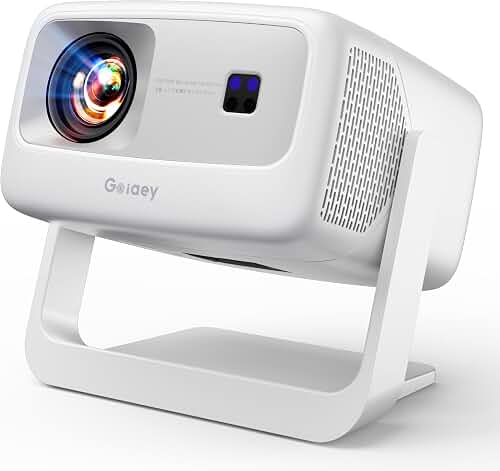
If you need to hide projector cables popcorn ceiling no attic access, you have four realistic options: run the cables inside a paint-matched surface raceway across the ceiling, drop them down the nearest wall and fish them inside the drywall cavity to your source, swap a section of ceiling for a stealth access panel, or skip ceiling cables entirely with a wireless HDMI kit plus a ceiling-fed outlet. None of these require crawling above the joists, and all of them can be done in an afternoon with basic tools. The trick is choosing the method that matches your wall layout, not the one that looks easiest on YouTube.
The rest of this guide walks through each method with the gotchas nobody mentions — how to keep the popcorn texture from chipping, how to deal with the dead air gap between drywall and the floor above, and where the building code draws the line on in-wall low-voltage runs in 2026.
Finding the right hide projector cables popcorn ceiling no attic comes down to matching the features to how you will actually use it.
Why popcorn ceilings make cable runs harder than smooth drywall
Popcorn texture (sometimes called acoustic or cottage cheese ceiling) is a sprayed-on layer of vermiculite or polystyrene bound with paint or joint compound. It chips the instant you drag anything across it, and any patch you apply will telegraph unless you match both the aggregate size and the sheen of the original. On pre-1980 homes there is also the asbestos question — if your house was built before 1980 and you have not had the ceiling tested, do not sand, scrape, or drill aggressively. Spot-test a hidden corner with a home kit before you start, and if it comes back positive call a licensed abatement contractor instead of going DIY.
The bigger structural problem is what is above the texture. In a single-story home you usually have a vented attic, which makes cable runs trivial. In a two-story home, a condo, or a finished basement with the floor above being someone’s living room, there is no attic — just a sealed joist cavity filled with subfloor, insulation, plumbing, and sometimes HVAC. That is the scenario this guide solves. If you are mounting in a basement with low headroom, our finished basement projector guide covers throw distance and mount placement before you ever touch a cable.
Step 1: Map the shortest path before you buy anything
Before you commit to a method, stand under the mount location and draw a line in your head from the projector to the nearest wall, then down that wall to where your AV rack lives. The shorter the ceiling span, the less work — and the less visible scar — you will end up with. A projector mounted twelve feet from the side wall will need either a long raceway or a wireless kit; one mounted two feet from a wall can drop straight into a stud bay and disappear.
Measure twice. Most home theater projectors need a 4K-rated HDMI cable, a power cord, and optionally an Ethernet or 12V trigger run. HDMI 2.1 passive copper runs cleanly up to about 25 feet; beyond that you need an active optical HDMI (AOC) cable to avoid handshake dropouts on 4K/120 sources. If you have not finalized the mount location, our ceiling mount guide covers throw distance, lens shift, and stud placement first — pick the spot, then plan the cables.
Method 1: Surface raceway disguised with paint-matched texture
This is the no-attic default. A flat plastic or aluminum raceway (think Wiremold CordMate II or Legrand Wiremold 500-series) screws or adheres directly to the ceiling, runs from the projector to the wall, then turns 90 degrees and runs down to your equipment. Done right, it disappears.
The trick that separates a clean job from an eyesore is texturing the raceway to match the popcorn. Off-the-shelf raceways come smooth and white. To blend them: prime the raceway with a bonding primer, then hit it with a spray-can popcorn ceiling texture (Homax Ceiling Texture is the standard), let it set, and topcoat with flat ceiling white. The aggregate will catch light the same way the surrounding ceiling does and the eye will skim over it. Run the raceway tight against an existing seam — a ceiling/wall corner, a beam edge, or the line of a light fixture — so it reads as architectural rather than added.
Inside the raceway, run a slim 4K HDMI cable, your power extension (use an in-wall-rated UL CL3 power kit such as a PowerBridge or Sanus IWE-style relocation kit — never a regular extension cord stuffed in a raceway), and any control wires together. Keep HDMI and AC at least an inch apart inside the channel or use a dual-channel raceway to prevent buzz on analog audio.
Method 2: Drop down the nearest wall and fish inside the cavity
If your projector is within two or three feet of a wall, this method is dramatically cleaner because almost none of the run is visible. You install a low-voltage old-work bracket and a brush-plate wall plate directly behind the projector mount, run the cables a short distance across the ceiling (often hidden inside the mount’s drop tube or a six-inch stub of raceway), into the wall plate, down the stud bay, and out a second brush plate behind your AV rack.
Cutting the popcorn for a single old-work bracket is the only invasive step. Score the perimeter of the cutout with a utility knife through the texture down to the drywall paper before you cut — this stops the texture from spalling beyond your line. Cut the drywall with a jab saw, install the bracket, and if any texture chipped you can spray-patch it later with the same Homax can you would use in Method 1.
The catch in a no-attic home is that the ceiling joist cavity is sealed at the top, so the cable cannot drop straight down from the ceiling into the wall — there is a fire block where the wall’s top plate meets the ceiling drywall. You have two options: keep the ceiling-to-wall transition external (a short raceway turning the corner) and only run inside the wall vertically, or drill through the top plate with a long flex bit if your local code permits low-voltage penetrations. Most jurisdictions require a fire-rated grommet for any penetration through a top plate; check before you drill.
For power, the same UL CL3 in-wall power relocation kit handles the AC side. Never run a standard lamp cord or extension cord inside a wall — it is a code violation in every U.S. jurisdiction and an actual fire hazard.
Method 3: Stealth access panel where a ceiling fixture used to be
If your projector is going where an old ceiling light, smoke detector, or HVAC register used to be, you already have a hole. Convert it into a low-profile access plate that hides both the cable termination and the power outlet. A flush ceiling junction box with a paintable cover plate, textured to match, gives you a serviceable connection point that future-you will thank present-you for the next time a cable fails.
This method pairs beautifully with Method 1 or 2 — the panel handles the projector-side termination, the raceway or in-wall run handles the path to the rack. It also lets a licensed electrician add a dedicated ceiling outlet inside the panel so you do not have to relocate power across the ceiling at all. If the home was built after 2008, the existing fixture box may already be code-compliant for an outlet swap; confirm with your electrician.
Method 4: Wireless HDMI when no path is clean
Sometimes the wall is on the wrong side, the ceiling is concrete, or the room is a rental and you cannot cut anything. Modern wireless HDMI kits (look for kits supporting HDMI 2.0b with 4K/60 4:4:4 and HDCP 2.3) have dropped from laggy curiosities to genuinely usable for movies and streaming. Latency is still too high for competitive gaming — if you are running a PS5 with VRR, see our low-latency gaming projector guide and keep that signal wired — but for film and TV it is invisible.
With a wireless kit you still need to solve power. The cleanest path is having an electrician add a ceiling outlet directly above the projector mount, which eliminates the only remaining visible cable. The transmitter sits at your AV rack with the source devices; the receiver clips to the projector. This is the only method that genuinely requires zero cables across the ceiling, and it is what we recommend for renters or for finished concrete ceilings where cutting is not an option.
Power: the part most DIYers forget
You can hide HDMI all day, but a black power cord dangling from the ceiling will undo the whole project. Three options, ranked by cleanliness:
- Have an electrician add a ceiling outlet. Three hundred dollars or so, two hours of work, and the projector plugs straight in with no visible cord. This is the right answer for any permanent install.
- UL CL3 in-wall power relocation kit. A pre-engineered kit with two recessed boxes and a code-legal in-wall power cable. PowerBridge and Sanus both make versions sized for projectors. This is what you use when adding a new outlet is not practical.
- Surface raceway with the power cord inside. Works, but only if the raceway is rated for the cord and the cord is the projector’s factory cord — not an extension. Lowest cost, most visible.
For the audio side of the install, separate runs are cleaner than one fat bundle. If you are sending audio from the projector back down to a soundbar or AVR, our guides on connecting a soundbar to a projector and running surround sound from a projector cover the eARC and optical paths you can pull through the same raceway or stud bay.
Tools and supplies that make this a one-afternoon job
You can get the whole job done with a stud finder, a drywall jab saw, a utility knife, a low-voltage old-work bracket or two, a brush-style wall plate, a fish tape or fiberglass push rod, a 25-foot 4K HDMI cable (active optical if your run exceeds 25 feet), a UL CL3 in-wall power kit, a can of Homax popcorn ceiling texture spray, and a small can of flat ceiling white for touch-up. Total parts cost typically lands between 80 and 180 dollars depending on whether you go raceway or in-wall.
Frequently Asked Questions
Can I run a regular extension cord through a popcorn ceiling raceway?
No. Standard extension cords are not rated for permanent installation and violate code in every U.S. jurisdiction when run through walls or ceilings, even inside a raceway. Use a UL CL3-rated in-wall power kit (PowerBridge, Sanus, and Legrand all sell them) or have an electrician add a dedicated ceiling outlet. The fire risk is real — extension cord insulation degrades under sustained load in a way Romex and CL3 cable do not.
How do I patch popcorn ceiling damage after cutting in a junction box?
Apply a thin coat of pre-mixed lightweight joint compound to the bare drywall with a putty knife, let it dry, then hit the area with Homax Ceiling Texture spray from about 18 inches away. Match the aggregate size on the can to your existing texture (fine, medium, or coarse). Let the texture cure for 24 hours, then topcoat with flat ceiling white paint. The patch will be invisible from across the room.
Will running HDMI inside the wall cause signal problems on 4K?
Not if the cable is rated for it. Use a CL2 or CL3 in-wall-rated HDMI cable certified for HDMI 2.1 (look for Ultra High Speed certification). For runs over 25 feet, switch to an active optical HDMI cable — these use fiber internally and maintain 4K/120 over 50 feet or more without dropouts. Keep HDMI at least an inch from parallel AC runs to avoid noise on legacy analog audio paths.
Do I need a permit to add a ceiling outlet for my projector?
In most U.S. jurisdictions, adding a new branch circuit outlet requires an electrical permit, but adding an outlet to an existing circuit (when you have capacity) often does not — the rules vary by state and by city. Call your local building department before the work; the permit fee is usually under fifty dollars and protects your homeowners insurance if anything ever goes wrong.
Can I use a flat HDMI cable taped to the ceiling and paint over it?
It looks acceptable on smooth ceilings but fails on popcorn — the texture prevents the cable from sitting flat, and any paint over it will telegraph the cable line under raking light. A textured raceway looks dramatically better and takes the same amount of time to install. Save the flat-cable trick for hallway corners on smooth drywall.
What if the projector is mounted to a concrete ceiling with no cavity at all?
Concrete ceilings (common in condos and converted lofts) eliminate every in-wall option. Your two choices are a surface raceway run along the ceiling-wall corner, or a wireless HDMI kit paired with a surface-mount conduit just for the power cord. Concrete also makes mount installation harder — you will need concrete anchors rated for the projector’s weight plus a 4x safety factor.
How do I hide the cables coming down to the AV rack on the wall side?
Same playbook in reverse: install a brush-style low-voltage wall plate directly behind the rack at the height of your equipment, route the cables inside the stud bay down from the ceiling entry point, and exit the wall plate hidden behind the gear. Pair it with a second wall plate for power. Done well, every cable disappears the moment it leaves the projector. Our full projector setup walkthrough covers the rack-side wiring sequence in detail.
Key Takeaways
- Choosing the right hide projector cables popcorn ceiling no attic means matching the key features to your specific needs and budget
- Read real customer reviews and check the return policy before you commit
- Also covers: run HDMI through popcorn ceiling
- Also covers: cable raceway popcorn ceiling projector
- Also covers: no attic projector cable management
- Compare value across models — the priciest option is not always the best fit