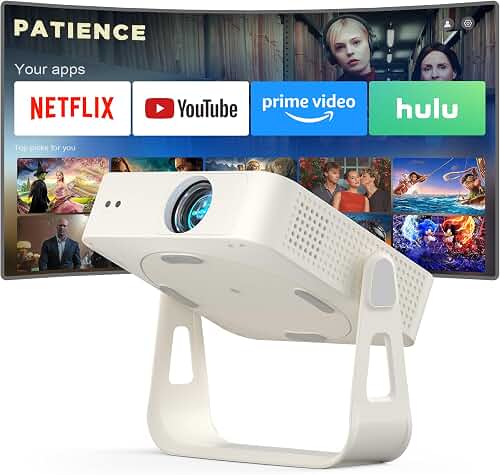
Figuring out how to wire projector through finished basement drop ceiling without conduit is one of the most common questions for basement theater builders, and the good news is that drop ceilings are actually the easiest finished space to wire. The tiles lift out, exposing the joist bays above, so you can run cable end-to-end in under an afternoon. Residential code does not require conduit as long as you use in-wall rated cable (CL2, CL3, or plenum where applicable), keep low-voltage runs separated from line voltage, and secure cables to the structure—not the grid wires. This guide walks through planning the run, picking cable, drilling joists, and dressing the final install.
Why Drop Ceilings Are Perfect for a Hidden Projector Run
A suspended (drop) ceiling is the friendliest finished-basement surface you can wire through. Unlike drywall, you don't have to fish, cut access holes, or patch and repaint. Pop a single 2x2 or 2x4 tile, and you have full access to the joist bays, ductwork, and any existing electrical above. That means you can run a perfectly clean cable path from your equipment shelf to the projector mount and still get to it later when you upgrade firmware, swap to a longer HDMI cable, or add a 12V trigger for a motorized screen.
The best how to wire projector through finished basement drop ceiling for your situation depends on how you plan to use it and where.
The trade-off: the grid itself is not structural. You cannot rest cables on the tiles or hang anything heavier than a fluorescent light from the T-bar without independent support. Everything—cable, J-hooks, the projector mount itself—needs to attach to the joists above the grid.
What "No Conduit" Actually Means in a Finished Basement
The NEC (National Electrical Code) does not require conduit for low-voltage AV cable in residential concealed spaces, provided the cable carries the correct fire rating. The relevant ratings are:
- CL2 / CL3: general-purpose in-wall rated. CL3 has a slightly higher voltage rating and is the safer default for HDMI and speaker wire.
- CMR (riser): required when cable passes vertically between floors.
- CMP (plenum): required only when the ceiling cavity is used as a return-air plenum. Most residential finished basements are NOT plenum spaces, but check your HVAC layout before assuming.
If your jurisdiction has adopted an amended code (some cities have), or your basement ceiling cavity is part of the return-air pathway, you may need plenum-rated cable or conduit. A two-minute call to your local building department settles it. For 90% of homeowners reading this, CL3-rated HDMI and Cat6 is all you need.
Tools and Materials Checklist
- In-wall rated HDMI cable (CL3) for runs under 25 ft, OR active optical HDMI (AOC) for runs 25–100 ft
- Cat6 cable (run one even if you don't think you need it—future-proofs HDBaseT, IP control, streaming)
- 14/2 or 16/2 in-wall rated speaker wire if you're placing surrounds in the ceiling
- HDMI keystone jacks and a low-voltage mounting bracket ("old work" ring) for each wall plate
- J-hooks or Velcro cable supports (NOT staples for HDMI)
- Cordless drill with a 3/4" or 1" paddle bit
- Fish tape or fish sticks
- Stud finder (for the wall portion of the run)
- Step ladder tall enough to reach the grid comfortably
- Painter's tape and a Sharpie for labeling both ends
Step-by-Step: How to Wire a Projector Through a Drop Ceiling
Step 1: Plan the Cable Path Before You Buy Cable
Mark the projector mount location on the grid using painter's tape. Measure the distance to your equipment shelf or rack, then add 15% for service loops, vertical drops, and joist-to-joist routing. A run that measures 22 feet straight-line almost always uses 28–30 feet of cable once you account for the path through joists.
If you haven't picked a mount spot yet, our projector throw distance guide shows how to calculate the exact ceiling location based on screen size and your projector's throw ratio. Get that nailed down first—rewiring after the fact is annoying.
Step 2: Choose Copper vs. Fiber HDMI
This is the single most important cable decision. Copper HDMI is cheaper and more forgiving, but it degrades fast past 25 feet—especially at 4K HDR or 4K/120Hz for gaming. Active optical HDMI (AOC) uses fiber inside a thin, flexible jacket and reliably carries full 18 Gbps (HDMI 2.0) or 48 Gbps (HDMI 2.1) signals 50+ feet without dropouts.
Rule of thumb: under 25 feet, buy CL3-rated copper. Over 25 feet, buy directional fiber AOC and pay attention to the source/display arrows printed on the connectors. Plug it in backwards and you'll get a black screen.
Step 3: Solve the Power Problem (The Trickiest Part)
Code is strict here: extension cords are not legal in concealed spaces. You have two compliant options:
- Add an outlet near the projector. An electrician can extend an existing 15A circuit and mount a ceiling-rated box at the projector location. Expect $150–$400 depending on access.
- Use a UL-listed recessed power kit (sometimes called a "power bridge" or "in-wall power relocation kit"). These come as a pair of recessed inlets connected by a code-rated romex-style cable inside the wall/ceiling cavity. You plug one end into an existing outlet and the other into your projector. They're inexpensive, DIY-friendly, and pass inspection.
Do NOT run an extension cord above the tiles. It's a fire risk and an instant inspection failure if you ever sell.
Step 4: Drill the Joists Correctly
Drop ceilings hang below the structural joists, so unless your run happens to follow the bay direction, you'll need to drill perpendicular through joists. The rules:
- Drill through the center of the joist—never within 2 inches of the top or bottom edge.
- Hole diameter should not exceed 1/3 of the joist depth (a 9.25" 2x10 can take a 3" hole; a 7.25" 2x8 maxes out at 2.4").
- For HDMI and Cat6 you only need a 3/4" or 1" hole.
- Never notch the bottom of a joist—it's structurally weaker than drilling and may violate code.
Step 5: Support the Cable Properly
This is where most DIY installs go wrong. You cannot lay HDMI on top of the ceiling tiles. The tiles sag, and over time the cable strain damages the connectors. Use J-hooks or fabric Velcro supports every 4–5 feet, screwed directly into the joists. Leave a 12–18" service loop coiled near the projector so you can lower the unit to swap lamps or clean optics without disconnecting anything.
Never staple HDMI cable. The internal conductors are tiny and easily crushed. Speaker wire can be stapled if you use insulated cable staples, but J-hooks are still the cleaner approach.
Step 6: Terminate at Wall Plates and Test Before Closing Up
Install an HDMI keystone wall plate at the equipment location and a low-profile pigtail box at the projector. Label both ends with painter's tape and a Sharpie ("HDMI 1 - Apple TV," "HDMI 2 - PS5," "Cat6 - Network"). Plug everything in and verify a full 4K signal before you put any tiles back. Finding a dead cable with the ceiling already closed up is the worst feeling in home theater.
Run Audio Cables at the Same Time
While the ceiling is open, run anything you might want later: in-ceiling speaker wire for Atmos heights, optical or extra HDMI for a soundbar return, and a spare Cat6 "just in case." The labor cost of a second cable while you're already up there is essentially zero, and dropping new cable through a finished ceiling six months later is hours of work. Our walkthrough on connecting surround sound to a projector covers which audio paths matter for an immersive basement room.
Mounting the Projector to the Structure (Not the Grid)
A drop ceiling grid is rated for the weight of tiles and light fixtures—not a 12-pound projector hanging on a 6-inch drop pole. You need an extended ceiling mount with a structural plate that attaches to the joists above and passes through the grid via a small cutout. Our full how to mount projector ceiling guide details the bracket types and load ratings to look for, and our roundup of the best projector for finished basement low 8-foot ceilings covers throw-ratio picks that work in tight basement geometry.
Common Mistakes to Avoid
- Buying cheap, no-name 4K HDMI for a 30-foot run. Bandwidth drops, sparkles, and HDCP handshake failures will haunt you. Spend on a known AOC brand.
- Running HDMI parallel to AC wiring for long distances. Cross perpendicular when you can; if you must run parallel, keep at least 12" of separation.
- Resting cable on tiles. Tiles sag, cables slide, connectors strain.
- Forgetting service loops. Always leave 12–18" extra at each end.
- Skipping the spare Cat6. You will regret this in 2027 when you add HDBaseT, smart lighting, or a streaming device that lives near the projector.
Putting It All Together
Once cables are run, mounts are anchored, and power is solved, the rest of the setup is bench work—calibration, geometry, screen alignment. Our complete home theater projector setup guide walks through that final phase. Knowing exactly how to wire projector through finished basement drop ceiling setups before you start cuts the install time roughly in half versus learning on the fly, and it keeps every choice—cable rating, hole placement, power method—on the right side of code.
Frequently Asked Questions
Do I need conduit to run HDMI through a finished basement drop ceiling?
No, not in a residential drop ceiling that isn't part of the HVAC return-air plenum. CL2 or CL3-rated in-wall HDMI cable meets code in nearly all U.S. residential jurisdictions. If your basement ceiling cavity does carry return air, you'll need plenum (CMP) rated cable or conduit—check with your local building department to confirm.
How long of an HDMI cable can I run from my equipment to a basement projector?
Standard copper CL3 HDMI is reliable up to about 25 feet for 4K HDR. For runs from 25 to 100 feet, switch to an active optical (AOC) HDMI cable, which uses fiber internally and maintains the full 18 Gbps or 48 Gbps signal without amplification. AOC cables are directional—pay attention to the source/display arrows.
Can I just lay the HDMI cable on top of the ceiling tiles?
No. Tiles sag under cable weight, the cable can slide and stress the connectors, and most local codes require low-voltage cable to be supported by the building structure every 4–5 feet. Use J-hooks or fabric Velcro supports screwed into the joists.
What's the safest way to get power to a ceiling-mounted projector with no nearby outlet?
The two code-compliant options are: (1) have an electrician extend an existing 15A circuit and add a ceiling-rated outlet near the mount, or (2) install a UL-listed recessed power inlet kit (sometimes sold as a "power bridge"). Extension cords inside the ceiling cavity are a fire risk and not code-compliant.
How do I drill through floor joists without weakening them?
Drill through the center of the joist, keeping the hole at least 2 inches from the top and bottom edges. The hole diameter should not exceed one-third of the joist depth. For HDMI and Cat6, a 3/4" or 1" paddle bit is plenty. Never notch the bottom edge—drilled holes are structurally stronger than notches.
Should I run extra cables while the ceiling is open?
Yes—always. Drop in at least one spare Cat6 and a second HDMI even if you don't think you need them. Adding cable later through a closed-up finished space is hours of work; adding it now while tiles are out costs you minutes and a few dollars in materials.
Do I need to ground or bond the projector mount?
Standard residential projector mounts attached to wood framing don't require electrical bonding—they're isolated by the wood. If your mount attaches to metal HVAC ductwork or a metal structural beam, and the projector uses a grounded power cord, no extra bonding is required because the cord's ground does the job. Always plug the projector into a properly grounded outlet or a surge protector connected to one.
Key Takeaways
- Choosing the right how to wire projector through finished basement drop ceiling means matching the key features to your specific needs and budget
- Read real customer reviews and check the return policy before you commit
- Also covers: projector wiring drop ceiling tiles
- Also covers: fish HDMI cable through drop ceiling
- Also covers: basement projector wiring no conduit
- Compare value across models — the priciest option is not always the best fit