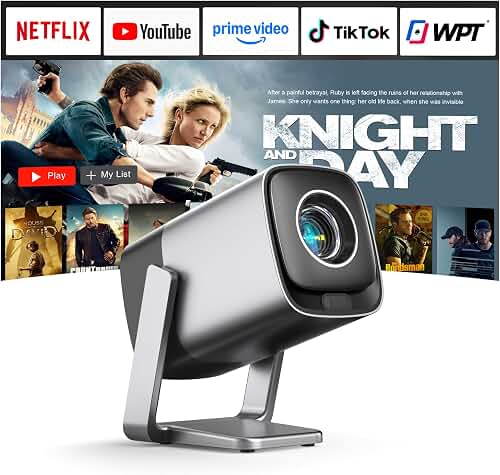
JMGO N1 Ultra vs XGIMI MoGo 3 Pro: spec-by-spec comparison
For 2026, both models have settled into mature firmware and discounted pricing, so it's worth comparing them at their current state rather than launch specs. Here's how they stack up for bedroom-first use:
| Feature | JMGO N1 Ultra | XGIMI MoGo 3 Pro |
|---|---|---|
| Native resolution | 4K UHD (3840 x 2160) | Full HD 1080p (1920 x 1080) |
| Light source | Triple laser (RGB) | LED |
| Rated brightness | ~4,000 CVIA lumens | ~450 ISO lumens |
| HDR support | HDR10, HLG, Dolby Vision | HDR10 |
| Color gamut | 110% BT.2020 | ~90% DCI-P3 |
| Throw ratio | ~1.2:1 | ~1.2:1 |
| Recommended screen size | 60–150 inches | 40–100 inches |
| Built-in stand | Integrated gimbal (-25° to 135°) | Multi-angle stand with handle |
| Speakers | 2 x 10W Dynaudio | 2 x 8W Harman Kardon |
| Operating system | Android TV (region-dependent) / Google TV | Google TV (licensed Netflix) |
| Battery | None — AC powered | Yes, ~2 hours |
| Weight | ~10 lbs | ~2 lbs |
| Typical 2026 street price | $1,700–$2,200 | $450–$550 |
The JMGO N1 Ultra vs XGIMI MoGo 3 Pro showdown for bedroom projection comes down to one clear question: do you want a premium 4K triple-laser flagship, or a truly grab-and-go 1080p LED puck? The JMGO N1 Ultra is the heavyweight winner on image quality, brightness, and color thanks to its triple-laser RGB engine and roughly 4,000 CVIA lumen output. The XGIMI MoGo 3 Pro is far lighter, cheaper, and easier to angle anywhere with its multi-position stand, but it caps at 1080p and around 450 ISO lumens. For dedicated bedroom use, your ceiling height, wall color, and budget should decide.
The best JMGO N1 Ultra vs XGIMI MoGo 3 Pro for your situation depends on how you plan to use it and where.
Both projectors share the same headline trick — an integrated gimbal-style stand that points the lens wherever you want without a tripod — and both are aimed at people who project from a nightstand, dresser, or even the floor. But they're priced and engineered for very different bedroom scenarios, so the right pick depends on whether you're recreating a cinema or just want a sleep-timer Netflix puck.
Quick verdict: which projector wins for the bedroom?
If your bedroom doubles as your main movie room, the JMGO N1 Ultra is the smarter long-term buy. You get a true 4K image, Dolby Vision support, a 110-inch picture that still looks punchy with the bedside lamp on, and built-in 2x10W speakers tuned by Dynaudio that fill a master bedroom comfortably. The N1 Ultra's gimbal lets you throw a sharp image on the ceiling above the bed — the single most-requested bedroom projector use case — without stacking books under the front feet.
If your bedroom is small, you watch in fully blacked-out conditions, and you also want a projector you can drag onto the patio or pack for a trip, the XGIMI MoGo 3 Pro is the better fit. It weighs about 2 lbs versus the JMGO's roughly 10 lbs, runs on its internal battery for around two hours, and has a built-in handle plus stand combo. You're trading away resolution, brightness, and laser color for genuine portability — and you're keeping about $1,200 in your pocket.
Image quality in a real bedroom
Bedrooms are forgiving in some ways and punishing in others. They're usually small (10–14 ft throw distances are typical), often have a single window with blackout curtains, and frequently have darker walls that absorb stray light. That actually helps both of these projectors, but in very different ways.
The JMGO N1 Ultra's triple-laser engine produces colors you can't get from an LED or single-laser DLP. Reds look like real reds — sunsets, brake lights, lipstick — instead of the orange-leaning compromise LED projectors fall back on. With Dolby Vision content from Apple TV+ or Netflix, the N1 Ultra's contrast holds up well even at 100 inches, and you don't lose the picture when someone walks in and flips the closet light on. The downside, common to triple-laser projectors, is faint speckle visible on solid bright fields if you sit closer than about 8 feet. In a bedroom, that's a real consideration if your bed is right under the projection wall.
The XGIMI MoGo 3 Pro produces a pleasant, watchable image at 60–80 inches in pitch-black conditions. Push it past 80 inches or turn on any ambient light and the LED's brightness ceiling becomes obvious — colors desaturate, blacks lift into gray, and the 1080p resolution starts to feel soft on text. For background streaming, sleep-timer Netflix, or kids' room duty, none of that matters. For a Friday-night movie experience, it does. If you're not sure how much brightness you need, the how many lumens guide walks through the math for different room sizes and ambient light levels.
The gimbal advantage: why both projectors solved bedroom mounting
Traditional projectors fight the bedroom. They want to sit on a coffee table 12 feet from a wall, with a precise tilt and a tripod or ceiling mount to angle them. Bedrooms rarely cooperate — you have a nightstand, a dresser, or the floor.
The JMGO N1 Ultra's gimbal cradle is the closest thing on the market to a no-compromise solution. You can park it on a low dresser and tilt it straight up to project on the ceiling, then swing it 90 degrees to project on the opposite wall in under five seconds. The autofocus and four-corner keystone correction handle the geometry. You can absolutely fall asleep watching a 100-inch image on the ceiling above your bed — that's the canonical N1 Ultra use case, and it works.
The XGIMI MoGo 3 Pro takes a lighter-weight approach. The integrated stand pivots about 130 degrees and the projector is small enough that you can also use it on a flat surface without the stand. It's not as rigid or as precise as the N1 Ultra's gimbal, but it's vastly more portable. If you actually want to carry your bedroom projector to the backyard for a movie night, the MoGo 3 Pro is the only one of the two that makes sense — and our portable projector roundup goes deeper on what to look for there.
Audio: can you skip the soundbar?
Bedroom projectors live or die by their built-in speakers, because nobody wants to wire a surround setup in a bedroom. Both of these are unusually competent for projectors.
The JMGO N1 Ultra's Dynaudio-tuned 2x10W system has real low-end presence — dialog stays clear, and movie sound effects don't feel hollow. It's good enough that most owners run it as the only speaker in the room. If you do want to add a soundbar later, HDMI eARC works as expected.
The XGIMI MoGo 3 Pro's 2x8W Harman Kardon speakers punch above the projector's tiny form factor, but they hit a wall on bass and max volume. For one or two people in a small bedroom watching at moderate volume, they're fine. For a family room or anything louder, you'll want a Bluetooth speaker, which the MoGo 3 Pro pairs with easily.
Smart TV experience and streaming
This is where the comparison gets messy. The XGIMI MoGo 3 Pro ships with licensed Google TV and licensed Netflix — meaning Netflix runs natively, in the right resolution, with no sideloading. That's still rare in the projector world and is a real day-to-day quality-of-life advantage.
The JMGO N1 Ultra's stock OS situation depends heavily on region. Some units ship with Google TV and licensed Netflix; others ship with a JMGO Android skin that requires a Fire TV Stick or Apple TV plugged into HDMI for Netflix. Check the listing carefully before you buy — and budget another $40–$140 for an external streaming stick if you go this route. Even with a stick, the N1 Ultra is the better picture in every scenario; it's just an extra cable and remote in the room.
Who should buy which?
JMGO N1 Ultra: the bedroom-as-home-theater pick
Buy the JMGO N1 Ultra if the bedroom is your primary or only theater room, you want 100-inch-plus picture quality on the ceiling or wall, and you're not planning to move the projector regularly. The gimbal makes ceiling projection genuinely practical, the triple laser delivers color and contrast no LED projector can match at this size, and the Dynaudio speakers mean you don't need to wire anything else. This is also the projector to pick if you watch a lot of HDR content from Apple TV+, Disney+, or 4K Blu-ray — Dolby Vision is the differentiator.
XGIMI MoGo 3 Pro: the portable bedside pick
Buy the XGIMI MoGo 3 Pro if your bedroom is small, your budget is under $600, you watch in fully blacked-out conditions, and you want a projector that can also be a camping projector, a guest-room projector, or a backyard projector. The built-in battery, light weight, and licensed Netflix make it the easier choice for casual use. Just go in knowing you're getting 1080p and dim-room performance — not a flagship.
What about waiting for the next generation?
Both projectors are mature 2024-launched products that have seen meaningful price drops through 2026. The JMGO N1S Ultimate is the follow-up flagship if you want 4-color RGBB laser and higher brightness, but it's significantly more expensive. XGIMI has not launched a direct MoGo 3 Pro successor as of mid-2026, so the MoGo 3 Pro is still the current portable. If you're cross-shopping the bigger XGIMI laser models for a bedroom build, our XGIMI Horizon Ultra review covers the next step up in that line.
Frequently Asked Questions
Is the JMGO N1 Ultra worth the price difference over the MoGo 3 Pro for a bedroom?
For a dedicated bedroom theater where you'll project at 90 inches or larger, yes — the N1 Ultra's 4K triple-laser image and 4,000 CVIA lumens are an enormous jump from the MoGo 3 Pro's 1080p LED panel. For a sub-80-inch picture in a small bedroom with full blackout, the MoGo 3 Pro is genuinely the smarter buy and the price difference is hard to justify.
Can the JMGO N1 Ultra or XGIMI MoGo 3 Pro project on a bedroom ceiling?
Both can, but the N1 Ultra is meaningfully better at it. Its gimbal pivots from -25 to 135 degrees and locks rigidly, so you can park it on a nightstand and project straight up at a sharp, in-focus 100-inch image. The MoGo 3 Pro can also tilt upward, but the smaller stand is less stable for vertical projection on a soft surface like a bed.
How big a picture can I project in a typical 12 by 14 foot bedroom?
With a 1.2:1 throw ratio, both projectors hit roughly 100 inches diagonal from about 9 feet of throw distance. The JMGO N1 Ultra has the brightness headroom to look great at 100 inches; the XGIMI MoGo 3 Pro is happier in the 60–80 inch range. The full math is in our throw distance and screen size guide.
Do I need a screen, or can I project on a bedroom wall?
A clean, smooth, off-white wall works fine for both projectors. Painted bedrooms with eggshell or matte finishes look nearly identical to a budget white screen. If your wall is textured, colored, or you want best-case contrast at night, a 100-inch fixed-frame screen runs $150–$300 and is a clear upgrade — especially paired with the N1 Ultra.
Will either projector replace a TV in the bedroom?
The JMGO N1 Ultra can fully replace a bedroom TV — it's bright enough for daytime viewing with curtains drawn, the speakers handle dialog, and the smart OS covers streaming. The XGIMI MoGo 3 Pro is better thought of as a complement to a TV: great for nighttime movies and travel, but too dim for daytime use in any room with a window.
How loud is each projector during quiet bedroom scenes?
The JMGO N1 Ultra runs around 26–30 dB in standard mode — quiet enough that you'll only notice fan noise during silent passages, and the audio almost always masks it. The MoGo 3 Pro is even quieter at around 24 dB because the LED engine produces less heat. Neither will keep a light sleeper awake.
Should I wait for a 4K portable that replaces both projectors?
The category is moving fast, but the engineering trade-off between 4K laser brightness and battery-powered portability is still real in 2026. A true 4K, battery-powered, gimbal-style projector that matches the N1 Ultra's image quality doesn't exist yet at any reasonable price. If you need both qualities now, the answer is usually to own one of each — not to wait.
Key Takeaways
- Choosing the right JMGO N1 Ultra vs XGIMI MoGo 3 Pro means matching the key features to your specific needs and budget
- Read real customer reviews and check the return policy before you commit
- Also covers: N1 Ultra gimbal bedroom ceiling
- Also covers: MoGo 3 Pro portable projector
- Also covers: JMGO vs XGIMI gimbal comparison
- Compare value across models — the priciest option is not always the best fit