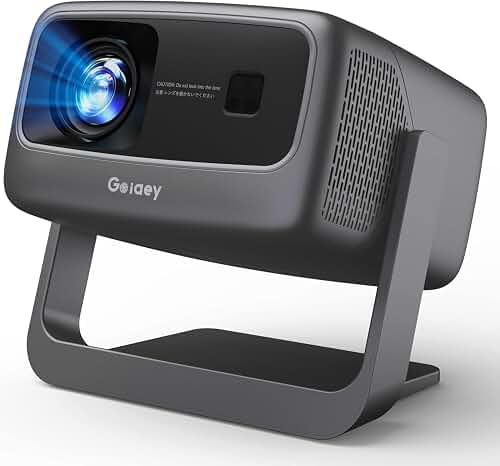
If you collect classic films and need a projector with 1.37:1 Academy ratio support, you want a model with flexible aspect ratio handling, accurate pixel mapping in 4:3-style modes, and menus that let you display the full Academy frame without unwanted cropping or stretching. The best choices for 2026 are home theater projectors with manual or motorized lens shift, a dedicated Native or Auto aspect setting that respects source metadata, and color presets that flatter the warmer, lower-contrast look of pre-1953 monochrome and Technicolor releases. This guide walks through the features that matter and how to set up a clean Academy presentation in any dedicated screening room.
Why classic film collectors need true Academy ratio handling
Almost every Hollywood feature shot between 1932 and 1953 used the Academy aperture, a frame measuring 1.37:1 — essentially a 4:3 image with a touch more height. Iconic releases like Citizen Kane, Casablanca, The Wizard of Oz, It's a Wonderful Life, Singin' in the Rain, and the early Hitchcocks were composed in this format. When Criterion, Kino Lorber, Warner Archive, and the Cohen Collection issue Blu-ray and 4K UHD discs of these films, they preserve the Academy aspect by encoding the picture inside a 16:9 container with vertical pillarbox bars on the left and right. A modern widescreen projector will happily display that container, but whether the Academy frame looks correct depends entirely on the projector's aspect ratio menu, its scaler, and how it handles overscan.
A poorly configured projector will stretch the 1.37 image horizontally to fill 16:9, distorting faces and turning round objects into ovals. An even worse setup will zoom into the frame, slicing the heads off actors who were carefully blocked for the original Academy composition. A projector with 1.37:1 Academy ratio support lets you avoid both fates, presenting the frame exactly as the cinematographer composed it on the soundstage.
The best projector with 1.37:1 Academy ratio support for your situation depends on how you plan to use it and where.
The features that make a projector Academy-ratio friendly
Aspect ratio menu flexibility
The first thing to check is the aspect ratio menu. You want at least three of the following options: Native (1:1 pixel mapping), Auto (respects HDMI metadata), 4:3, and a user-configurable Custom or Anamorphic mode. Cheaper home theater projectors sometimes lock you into 16:9 Full or Zoom, which is a deal-breaker for Academy films. Premium home theater units from Sony, JVC, Epson, BenQ, and Optoma generally expose enough modes that you can preserve the pillarbox bars and avoid all scaling artifacts.
Lens shift and zoom range
Vertical and horizontal lens shift lets you position the Academy image precisely on your screen without keystone correction, which crushes detail. Zoom flexibility is just as important: with a wide zoom range you can shrink the 16:9 source so the Academy portion of the image fills the screen's height exactly, then mask off the pillarbox bars with velvet or a motorized masking system. This constant-height approach is how many collectors prefer to present classic film at home, because the Academy frame ends up the same physical height as 1.85 and 2.39 features.
Pixel mapping and resolution
Native 4K (3840×2160) projectors handle 1.37:1 content elegantly because they have enough horizontal resolution to spare. A 1080p projector with good 1:1 pixel mapping is still excellent — many Academy-era releases were sourced from 2K or 4K scans of nitrate negatives and resolve more detail than you might expect. Whatever resolution you choose, look for projectors that disable overscan by default or expose an off toggle, so you see every pixel the disc sends. If you want a deeper background on resolution trade-offs, our home theater projector buying guide walks through the full picture.
Color accuracy for classic film stocks
Black-and-white films from the 1930s and 1940s lived in a specific tonal world: silver-rich blacks, soft mid-tones, and slightly warm highlights produced by Eastman, Agfa, and DuPont stocks. Three-strip Technicolor titles like Gone with the Wind and The Wizard of Oz have unique color separations that look wrong on overly punchy projectors. A projector with a Filmmaker Mode, accurate Rec. 709 preset, or a calibratable cinema mode will treat these movies with more respect than a sports- or game-tuned bright mode. CMS controls (color management system) help further if you want to dial in restored gamma curves to match the look of a 1940s theatrical print.
HDR handling — and the option to defeat it
A growing number of Academy-era films are getting 4K Dolby Vision and HDR10 releases (Casablanca and It's a Wonderful Life both have HDR remasters now). A projector with strong tone mapping and the option to turn HDR processing off is ideal — sometimes the SDR Blu-ray is the more faithful presentation. Models with dynamic tone mapping help with the highlight clipping that can plague projected HDR remasters of older monochrome material.
Throw distance, screen pairing, and masking
Academy films benefit from a slightly smaller image than your widescreen movies, simply because the frame is taller and you want the bottom edge to stay above your seating sightline. A constant-height setup, where 1.37, 1.85, and 2.39 all share the same image height, is the gold standard. Plan your room with our projector throw distance guide so you have enough zoom range to scale every aspect ratio down to a common height.
Pair the projector with a 1.78:1 or 2.39:1 screen and add side masking. For 1.78:1 screens, vertical masking is irrelevant but horizontal velvet panels are essential to absorb the spill light around the Academy image. For 2.39:1 scope screens, you will need wider side masking to handle the very narrow 1.37 frame — some collectors hang separate masking drapes. Our guide to choosing a projector screen covers gain, ambient light rejection, and the materials that flatter monochrome film.
What kind of projector to look for in 2026
4K DLP home theater projectors
Mid-range 4K DLP projectors from BenQ and Optoma generally expose flexible aspect ratio menus and have the contrast needed for monochrome film. DLP's snap-fast response and lack of convergence error make it a natural fit for film grain. Check the manual before buying — a few entry-level DLP units only offer Auto, 4:3, 16:9, and Zoom, with no true 1:1 native mode. The mid-tier units add the granular controls collectors want, including pixel-perfect mapping.
LCD home theater projectors
Epson's home cinema line is a consistent strong choice for Academy content. Epson menus reliably include Native, Auto, Normal, Full, Zoom, and Anamorphic, plus generous motorized lens shift on the higher-tier units. The 3LCD light path also gives faithful color rendering for Technicolor titles, and the broad zoom ranges support constant-height masking workflows without exotic optics.
Native 4K LCoS projectors
Sony's VPL-XW5000ES and JVC's DLA-NZ7 are the dream tier for classic film collectors who want true native panels, deep blacks, and excellent gamma controls. Both expose detailed aspect ratio menus and high-quality scalers. If you can afford this tier, see our Sony VPL-XW5000ES vs JVC DLA-NZ7 comparison for which suits your room and content mix best.
Laser ultra-short-throw projectors
UST laser projectors can absolutely present Academy ratio films, but they have less zoom flexibility, which makes constant-height setups harder. If you go UST, plan to use the projector's aspect menu and accept the pillarboxing rather than physically shrinking the image. Our roundup of the best laser projectors for home theater includes models that handle 4:3 source material gracefully and preserve film-like contrast in dim viewing environments.
Setup tips for a perfect Academy presentation
Start by feeding the projector a known 1.37 disc — Criterion's Citizen Kane or Warner's Casablanca 4K UHD are good references. Set the projector's aspect mode to Auto or Native, then verify that the pillarbox bars on the left and right are perfectly black and symmetrical. If they look gray, adjust black level or HDMI signal range (RGB Full vs Limited). If the bars are uneven, your scaler is misreading the source — switch to a forced 4:3 mode.
Next, check geometry. Round circular logos like the RKO radio tower or the Selznick globe should be perfectly round. If they are stretched, you are in 16:9 Full mode by mistake. Then turn off overscan, sharpening, motion smoothing, and any AI picture modes — these all damage classic film grain. Drop into Filmmaker, Cinema, or Reference mode and dial gamma to 2.2 or 2.4 depending on your ambient light.
Finally, fine-tune masking. Velvet absorbs the residual stray light projected onto the pillarbox bars and dramatically improves perceived contrast in monochrome scenes. Even a strip of black felt from a craft store helps if you cannot yet afford motorized masking, and the impact on perceived black level is striking.
Frequently Asked Questions
Can any 16:9 projector display 1.37:1 Academy ratio films correctly?
Most modern 16:9 projectors can show Academy ratio content with pillarbox bars, but the picture quality depends on whether the aspect menu offers a true Native or 4:3 mode that disables scaling. Cheaper projectors sometimes only offer Auto, 16:9 Full, and Zoom, which either distort or crop the Academy frame. Always check the manual or product page for explicit aspect ratio options before buying a unit specifically for classic-film viewing.
Is 1.37:1 the same as 4:3 broadcast television?
They are very close but not identical. 4:3 broadcast television is 1.33:1, while Academy aperture film is 1.37:1 — slightly wider. The difference is small enough that most projectors handle both with the same 4:3 setting, and the pillarbox bars will look almost identical on a 16:9 screen. Purists may select Custom Aspect to crop the last few pixels of overscan and reveal the true 1.37 frame the projectionist would have seen.
Will my projector stretch Academy films horizontally without warning?
Only if you select a 16:9 Full or Stretch aspect mode, which forces the image to fill the panel. To prevent this, switch to Native, Auto, or 4:3. Modern Blu-ray and 4K UHD players almost always flag 1.37:1 content correctly over HDMI, so Auto mode usually works. If your projector ignores the flag, lock the aspect ratio manually before you press play.
Do I need a 4K projector for classic films?
No. Many Academy-era films were shot on 35mm and scanned at 2K, so a high-quality 1080p projector with good pixel mapping is plenty. That said, 4K projectors give you smoother gradation on monochrome film, better tone mapping for HDR remasters, and more horizontal pixels to spare when displaying the narrow Academy frame on a large screen.
What's the best aspect ratio menu setting for old movies?
For 1.37:1 Academy films, use Auto if your projector reliably reads HDMI flags, or 4:3 / Native if it does not. For 1.66:1 European films, use the same approach. For 1.85:1 widescreen, Normal or 16:9 is fine. For 2.35 or 2.39 scope films, Anamorphic Stretch is only relevant if you have an external anamorphic lens — otherwise leave it on Normal and let the letterbox bars sit at the top and bottom of the frame.
How should I handle HDR remasters of classic films?
Newer HDR releases of classic films sometimes apply heavy color regrades. If you prefer the original theatrical look, watch the SDR Blu-ray disc or disable HDR processing on your player. If you do want HDR, choose a projector with strong dynamic tone mapping and calibrated highlight rolloff so older film grain does not get crushed or blown out in bright shots.
Does a constant-height setup require an anamorphic lens?
No — many collectors achieve constant height purely with zoom memory presets. The projector zooms in for 1.37 and 1.85 content so the image fills the screen height, then zooms out for 2.39 scope content. An anamorphic lens is only needed if you want to use the full panel resolution for scope films, which is a different optimization than Academy support and is less critical for classic collections.
Key Takeaways
- Choosing the right projector with 1.37:1 Academy ratio support means matching the key features to your specific needs and budget
- Read real customer reviews and check the return policy before you commit
- Also covers: best projector classic film Academy ratio
- Also covers: 4:3 aspect ratio projector for old movies
- Also covers: silent film projector Academy ratio
- Compare value across models — the priciest option is not always the best fit