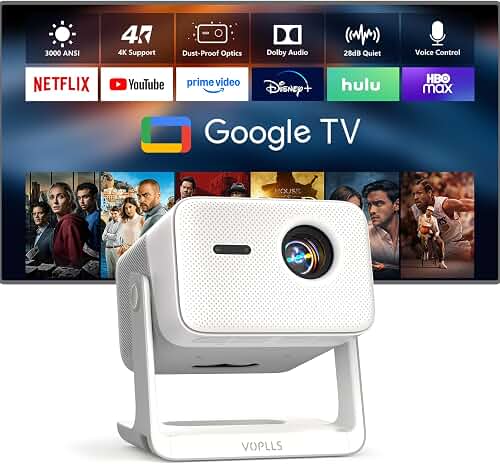
The best projector for retro gaming CRT emulation is one that combines low input lag (under 25ms at 1080p), a fast-responding DLP or LCD panel that resolves scanline shaders cleanly, a native or near-native 1080p resolution that integer-scales 240p sources well, and support for at least 120Hz refresh so emulators like RetroArch can run black-frame insertion. You don't need a $5,000 home theater flagship to make Sega Genesis or NES games look like they did on a Sony PVM — you need pixel clarity, accurate gamma, and minimal processing lag. This guide walks through what actually matters when projecting CRT shaders, why 240p output is a special case, and how to dial in scanline effects at 100" or larger.
Retro gaming on a projector is having a real moment in 2026. Emulator front-ends like RetroArch, BizHawk, and Ares now ship sophisticated CRT shaders (CRT-Royale, CRT-Guest-Advanced, Sony Megatron) that approximate the slot-mask, aperture grille, and phosphor glow of a real tube. Project those at 120" and the effect is genuinely cinematic — but only if the projector itself doesn't fight you with input lag, banding, or smoothing that smears scanlines into mush. Below is how to choose the right unit, the settings that matter, and how to handle the 240p signal-chain problem that trips up most newcomers.
The best best projector for retro gaming CRT emulation for your situation depends on how you plan to use it and where.
Why CRT Emulation on a Projector Is Different
A CRT shader works by simulating thousands of tiny phosphor triads and the scan-beam pattern of a real tube. To look convincing, the output device needs enough resolution to resolve those simulated triads — which is why CRT-Royale recommends at least 1080p, and Sony Megatron looks dramatically better at 4K. A 720p pico projector simply cannot draw a believable aperture grille; the simulated mask collapses into noise.
The second issue is response speed. CRTs draw an image in roughly 16.67ms with effectively zero persistence — each phosphor lights and decays before the next refresh. Modern projectors hold each frame for the full refresh interval (sample-and-hold), which makes motion look smeared compared to a tube. The fix is either black-frame insertion (BFI) at 120Hz, or accepting that you're getting a CRT look rather than CRT motion. DLP projectors generally have the edge here because the DMD mirrors switch in microseconds, whereas LCD panels have a slower pixel response that softens scanline edges.
Third, the 240p problem. Original consoles and most emulators output at 240p (or a 240p-equivalent timing inside a 480i container). Almost no projector accepts 240p directly over HDMI — they expect 480p minimum. You'll need a line doubler, a Retrotink 4K, an OSSC Pro, or to let your emulator handle the upscale internally. This guide assumes you'll do the upscale in software (RetroArch on a PC or Steam Deck dock) and feed the projector a clean 1080p120 or 4K60 signal with the shader already applied.
What to Look For in a Projector for Retro Gaming
If you're shopping specifically for the best projector for retro gaming CRT emulation, weight these specs in roughly this order:
- Input lag under 25ms at 1080p/60 — anything above 40ms feels noticeably mushy on Mega Man or Contra.
- Native 1080p or 4K resolution — needed to resolve shader masks. Avoid 720p "HD-ready" units.
- 120Hz refresh support — enables BFI and smoother shader animation.
- DLP panel — generally crisper edges for scanline work than 3LCD, though good 3LCD units (like the Epson 2350) are very usable.
- Gamma 2.4 or BT.1886 mode — CRTs had a gamma curve closer to 2.4 than the sRGB 2.2 most projectors default to.
- Disable-able frame interpolation and noise reduction — both destroy scanline integrity.
- Sufficient brightness for a darkened room — 2,000-3,000 ANSI lumens is plenty; you don't need a bright-room cannon for after-dark gaming.
You can safely ignore: HDR performance (240p content is SDR), Dolby Vision, motorized lens shift, and most "smart TV" features. A retro-gaming projector is a pure-image device.
Recommended Projector Categories for CRT Emulation
Budget DLP 1080p (under $800)
The sweet spot for a dedicated retro setup is a 1080p DLP unit with a documented sub-20ms input lag. The BenQ HT2060 is a strong example — native 1080p, LED light source (instant on, no lamp degradation across thousands of retro-gaming hours), and well-controlled gamma out of the box. LED projectors have the additional advantage of a wider color gamut, which helps phosphor-glow shaders pop. For most NES, SNES, Genesis, and PS1 emulation, 1080p is enough resolution to render CRT-Royale at a convincing pixel density on a 100" screen.
4K DLP for Higher-End Shaders
If you want Sony Megatron — the most physically accurate CRT shader currently available — you really do want 4K. Megatron literally simulates RGB subpixels and needs the resolution to draw them. The Optoma UHD55 hits 4K at a low-input-lag enhanced gaming mode (around 16ms at 1080p/120Hz), handles 240Hz at 1080p, and its DLP DMD switching gives clean scanline edges. It's also bright enough (3,600 lumens) to handle a partially-lit room when you've got friends over for a co-op Streets of Rage session.
Laser TV / UST for Living Room Setups
If your retro rig lives in a family room and you don't want a long-throw projector dangling from the ceiling, an ultra-short-throw laser TV is a credible option. The Hisense PX3-Pro is a tri-laser UST with surprisingly low input lag in its game mode (around 30ms) and excellent native contrast — important for the deep blacks between scanlines. It's overkill if you only play retro games, but if it's also your main TV, it's a single-device solution. Pair it with a proper ALR UST screen for full daytime usability.
Portable / Travel
For dorm rooms, gaming weekends at a friend's house, or backyard retro nights, a portable laser like the Anker Nebula Capsule 3 Laser can work — but be honest about its limits. Input lag is higher than dedicated home theater units, brightness is modest, and 240p shaders won't look as crisp as on a 1080p DLP. Treat it as a fun secondary option, not your primary CRT-emulation rig.
Setting Up Your CRT Emulation Signal Chain
The Software Path (recommended)
Run RetroArch on a small PC, Steam Deck, or mini-PC connected to the projector. Set RetroArch's video output to 1920x1080 at 120Hz (or 3840x2160 at 60Hz if you have a 4K unit). Apply CRT-Royale or CRT-Guest-Advanced as the video shader. Enable integer scaling so the emulator's 240p pixel grid maps cleanly to your output. In the projector, disable all image enhancement, frame interpolation, noise reduction, and edge sharpening. Set gamma to 2.4 if available. Use a calibration disc or a tool like DisplayCAL with a colorimeter for accurate color, though stock cinema-mode settings on most modern projectors are quite good.
The Hardware Path
If you're playing real hardware (an actual NES, SNES, or PS1), you need a scaler between the console and the projector. The Retrotink 4K is the current gold standard — it accepts RGB, component, S-video, and composite from original consoles, applies CRT shaders in hardware, and outputs clean 4K60 or 1080p120 to the projector with effectively zero added lag. The OSSC Pro is a good lower-cost alternative for line-doubling. Either way, the projector itself just needs to accept and pass through the resulting signal cleanly.
Screen Considerations
For scanline work, screen gain matters less than screen uniformity. A flat 1.0-1.1 gain matte white screen reproduces scanline patterns most accurately. High-gain screens introduce hotspotting that breaks the illusion of a uniformly-lit phosphor field. See our guide to choosing a projector screen for the full breakdown. Size-wise, anywhere from 100" to 135" works well for retro gaming — much larger and individual pixels start to become visible at normal viewing distance, which actually helps with CRT shaders by softening the pixel grid.
Common Mistakes That Ruin CRT Emulation
Leaving frame interpolation on. Soap-opera mode destroys scanlines and adds 30+ms of lag. Always off.
Using bilinear scaling instead of integer scaling. Non-integer scaling produces uneven scanline thickness — some scanlines render as 4 pixels tall, others as 5. Always use integer scaling at the emulator level, then let the shader simulate the rest.
Bad gamma. CRTs had darker midtones than typical sRGB displays. Without correct gamma (2.4 or BT.1886), shadow detail in games like Castlevania Symphony of the Night looks washed out.
Wrong refresh rate. NTSC content runs at 59.94Hz, PAL at 50Hz. If your projector forces 60Hz exactly, you get periodic frame drops or judder. RetroArch's "sync to exact content framerate" option, combined with a projector that accepts a wide range of refresh rates, mostly solves this.
Insufficient resolution. A 720p projector cannot draw a CRT shader convincingly. Don't bother — save up for a 1080p or 4K unit.
Frequently Asked Questions
Can a projector actually output a real 240p signal?
Almost none can. HDMI itself rarely carries 240p — instead, the source (or an external scaler) converts 240p to 480p, 720p, 1080p, or 4K. The projector then displays that upscaled signal. For authentic CRT emulation, the upscale should be done by either a hardware scaler (Retrotink 4K, OSSC Pro) with a CRT shader applied, or by software (RetroArch's CRT-Royale shader) before the signal ever reaches the projector. The projector's job is just to display the resulting image cleanly without adding further processing.
Is DLP or LCD better for scanline rendering?
DLP generally wins for scanline crispness because DMD mirrors switch in microseconds, producing sharper edges between scanlines and pixel boundaries. 3LCD projectors have a slower pixel response that can soften the transitions, though high-end 3LCD units (like the Epson Home Cinema 2350) are still very usable. If you're shopping specifically for emulation, a 1080p or 4K DLP is the safer choice. See our Epson 2350 vs BenQ HT2060 comparison for a head-to-head on this exact question.
What input lag is acceptable for retro gaming?
Under 25ms at 1080p/60 is excellent and indistinguishable from a CRT for most players. 25-40ms is acceptable for slower-paced games (RPGs, adventure games, Tetris). Above 40ms, twitch-precise games like Mega Man X or Contra start to feel noticeably mushy. Most modern home theater projectors with a dedicated "game mode" hit the 16-22ms range at 1080p, which is more than fast enough for any retro title.
Do I need 4K for CRT shaders or is 1080p enough?
1080p is enough for CRT-Royale, CRT-Guest-Advanced, and most aperture-grille shaders at viewing distances of 1.5x screen height or further. 4K becomes meaningful if you want to run Sony Megatron, which literally simulates RGB subpixels and needs the extra resolution to draw them. If you're not sure which shader you'll commit to, 1080p is the safer budget pick; 4K is the upgrade path for shader enthusiasts.
Will a low-lumen projector look better for retro games because it matches CRT brightness?
Sort of, but not quite. Real PVMs ran around 30-50 nits, while a 2,500-lumen projector on a 120" screen produces roughly 25-40 nits depending on screen gain — already in the right ballpark. You don't need a brighter projector for retro gaming; you need accurate contrast and gamma. A projector that's too bright in a dark room actually causes eye fatigue and washes out shadow detail in games like Resident Evil or Eternal Darkness.
Can I use a portable projector for emulation at a retro gaming party?
Yes, with caveats. Portables typically have higher input lag (40-60ms) and lower resolution (often 720p or pseudo-1080p), which limits shader quality. They're great for casual co-op multiplayer where the social experience matters more than pixel-perfect scanlines. For a dedicated home retro setup, invest in a 1080p+ DLP unit instead.
How do I avoid screen burn-in from leaving Tetris paused for an hour?
This is one of the genuine advantages of projectors over OLED TVs for retro gaming — projectors don't have any meaningful burn-in risk. The image is generated by lamp or laser light passing through panels that don't develop persistent images. You can leave a paused screen up indefinitely without worry. The only wear concern is total lamp hours (irrelevant on laser/LED units), which is rarely a limiting factor in real-world use.
Where can I learn more about projector setup for gaming generally?
For broader gaming-projector guidance beyond retro emulation, see our best 4K projector for PS5 gaming guide, which covers VRR, ALLM, and modern-console-specific considerations. For room setup, our home theater projector setup walkthrough covers throw distance, ceiling mounting, and signal routing — all of which apply equally well to a retro gaming rig.
Key Takeaways
- Choosing the right best projector for retro gaming CRT emulation means matching the key features to your specific needs and budget
- Read real customer reviews and check the return policy before you commit
- Also covers: projector for 240p scanlines retroarch
- Also covers: CRT shader projector retro gaming
- Also covers: low resolution upscaling projector
- Compare value across models — the priciest option is not always the best fit