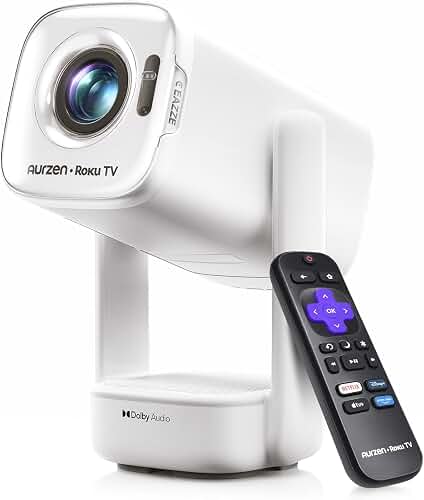
If you are hunting for the best projector she shed craft room Zoom setup that survives sun-drenched windows and back-to-back live tutorials, you need three things working together: a projector pushing at least 3,500 ANSI lumens, an ambient-light-rejecting (ALR) or neutral-grey screen, and a webcam-friendly exposure balance between you and the projected image. A she-shed is the hardest environment a projector faces in 2026 — natural light scatters off pale walls, skylights bounce light onto the screen, and your camera has to see both your hands and your projected reference at the same time. This guide walks through every spec that matters so your students see a crisp tutorial instead of a washed-out grey rectangle.
Why a She-Shed Craft Room Is the Hardest Projector Environment
Most projector reviews quietly assume a dim basement or a blackout-curtained living room. A she-shed flips that assumption on its head. These purpose-built backyard studios are designed around natural light — typically a south-facing window wall, one or two skylights, and pale interior paint chosen to make small-batch craft photography pop on Instagram. Every one of those design choices is the enemy of projector contrast.
Layer a Zoom tutorial workflow on top and the problem compounds. Your viewers need a clean projected reference (so the image must hold detail when a webcam captures it without bloom or hot-spotting), while you need to see your hands, your worktable, and the projection simultaneously. That is a triple load on lumens, contrast, and color accuracy that most so-called home theater projectors are not engineered for. The good news: a handful of bright-room laser DLPs and 3LCD models built in 2025 and 2026 absolutely can handle it, provided you pair them with the right screen and the right room-control tweaks.
The Lumens Math for a Daylight She-Shed
For a dim room, 2,000 ANSI lumens is plenty. For a Zoom-friendly daylight she-shed, the floor is roughly 3,500 ANSI lumens — and 4,000 to 5,000 is much safer if you have windows behind or beside the screen wall. Be careful with marketing claims labeled LED lumens, source lumens, or just lumens: those numbers are often two to three times the real ANSI figure. Anchor every comparison to ANSI lumens, or for laser models the equivalent ISO 21118 measurement. Our lumens guide for home theater projectors breaks down the full conversion math if you want to dig deeper.
You also need to think about how your webcam meters the room. If your projected screen is significantly brighter than your face, the camera exposes for the bright rectangle and your face slides into silhouette. The fix is two-part: pick a projector bright enough to compete with the room ambient light, then add a soft key light pointed at you so the camera sees a balanced scene. A 60W bi-color LED panel at about 45 degrees off-axis is the cheapest, most flattering option for craft tutorials. Avoid ring lights — they reflect as obvious donuts in any glossy craft material like resin or glazed ceramic.
Screen Choice Matters More Than the Projector
This is the single most under-discussed factor for the best projector she shed craft room Zoom setup. A 5,000-lumen projector firing onto a chalky-white matte screen in a window-filled she-shed will look worse than a 3,500-lumen projector firing onto a proper ALR (ambient light rejecting) screen. ALR screens use micro-louvers or angular-reflective coatings to reject ceiling-borne and side-borne light while preserving light coming from the projector itself.
For a long-throw or standard-throw projector mounted overhead or on a back shelf, use a ceiling-light-rejecting ALR screen. For an ultra-short-throw (UST) laser placed on the worktable or a console below the screen, you need a floor-rising ALR — these are not interchangeable, and using the wrong type will give you a dim, blotchy image. A 100-inch fixed-frame ALR runs roughly $450 to $900 in 2026 and will outlive three projectors. Our walkthrough on choosing the right projector screen covers the gain, angle, and material trade-offs in detail.
If wall-mounting a fixed screen is not an option because your she-shed doubles as a guest room or photography backdrop, look at motorized tab-tensioned ALR screens that retract into a slim ceiling housing. They cost about 30 percent more but disappear completely between tutorial sessions.
Throw Distance and the She-Shed Footprint
Most she-sheds are between 100 and 200 square feet — typically 10x12, 10x16, or 12x16. That is too short for a traditional long-throw projector to fill a 100-inch screen without serious image-quality compromises like edge-of-zoom softness or extreme keystone correction. You have three realistic options:
Standard short-throw (0.5 to 0.8 throw ratio): The sweet spot for a 10x12 shed. Mount on a ceiling beam about 6 to 8 feet from the screen wall and you get a 90 to 100-inch image without your head casting a shadow when you stand at the worktable.
Ultra-short-throw laser (under 0.3 throw ratio): The most Zoom-friendly option because it sits in a fixed cabinet position, never gets bumped, and never throws a head-shadow on the screen. Downside: only works with the matching floor-rising ALR screen, and the screen has to be on a flat, unobstructed wall.
Long-throw in a back-loft mount: If your she-shed has a sleeping loft or storage shelf above the door, you can hide a traditional long-throw projector up there and run a 15-foot HDMI down to your laptop position. This is the cheapest path but the hardest to reconfigure later.
Use our projector throw distance guide to plug your specific shed dimensions into the calculator before you buy.
Resolution, Color, and What the Webcam Sees
For a craft tutorial, 1080p native resolution is genuinely enough — your webcam is almost certainly capturing at 1080p or 1440p, so 4K projection detail is invisible to your viewers anyway. Spend the money you save on a brighter light engine instead. The exception is if you teach pattern-heavy crafts (cross-stitch, miniature painting, fine-line calligraphy) where students need to see individual pixels of a chart or guide. There, native 4K from a pixel-shifting DLP buys you legibility.
Color accuracy matters far more than resolution for crafts. Look for projectors that publish Delta E numbers under 3, Rec.709 coverage above 95 percent, and ideally a calibrated picture mode out of the box. Cheap projectors push oversaturated reds and blue-shifted whites that make yarn, paint, and fabric colors unreliable for students trying to match what they see. The best home theater projectors for bright rooms roundup highlights models that maintain color accuracy at high lumen output, which is exactly the spec you want for a daylight she-shed.
The HDMI and Audio Pipeline for Live Zoom
Zoom presents a specific technical wrinkle: you cannot share your projected image directly through the projector. Zoom shares whatever your laptop is outputting. So the workflow is laptop > HDMI > projector for the in-room reference, while Zoom screen-shares the laptop's display. Two practical implications:
First, mirror your laptop display to the projector rather than extending it. Otherwise Zoom screen-shares an empty desktop while your projected reference goes nowhere on the call. Mac users: System Settings > Displays > Use as Mirror. Windows users: Win+P > Duplicate.
Second, use a USB capture card (a $25 to $60 device) if you want to point a second camera at your worktable and feed it into Zoom as a second video input. This is the single highest-leverage upgrade for craft tutorials. Students get the projected reference via screen share AND a top-down view of your hands via the second camera. Elgato Cam Link 4K, AVerMedia Live Gamer Mini, and YoloLiv YoloBox Mini are the three most reliable options in 2026.
What to Skip
A few projector categories that look tempting for a she-shed but underperform in practice:
Pico or pocket projectors: Under 500 ANSI lumens. Useless in daylight. Even with curtains drawn, you will not get a webcam-friendly image.
Smart projectors with built-in streaming apps: The Android TV layer adds latency and frequently fights with HDMI inputs. For a fixed teaching setup, you want a dumb pipe that just displays whatever your laptop sends.
LED-only projectors under $600: The LED light engines in this price band rarely clear 1,500 real ANSI lumens regardless of the box claims.
Battery-powered models: Run-time will not survive a 90-minute tutorial, and the lumen output drops significantly below 50 percent battery.
A Reasonable 2026 Budget Range
For a usable best projector she shed craft room Zoom teaching rig, expect to spend roughly $800 to $1,400 on the projector itself, $450 to $900 on a proper ALR screen, $80 to $200 on mounting hardware and a long active HDMI cable, and $100 to $300 on a key light and capture card. Total: $1,400 to $2,800 for a setup that will last five-plus years of daily tutorials. Stretching to a UST laser pushes the projector line to $1,800 to $3,500 but eliminates ceiling mounting and head-shadow problems entirely.
Frequently Asked Questions
How many lumens do I need for a projector in a she-shed with windows?
At minimum 3,500 ANSI lumens, and 4,000 to 5,000 ANSI is safer if windows are behind or beside the screen wall. Close blinds during tutorials and pair the projector with an ambient-light-rejecting screen to cut required brightness by roughly 30 percent.
Will Zoom share what my projector is displaying?
Not directly. Zoom shares your laptop's display output, so you need to mirror (not extend) your laptop to the projector. That way Zoom screen-shares the same reference image your in-room students see projected on the wall.
Can I use an ultra-short-throw projector on a craft worktable?
Only if the table is stable, level, and sits the precise distance from the wall that the projector specifies (usually 4 to 14 inches). Any vibration from cutting, hammering, or moving your hands aggressively will visibly shake the image. A wall-mounted console under the screen is more practical.
Do I need a 4K projector for craft tutorials?No. 1080p native is sufficient because webcams capture at 1080p or 1440p anyway, so 4K detail does not reach your remote students. Spend the budget on lumens and color accuracy instead. The exception is pattern-heavy crafts like cross-stitch or miniature painting where 4K legibility helps in-room.What screen size works best for a 10x12 she-shed?
A 90 to 100-inch diagonal screen is the sweet spot. Larger than that and the image becomes too dim per square inch with a sub-4,000-lumen projector; smaller than 80 inches and your remote Zoom students cannot read fine pattern details when you point at the projection.
How do I stop my face from going dark on camera when the projector is on?
Add a soft 60W bi-color LED key light at about 45 degrees off-axis from your face. This balances your facial exposure against the projected screen brightness so the webcam does not auto-expose for the bright rectangle and silhouette you.
Is a laser projector worth the extra cost for a teaching setup?
Yes, if you teach more than five hours per week. Laser light engines deliver 20,000+ hours of stable color and brightness with zero lamp replacements, versus lamp models that lose 20 to 30 percent brightness in the first 2,000 hours and need $80 to $150 bulb swaps annually under heavy use.
Key Takeaways
- Choosing the right best projector she shed craft room zoom means matching the key features to your specific needs and budget
- Read real customer reviews and check the return policy before you commit
- Also covers: she shed projector daylight bright
- Also covers: craft room zoom projector setup
- Also covers: she shed home office projector
- Compare value across models — the priciest option is not always the best fit