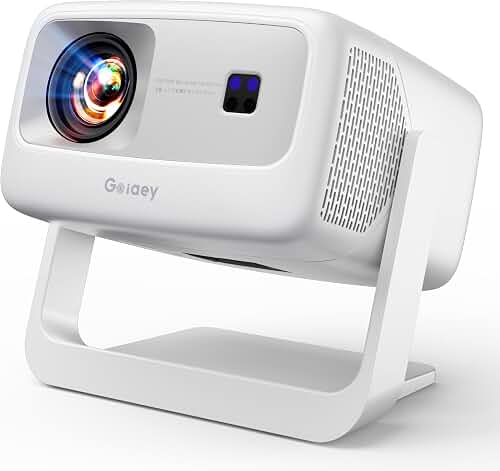
If you've paired a Bluetooth soundbar to your projector and noticed actors' lips moving before you hear the dialogue, you're dealing with audio-video latency. To fix projector lip sync delay bluetooth soundbar setups, you need to add audio delay inside the projector or source device, switch to a low-latency Bluetooth codec like aptX LL, or bypass Bluetooth entirely with optical or HDMI ARC cabling. Standard Bluetooth introduces 100-300 ms of lag, well past the roughly 45 ms threshold where most viewers start to notice mismatch. This 2026 guide walks through every working fix, from quick menu adjustments to permanent rewiring strategies.
Why Bluetooth Soundbars Cause Lip-Sync Problems With Projectors
Bluetooth audio is not instantaneous. When your projector streams sound to a wireless soundbar, the audio has to be encoded into a Bluetooth codec, transmitted, buffered, decoded on the soundbar side, and finally pushed through the speaker drivers. Each stage adds milliseconds. Meanwhile, your projector is sending the image directly to the imaging chip with comparatively little processing. The result: audio arrives noticeably later than the picture.
The best fix projector lip sync delay bluetooth soundbar for your situation depends on how you plan to use it and where.
The amount of lag depends almost entirely on which Bluetooth codec your projector and soundbar negotiate. SBC, the universal default, can add 200-300 ms. AAC is similar, around 150-250 ms. aptX runs about 70-150 ms, aptX Low Latency drops to roughly 40 ms, and aptX Adaptive can hit 50-80 ms. LDAC, despite being high-resolution, often sits between 150-250 ms because of its large buffer. If both your projector and soundbar do not support the same low-latency codec, the system falls back to SBC and you're stuck with the worst-case delay.
Projectors add their own variable on top. Image scaling, keystone correction, frame interpolation, and HDR tone-mapping all introduce video processing delay. Some projectors automatically compensate by buffering audio to match, but Bluetooth pipelines often bypass that internal sync logic. Once you understand both halves of the equation, fixing the lag becomes systematic instead of guesswork.
How to Diagnose the Exact Amount of Delay
Before adjusting anything, measure the offset. Pull up a free lip-sync test video on YouTube (search for "AV sync test 1080p") that flashes a number on screen while a beep plays. Record your projector with your phone in slow motion and step through frame-by-frame to see how many frames separate the visual flash from the audible beep. At 240 fps, each frame equals about 4 ms, so a 15-frame gap means roughly 60 ms of audio delay. Most viewers tolerate up to 45 ms before mismatch becomes visible, and anything beyond 100 ms feels obviously broken.
Apps like AV Sync Pro for iOS and Android automate the measurement using your phone's microphone and camera, returning a millisecond figure you can dial directly into the projector's audio offset menu. Make a habit of remeasuring after any firmware update, because Bluetooth stack changes routinely shift latency by 30-50 ms in either direction.
Fix 1: Enable Audio Delay in Your Projector Menu
Most modern projectors include an audio delay or A/V sync slider buried under Audio Settings, Advanced, or Expert menus. Look for labels such as "Lip Sync," "Audio Delay," "AV Sync," or "Sound Sync." The slider typically ranges from 0 to 250 ms, and you want to add delay to the video (or equivalently, push audio earlier) until the beep and flash align.
Counterintuitively, what most projectors actually do is hold the video back to match the late audio. That means enabling lip-sync adds a small amount of input lag for gamers, which usually doesn't matter for movies but can hurt twitch shooters. If you game on the same setup, save two picture profiles, one with lip-sync enabled for movies and one with it disabled for gaming. Our complete projector setup guide covers profile management in more depth.
Fix 2: Adjust Audio Delay on the Source Device
If your projector menu has no delay option, push the fix upstream. Apple TV 4K offers "Wireless Audio Sync" under Settings > Video and Audio, which calibrates against your iPhone's mic. Roku Ultra includes an audio offset slider in Settings > Audio. Fire TV has Audio Delay in Settings > Display and Sounds. PlayStation 5 includes "Adjust A/V Sync" under Sound > Audio Output. Xbox Series X exposes audio delay under General > Volume and audio output.
For Blu-ray players, look in the audio submenu for "Audio Delay" or "PCM Down-conversion" options. Nvidia Shield TV has the widest range, allowing both positive and negative offsets up to 500 ms, which makes it the most flexible streamer for awkward Bluetooth pairings. Adjusting at the source has one big advantage: the delay travels with that input, so switching between streaming and console gaming automatically pulls the correct setting.
Fix 3: Force a Low-Latency Bluetooth Codec
If your soundbar supports aptX Low Latency or aptX Adaptive, make sure the projector is actually using it. Many projectors with built-in Bluetooth only support SBC, which is the root cause of severe lag. Check your projector's spec sheet for the supported codec list. If it's SBC-only, no menu tweak will get below 200 ms, and you'll need to either accept manual delay compensation or move to a wired connection.
When both ends do support aptX LL, the pairing should negotiate it automatically, but firmware bugs occasionally force SBC fallback. Unpair, reboot both devices, and re-pair with the soundbar in pairing mode first. Some soundbars display a small codec indicator on their front panel when aptX LL is active. If you don't see it, the link defaulted to SBC and you need to investigate.
Fix 4: Bypass Bluetooth With a Wired Connection
The most reliable fix is to stop using Bluetooth entirely. Optical (TOSLINK), HDMI ARC, or HDMI eARC connections add negligible latency (typically under 10 ms) and remove codec negotiation from the equation. Almost every home theater projector includes either an optical-out or analog 3.5 mm audio jack, and most modern soundbars accept both.
HDMI ARC is the cleanest path if your projector supports it, because volume control passes through the HDMI-CEC handshake and you can use a single remote. Optical handles up to 5.1 channel Dolby Digital and DTS but caps out before lossless Atmos. For deeper guidance on wiring choices, read our soundbar-to-projector connection guide and the dedicated surround sound walkthrough, which covers HDMI ARC, eARC, and optical splitter setups for projectors that lack audio return.
Fix 5: Use a Bluetooth Transmitter With Lip-Sync Compensation
If you absolutely need wireless audio because of room layout, a dedicated low-latency Bluetooth transmitter is far better than the projector's built-in radio. Devices like the Avantree Oasis Plus, the 1Mii B06TX, and the TaoTronics TT-BA12 plug into the projector's optical or 3.5 mm output and transmit using aptX LL or aptX Adaptive at consistent latencies around 40 ms. Because they handle the encoding themselves, they sidestep the projector's slow built-in Bluetooth stack entirely.
The catch: your soundbar also has to support the same codec for the low-latency benefit to apply. Many transmitters get around this by pairing with two receivers simultaneously, so you can use matched low-latency headphones for late-night viewing while the soundbar handles daytime sessions.
Fix 6: Compensate for Negative Delay (Audio Leading Video)
Rarely, you'll encounter the opposite problem: audio arriving before the image. This happens when the projector is doing heavy video processing (HDR conversion, frame interpolation, geometry correction) while the Bluetooth path is unusually fast. Disabling motion smoothing, dynamic contrast, and aggressive picture modes shaves 20-80 ms off video processing time and often restores sync without any audio adjustment. Game Mode usually disables most processing and is worth toggling as a diagnostic step.
What If Your Projector Has No Audio Delay Setting?
Budget projectors and many ultra-portables omit the lip-sync menu entirely. In that case, your options narrow to: adjusting at the source device, switching to a wired audio path, or using a transmitter with delay compensation. The good news is that the source-device fix works for almost any streaming dongle, console, or media player, so even the most basic projector can be made watchable. The wired bypass remains the most foolproof and is the recommendation I make for permanent home theater installs, because it eliminates the codec lottery for good.
Choosing a Soundbar That Plays Well With Projectors
When shopping for a soundbar specifically to pair with a projector, prioritize three features: aptX Low Latency or aptX Adaptive support, an optical input, and an HDMI ARC port. Brands that consistently support aptX LL on their soundbars include Creative, Edifier, and some Anker Soundcore models. Sonos, Bose, and most Samsung and LG flagships skip aptX LL, which is why they so often produce noticeable lip-sync issues over Bluetooth despite being excellent for music streaming.
If you're still in the planning stage for your room, the home theater projector buying guide covers how audio output options vary by projector category, which helps you avoid pairing an audio-limited projector with a soundbar that has no wired inputs.
Frequently Asked Questions
Why is my Bluetooth soundbar always delayed with my projector but not my TV?
Modern TVs include automatic lip-sync compensation that detects Bluetooth latency and buffers video to match. Most projectors, even premium models, lack this automatic compensation because their audio output paths were designed for wired hookups. You can manually replicate what the TV does by enabling the audio delay slider in the projector menu or by setting an offset on your source device.
How much Bluetooth audio delay is acceptable for movie watching?
Research from the ATSC and EBU puts the perception threshold at roughly 45 ms when audio lags video, and around 22 ms when audio leads. Below 45 ms, the brain treats the audio and video as synchronized. Above 100 ms, even casual viewers will notice during dialogue scenes. Aim for under 40 ms of measured offset for a fully transparent experience.
Does aptX Low Latency completely eliminate Bluetooth lip-sync issues?
It comes close. aptX LL targets around 40 ms end-to-end, which sits just under the perception threshold for most viewers. However, both your projector and soundbar must support the codec for the low-latency benefit to apply, and projectors with aptX LL Bluetooth radios remain uncommon. When the codec mismatch forces an SBC fallback, you're back to 200+ ms.
Can I use a Bluetooth transmitter dongle to fix projector lip sync delay bluetooth soundbar lag?
Yes, and it's often the cleanest wireless fix. A dedicated transmitter plugged into the projector's optical or analog output bypasses the projector's slow internal Bluetooth stack and transmits using aptX LL or aptX Adaptive directly to a compatible soundbar. Avantree, 1Mii, and TaoTronics make well-regarded models with built-in delay compensation menus.
Will switching to optical or HDMI ARC really eliminate the delay?
Wired connections introduce under 10 ms of latency, which is below human perception and effectively instant. The only situation where a wired connection still shows delay is when the soundbar itself applies internal DSP processing (room correction, virtual surround, night mode) that adds buffer time. Disabling those modes restores zero-perceptible-delay audio. If feasible, run an optical or HDMI ARC cable; it's the most reliable long-term solution.
Why does my lip-sync get worse after a projector or soundbar firmware update?
Bluetooth stack updates frequently change buffer sizes, codec preferences, or pairing behavior. A firmware patch that improves audio quality or stability often increases latency as a side effect. Remeasure your A/V offset after every update and adjust the audio delay slider as needed. Keep a note of your working offset value so you can restore it quickly.
Should I just buy a wired soundbar instead of fighting Bluetooth lag?
For a permanent home theater install where the soundbar lives directly under the screen, yes. A wired soundbar removes every source of variable latency and gives you full-bitrate audio support, including Dolby Atmos and DTS:X over HDMI eARC. Bluetooth makes sense only when room layout or aesthetics force a wireless solution, such as a portable projector setup or an outdoor backyard configuration.
Key Takeaways
- Choosing the right fix projector lip sync delay bluetooth soundbar means matching the key features to your specific needs and budget
- Read real customer reviews and check the return policy before you commit
- Also covers: projector audio delay bluetooth
- Also covers: wireless projector sound out of sync
- Also covers: projector lip sync correction
- Compare value across models — the priciest option is not always the best fit