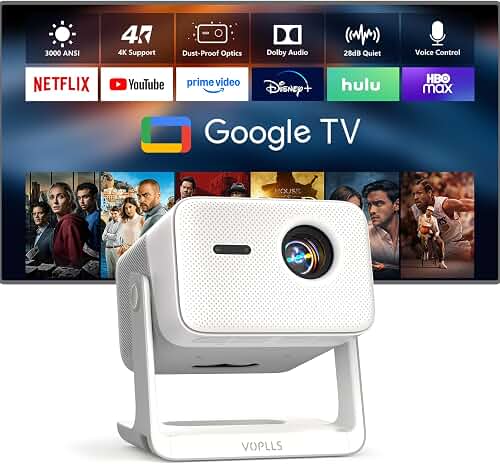
To set up Dolby Atmos with a projector and floor speakers, you need an Atmos-capable AV receiver (AVR), a 5.1.2 or 5.1.4 speaker layout (your existing floor speakers plus at least two overhead or upward-firing height channels), and an HDMI 2.0/2.1 connection path that preserves the lossless audio bitstream between your source, AVR, and projector. The projector itself does not decode Atmos audio — it only handles video — so the trick is routing audio through the receiver via HDMI eARC or a dedicated audio output before sending video to the projector. Once wired, you assign the height channels in the AVR menu, run room correction, and verify that the source is outputting an Atmos bitstream rather than stereo or 5.1 PCM.
This guide walks through how to set up Dolby Atmos with projector setups using your existing floor speakers, including AVR selection, speaker placement, wiring topology, calibration, and the common mistakes that prevent the Atmos flag from appearing on your receiver display.
The best how to set up dolby atmos with projector for your situation depends on how you plan to use it and where.
Why Projector-Based Atmos Setups Are Different
A traditional Atmos setup uses a TV with HDMI eARC, which simplifies signal flow because the TV passes audio back to the AVR. Projectors complicate this because most projectors lack eARC, the cable run from sources to the screen is much longer (often 25–50 feet), and many users mount the projector on the ceiling far from the equipment rack. That means the audio chain and video chain typically split at the AVR rather than at the display.
The fundamental rule for how to set up Dolby Atmos with projector hardware is this: route every source into the AVR first, then send a single HDMI cable from the AVR's video output up to the projector. The AVR strips off the Atmos audio for decoding and forwards only the video. This avoids the eARC problem entirely and keeps your floor speakers, height channels, and subwoofer all under the receiver's control.
What You Need Before Starting
- Atmos-capable AV receiver with at least seven amplified channels (for 5.1.2) or nine channels (for 5.1.4). Look for HDMI 2.1 inputs if you want 4K/120Hz passthrough for gaming.
- Floor speakers — your existing front left, center, front right, and surround pair.
- Height channels — either ceiling-mounted in-ceiling speakers, upward-firing "Atmos enabled" modules that sit on top of your floor speakers, or downward-firing speakers mounted to the ceiling.
- Subwoofer with an LFE input.
- High-speed HDMI cables — short runs (under 6 ft) for sources to AVR; an 18 Gbps or 48 Gbps fiber-optic HDMI for the long projector run.
- An Atmos source — a 4K Blu-ray player, Apple TV 4K, Nvidia Shield Pro, or an Xbox Series X / PS5 that can bitstream Dolby Atmos.
Step 1: Plan Your Speaker Layout
Atmos layouts are written as A.B.C, where A is the number of floor speakers, B is subwoofers, and C is height channels. The two practical configurations for most rooms are:
5.1.2 — Five floor speakers (front L/C/R, surround L/R), one sub, and two overhead channels placed between the listening position and the screen, or slightly behind. This is the minimum to claim a real Atmos experience and works well in rooms under 200 square feet.
5.1.4 — Same floor layout but with four overhead channels: a front pair roughly above the front L/R and a rear pair behind the listening position. The four-channel layout creates a noticeably more convincing dome of sound and is worth the investment if your AVR supports it.
Dolby's published guidance places overhead speakers at angles of 30–55 degrees forward of the listener (for the front heights) and 125–150 degrees rearward (for the rear heights), measured from the seated ear. If you cannot run ceiling speakers, upward-firing modules bounce sound off the ceiling — they require a flat, hard, 8–12 ft ceiling to work properly. Vaulted or acoustically treated ceilings will swallow the reflection and ruin the effect.
Step 2: Wire the AVR as the Hub
Place the AVR in your equipment rack near your sources, not near the projector. The wiring should follow this order:
- Connect every source device (Blu-ray, streamer, console) to the AVR's HDMI inputs with short, high-quality cables.
- Connect the AVR's main HDMI output to the projector with a single long-run cable. For runs over 25 feet, use an active fiber-optic HDMI rated for 18 Gbps (4K/60 HDR) or 48 Gbps (4K/120 or 8K).
- Wire the floor speakers to the AVR's front L/C/R and surround binding posts using 14- or 16-gauge speaker wire.
- Wire the height channels to the AVR's height or "Atmos" outputs, which are usually labeled "Height 1" and "Height 2."
- Connect the subwoofer to the AVR's LFE/Sub Out using a shielded RCA cable.
If your projector is far from any power source, route a dedicated 14-gauge in-wall HDMI alongside a power line during installation. Our projector ceiling mounting guide covers cable management and pre-wire planning if you are starting from scratch.
Step 3: Configure the AVR for Atmos
Power on the AVR and enter the speaker setup menu. You will be asked to declare the layout:
- Set front, center, and surround speakers to "Small" if they are bookshelf speakers, "Large" if they are full-range towers with deep bass extension below 40 Hz.
- Assign the height channels to either "Front Height," "Top Middle," or "Dolby Enabled Speakers" depending on whether you installed in-ceiling, ceiling-mounted, or upward-firing modules.
- Set the crossover to 80 Hz for all speakers except your sub. This is the THX-standard crossover and works for the majority of bookshelf-and-tower combinations.
- Enable HDMI passthrough or "HDMI Standby Through" if you want the projector to receive video while the AVR is off — useful if you sometimes use the projector for non-audio content.
Now run the AVR's automatic room correction system. Audyssey MultEQ XT32, Dirac Live, and Anthem Room Correction (ARC) are the three leading systems in 2026. Place the calibration microphone at ear height at your primary listening position, then repeat at six to eight additional positions covering the entire seating area. Room correction is the single biggest contributor to perceived Atmos quality — a well-calibrated 5.1.2 system will outperform a poorly-calibrated 5.1.4.
Step 4: Verify the Atmos Bitstream
The most common failure point is the source outputting Dolby Digital Plus or 5.1 PCM instead of Atmos. To verify:
- On Apple TV 4K, go to Settings Video and Audio Audio Format and set to "Dolby Atmos" rather than "Auto."
- On Xbox Series X / PS5, enable bitstream output (Dolby Atmos for Home Theater) in the audio menu.
- On a 4K Blu-ray player, enable bitstream output rather than PCM. PCM mode strips the Atmos object metadata.
- On streaming apps, confirm the title is actually Atmos-encoded. Netflix and Disney+ display the Atmos badge on the title card; Apple TV+ marks titles in the audio description.
When everything is working, your AVR's front panel should display "Dolby Atmos" or "DD+ Atmos" while playing back content. If you see only "Dolby Digital Plus" or "Multichannel PCM," something in the chain is downmixing.
Step 5: Acoustic Treatment for Projector Rooms
Projector rooms tend to have a perforated or acoustically-transparent screen for the center channel, blackout curtains, and carpeted floors — all of which absorb mid and high frequencies. This is good for Atmos because reflections that would otherwise confuse object placement are damped. If your room has bare drywall or glass, add absorption panels at the first reflection points (the spots on the side walls where a mirror held against the wall would reflect the front speakers back to your seat) and a thick area rug between the speakers and the seating.
If you are still selecting a screen, our projector screen selection guide covers acoustically-transparent options that let you place the center channel behind the screen at ear height — the ideal placement for dialogue clarity in any Atmos setup.
Step 6: Test with Reference Content
Use known-good Atmos content to verify each channel is working. Good test material includes the Dolby Atmos demo disc trailers ("Amaze," "Leaf," "Horizon"), the helicopter scene from Mad Max: Fury Road 4K UHD, the opening of Gravity, and the rain scene in Blade Runner 2049. If you hear height information clearly separated from the floor speakers — rain coming from above, helicopters tracking overhead — your setup is working. If everything sounds like it is coming from the front, check your height channel assignments and verify the speakers are actually wired correctly.
Common Mistakes to Avoid
- Running HDMI from the source directly to the projector and using ARC back to the AVR. Most projectors lack ARC/eARC, and even those that have it rarely pass full Atmos bitstreams reliably.
- Using upward-firing modules under a vaulted or angled ceiling. The reflection geometry will not work; install in-ceiling or surface-mount speakers instead.
- Mixing speaker brands aggressively across the front stage. Floor and height channels can mix freely, but the front L/C/R should be timbre-matched for dialogue continuity.
- Setting all speakers to "Large" when only the fronts are full-range. This sends bass to bookshelf speakers that cannot reproduce it cleanly. Stick with 80 Hz crossover and "Small" for anything other than full-range towers.
- Forgetting to enable HDR passthrough. Some AVRs default to disabling HDR10 or Dolby Vision on certain inputs. Check that 4K HDR is still reaching the projector after wiring.
For a broader walkthrough of the video side of the install — throw distance, mounting, screen sizing — see our complete home theater projector setup guide.
Frequently Asked Questions
Can I use a soundbar with Atmos instead of an AV receiver and floor speakers?
You can, but you will lose the discrete floor channels that give Atmos its punch. A soundbar with upward-firing drivers approximates the height effect but cannot reproduce true rear surround unless paired with wireless rear satellites. If you already own quality floor speakers, an AVR-based setup will sound dramatically better than any soundbar at the same price.
Do I need a projector that supports Dolby Atmos passthrough?
No — the projector never decodes Atmos. As long as you route audio through your AVR before the signal reaches the projector, projector audio specs do not matter. Even projectors with built-in speakers and no audio decoding can be part of an Atmos setup using the wiring topology described above.
How far apart should my height speakers be for a projector setup?
For a 5.1.2 layout, place the two height speakers directly above the front L/R floor speakers, mirrored across the room's centerline. For 5.1.4, the front pair sits forward of the listening position by about a third of the room length, and the rear pair sits behind by the same ratio. Dolby's published angle ranges are 30–55° for fronts and 125–150° for rears measured from the seated ear.
Will Atmos work with a wireless subwoofer and powered floor speakers?
Yes, as long as the powered speakers accept a line-level input from the AVR's pre-out jacks. You essentially treat the AVR as a preamp/processor and let each powered speaker handle its own amplification. Some active speakers (Genelec, KEF LSX II) also offer Atmos-compatible inputs directly, but routing through the AVR is more flexible.
Can I use my existing 5.1 system and just add two ceiling speakers?
That is exactly the 5.1.2 upgrade path and it works very well. Your existing receiver may already have unused height channel outputs — check the back panel for terminals labeled "Surround Back," "Front Height," or "Atmos." Many 7.1 AVRs can be reassigned to 5.1.2 in firmware without buying anything new beyond the two height speakers and wire.
How long can my HDMI cable run be from AVR to projector?
Passive HDMI cables are reliable up to about 25 feet for 4K HDR signals. Beyond that, use active copper or fiber-optic HDMI. Active fiber cables work reliably to 100 feet or more and are now affordable for residential runs. Always test the cable with full 4K HDR content before sealing it inside a wall.
Does Atmos work with all streaming services?
Atmos availability varies. In 2026, Netflix, Disney+, Apple TV+, Max, and Amazon Prime Video all stream selected titles in Atmos, but you may need their highest subscription tier. Verify the Atmos badge on each title before assuming the audio track is Atmos-encoded — many catalog films stream in 5.1 only even on Atmos-supporting platforms.
For deeper background on integrating audio with projector rigs, our guide to connecting surround sound to a projector covers HDMI ARC alternatives, optical fallback wiring, and lip-sync correction in more detail.
Key Takeaways
- Choosing the right how to set up dolby atmos with projector means matching the key features to your specific needs and budget
- Read real customer reviews and check the return policy before you commit
- Also covers: dolby atmos projector floor standing speakers
- Also covers: 5.1.4 atmos setup home theater projector
- Also covers: atmos height speakers projector ceiling
- Compare value across models — the priciest option is not always the best fit