Comparison: which no-drill approach fits your condo?
| Approach | Typical price (2026) | Image size | Room light tolerance | Best for |
|---|---|---|---|---|
| UST laser on console | $1,800-$4,500 | 100-130 in | Excellent (with ALR screen) | Permanent living-room setup |
| Short-throw on shelf | $600-$1,400 | 90-120 in | Moderate (dim or dark) | Budget enthusiasts, smaller condos |
| Portable laser on stand | $500-$1,600 | 60-120 in | Moderate | Renters, multi-room use |
| Long-throw on rear console | $700-$2,500 | 100-150 in | Dim or dark | Open-concept condos with long sightlines |
If your condo's HOA or lease forbids drilling into ceilings, you don't have to give up on a real big-screen experience. The best projector for condo no ceiling mount allowed setups uses one of three approaches: an ultra-short-throw (UST) laser that sits on a console inches from the wall, a compact short-throw model on a media credenza, or a portable laser projector that lives on a shelf or floor stand. All three avoid permanent installation, leave zero damage at move-out, and still deliver 100-120 inch images that easily outpace any TV in the same price range. This 2026 guide breaks down which approach fits which condo layout.
Why condos forbid ceiling-mounted projectors
Most high-rise and townhome HOAs have bylaws that classify the ceiling as a common element or structural component. Drilling into it can:
- Puncture fire-rated drywall assemblies between units
- Hit post-tension cables in concrete-slab high-rises (a five-figure repair)
- Disturb sprinkler lines, in-slab electrical conduit, or radiant heating
- Violate sound-transmission ratings between floors
Even when bylaws are silent, most condo insurance riders explicitly exclude damage from tenant-installed mounts. Renters face the same wall: security deposits routinely disappear over four anchor holes in a popcorn ceiling. The good news is that 2026 projector technology has finally caught up with these constraints. UST lasers, in particular, were practically invented for the no-drill household.
Three no-modification setups that actually work
1. Ultra-short-throw (UST) on a media console
UST projectors sit 4-15 inches from the wall and fire upward at a steep angle, producing 100-120 inch images from a console you already own (or a $150 IKEA credenza). Zero ceiling work, zero wall mounts, and the unit doubles as a striking design object. The trade-off is that UST models cost more per lumen than a traditional long-throw projector, and they demand a flat, smooth wall or an ALR (ambient-light-rejecting) screen for best results.
2. Short-throw on a bookshelf or credenza
Short-throw projectors (0.5-1.0 throw ratio) live on a bookshelf, side table, or rear console 4-7 feet from the screen. They are dramatically cheaper than UST, accept any standard 1.2-gain matte screen, and can be relocated room-to-room. This is the best value path for a projector for condo no ceiling mount allowed setups when budget matters more than counter aesthetics.
3. Portable laser projector on a floor stand or shelf
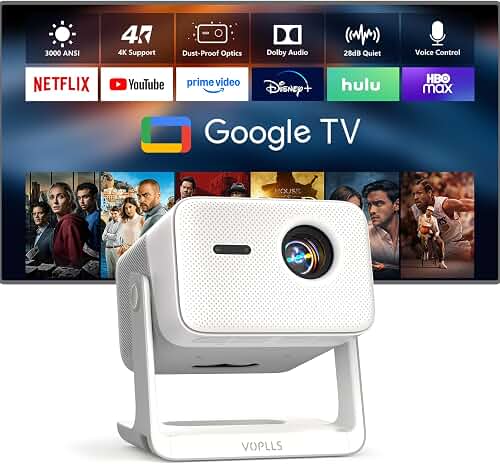
Compact 1080p/4K laser projectors weighing 3-6 pounds can sit on a paint-can-sized stand, a bookshelf, or even a sturdy tripod. Built-in auto-keystone and auto-focus mean you can place them anywhere and they self-correct geometry. Great for renters who move often or condos where you want to stash the projector between movie nights.
Specs that matter most when you can't ceiling-mount
Throw ratio and image size at your actual distance
The single most important spec is throw ratio, the multiplier between distance-to-screen and image width. UST units are 0.19-0.25; short throws are 0.5-1.0; long throws are 1.2-2.0. Measure your console-to-wall (or back-of-couch-to-wall) distance before you shop. A 0.5 short-throw at 6 feet gives you a 144-inch-wide image, which is way too big for most condos; aim instead for a 100-inch diagonal, which most spouses and HOAs can tolerate. Our projector throw distance guide has the full math.
Lens shift and digital keystone
When you can't put the projector dead-center under the ceiling, you'll be offsetting it left, right, or low. Optical vertical lens shift preserves image quality; digital keystone correction sacrifices pixels. For floor-stand or low-credenza placement, look for at least +/-50% optical vertical lens shift, or accept a UST that requires no shift at all.
Laser vs lamp light source
In 2026, laser is the default for any condo-friendly projector. Lasers last 20,000-30,000 hours (vs 3,000-5,000 for lamps), turn on instantly, and run cooler, which matters in compact condos with limited ventilation around media consoles. The price gap between laser and lamp models has nearly closed at the mid-range.
Built-in speakers and smart TV apps
Without a permanent install, you probably don't have a hardwired AV receiver either. A projector with respectable 15-30W built-in speakers and Google TV or webOS built in lets you stream Netflix without running an HDMI cable across the floor. If you do want surround, see our guides on how to connect a soundbar to a projector or set up surround sound to a projector.
Lumens for daylight viewing
Condos with floor-to-ceiling windows are common, especially in newer builds. For watchable daytime sports or casual TV, target 2,500+ ANSI lumens. For dedicated movie nights with blinds closed, 1,500-2,000 ANSI lumens is plenty.
What to look for by condo type
Studio or 1-bedroom condo (under 700 sq ft)
Short throw is almost always the right answer. You don't have room to walk a UST console out from the wall, and a long-throw projector behind the couch will fire over your head. Place a 0.5-throw short-throw on a wall-mounted floating shelf above the entry hall or kitchen pass-through and aim at the opposite wall.
2-3 bedroom condo with a real living room
This is UST territory. A console-style UST under a 100-120 inch ALR screen mounted with damage-free strips or a freestanding floor frame looks like a TV when off and a cinema when on. No ceiling work, no rear-of-room cable runs, no bulky soffit.
High-rise with concrete ceilings
Even if your bylaws allowed it, you can't drill concrete without a hammer drill, sleeve anchors, and likely written board approval. Skip ceiling mounts entirely. UST is again the clear winner because it eliminates any need for overhead infrastructure including cable trays.
Townhome condo with stairwells or low ceilings
Wall-bounce echo and 8-foot ceilings cause headaches for long-throw projectors firing across the room. A short-throw on a rear bookshelf at couch-back height, or a portable laser on a low coffee-table riser, both work. Our companion guide on the best projector for finished basement low 8-foot ceilings covers very similar geometry challenges.
Screens that don't require drilling
A no-ceiling-mount setup typically also means no permanent screen install. Three options keep your security deposit intact:
- Tab-tensioned floor-rising screens: motorized screens housed in a slim base that sits on the floor. Press a button, the screen rises. Pricey ($800-$2,500) but the cleanest look.
- Freestanding ALR screens: rigid frames designed for UST projectors that lean against the wall on adjustable feet.
- 3M Command-strip-installed fixed frames: lightweight aluminum frames under 15 lbs that mount with damage-free adhesive strips rated for the screen's weight.
For sizing and gain selection, see how to choose a projector screen.
Cable management without ceiling drops
Because your projector won't be overhead, your cabling problem simplifies. Run a single fiber HDMI cable along the baseboard inside a paintable raceway. Use a slim power strip behind the credenza. If your UST has built-in streaming apps, you may not need any external HDMI source at all, which is the elegant solution for a clean condo aesthetic.
Setup workflow for your first night
- Measure your placement distance and confirm the projector hits your target image size.
- Mark the screen position with painter's tape on the wall before mounting any frame or installing any ALR panel.
- Pre-focus and pre-keystone the image to that taped outline.
- Install the screen, then fine-tune focus, lens shift, and keystone.
- Calibrate brightness for your typical viewing conditions, not the showroom defaults.
For a deeper walkthrough, see how to set up a home theater projector.
Mistakes to avoid
- Buying a long-throw projector hoping to floor-mount it. Floor-firing at an upward angle requires extreme keystone correction that wrecks image quality.
- Skipping the ALR screen on a UST. UST projectors fire light at a steep angle; a normal screen reflects ambient light right back into the image, killing contrast.
- Choosing on lumens alone. ANSI lumens, not the marketing-friendly LED or ISO numbers, are what matter. Divide LED lumens by ~2.4 for an honest comparison.
- Forgetting fan noise. Condo living rooms are quiet. Look for projectors rated under 30 dB in eco mode.
Frequently Asked Questions
Can I get a 4K projector for a condo without mounting it to the ceiling?
Yes. Every major brand (Hisense, Samsung, BenQ, Epson, XGIMI, Optoma) sells 4K UST or short-throw models specifically designed for tabletop or console placement. You give up nothing in resolution; you simply trade ceiling-mount placement for credenza placement.
What is the best projector for a condo with no ceiling mount allowed if I rent?
Portable laser projectors are the best fit for renters because they move with you and require zero installation hardware. If you want a permanent-feeling cinema in your unit, a UST on a credenza is the best projector for condo no ceiling mount allowed approach because it survives multiple moves without leaving a single hole behind.
Are projectors loud enough to bother neighbors below or beside me?
Modern laser projectors run 26-32 dB, quieter than a refrigerator. The bigger neighbor concern is bass from your sound system, not projector noise. Use a soundbar with adjustable subwoofer level, and keep the sub off the floor (use isolation feet) to minimize floor-borne transmission to the unit below.
How big a screen can I get without ceiling mounting the projector?
UST projectors comfortably do 100-130 inches from a console. Short throws on a rear shelf can hit 100-150 inches depending on room length. Portable lasers typically max out around 100-120 inches before brightness becomes a limitation. Match the screen to your room: a 110-inch diagonal works for most 12-16 foot viewing distances.
Do I need an ALR screen if my projector sits on a console?
For a UST, yes, a UST-specific ALR screen is strongly recommended because the steep light angle interacts poorly with normal screens. For a short-throw or long-throw sitting on a rear shelf, a standard 1.0-1.2 gain matte white screen is fine if you control ambient light, or a standard ALR if you don't.
Can a freestanding projector still do Dolby Atmos and surround sound?
Absolutely. Most modern projectors pass Dolby Atmos through their HDMI eARC port to a soundbar or AVR. The projector's physical mounting position has no effect on audio routing. See our guide on setting up Dolby Atmos with floor speakers for layouts that work in condos.
How do I keep the projector cool sitting inside a media console?
Leave 4-6 inches of clearance behind and above the projector, and never enclose it inside cabinet doors during operation. Most UST projectors are designed to sit on top of furniture, not inside it. If your console has a glass top, that's fine; if it has a hinged lid, prop it open during use.
What is the cheapest way to get a 100-inch image without modifying the ceiling?
A $600-$800 short-throw 1080p projector on a $50 floating shelf, paired with a $120 freestanding matte white screen, will give you a 100-inch image for under $1,000 total. It won't match a $3,500 UST for brightness or color, but it crushes any same-priced TV on screen size per dollar.
Key Takeaways
- Choosing the right projector for condo no ceiling mount allowed means matching the key features to your specific needs and budget
- Read real customer reviews and check the return policy before you commit
- Also covers: floor projector condo board rules
- Also covers: tabletop home theater projector condo
- Also covers: no drilling projector condo HOA
- Compare value across models — the priciest option is not always the best fit